MCPE Expanded Overworld Dungeons for Adventurous Expeditions
Skip to DownloadDiscover new adventures with the More Overworld Dungeons add-on! This expansion introduces a variety of castle-like structures, fortresses, and towers throughout the Overworld, each presenting unique challenges and valuable loot.
Description
The More Overworld Dungeons add-on is a fantastic expansion for players looking to enrich their Minecraft Bedrock experience. This addon introduces a plethora of new structures into the Overworld, significantly enhancing exploration and survival gameplay. Whether you’re a seasoned adventurer or a newcomer eager to discover the vast possibilities of Minecraft, this addition provides an engaging challenge that will keep you on your toes.
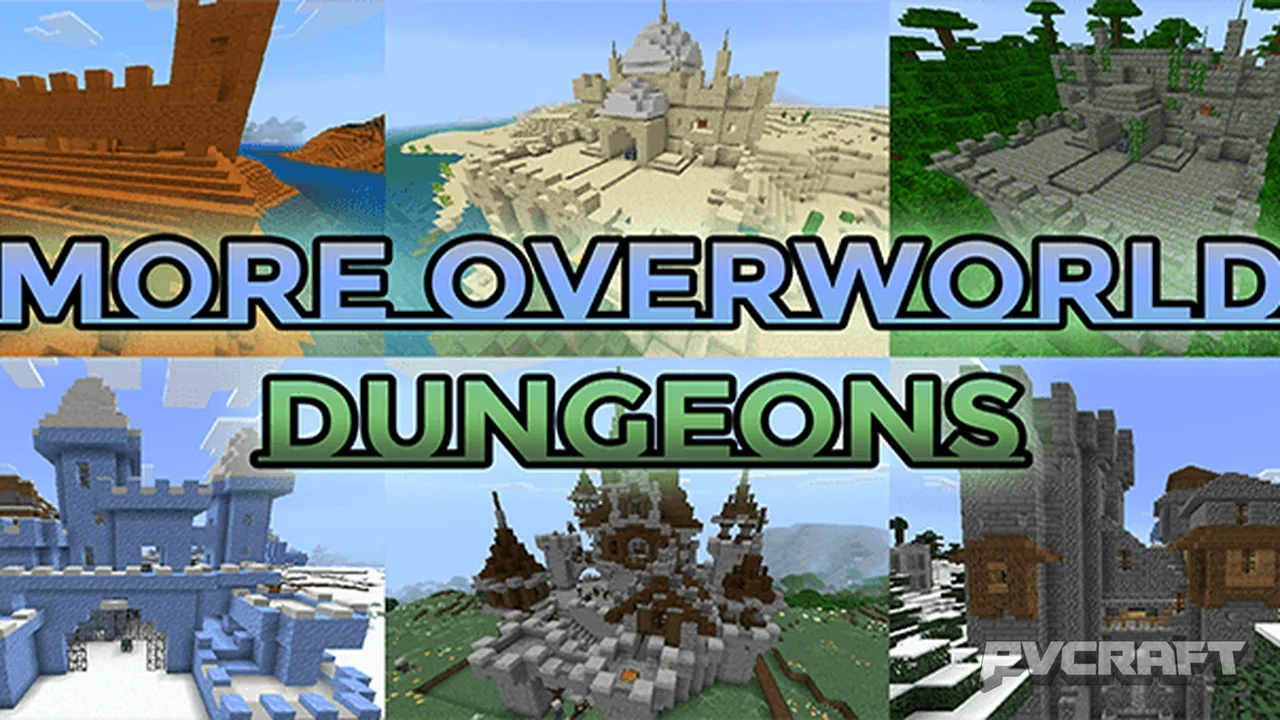
At its core, this addon adds **38 unique structures** across different biomes, each crafted to seamlessly blend with the surrounding environment. Imagine stumbling upon ancient fortresses, towering castles, and mysterious temples that not only look stunning but also provide fantastic opportunities for exploration and combat.
**Diverse Biomes, Diverse Challenges**
Each structure is purposefully placed within specific biomes, ensuring thematic consistency and an immersive gameplay experience. For example, in snowy biomes, you might encounter imposing castles made of packed ice and quartz, complete with strays lurking in the shadows. In contrast, arid deserts host ancient sandstone temples, where husks and parched mobs await the daring adventurer.
These new challenges are not just about aesthetics; they come with combat scenarios that are designed to test your skills. Each structure is guarded by hostile mobs that complement its theme, creating exciting combat encounters that require strategic thinking and planning. Each battle could lead to discovering valuable loot, which is meticulously tailored to match the difficulty of the structures.
**Loot and Rewards**
The interiors of these newly added structures contain chests filled with loot that varies in value based on the structure's challenge level. For instance, conquering a dark and treacherous illager castle might reward you with rare enchantments or powerful weapons, making the risk worthwhile. The thrill of opening a chest after a hard-fought battle is one of the quintessential joys of Minecraft, and this addon maximizes that excitement.
The following are just a few of the **38 structures** you can find:
- **Desert Biomes:** Two desert temples and two small castles, each packed with loot and guarded by husks.
- **Ice Biomes:** With five small castles, one large ice castle, and two temples, players will face strays and unique frost-themed challenges.
- **Jungle Biomes:** Navigate through dense foliage to uncover jungle temples where bogged mobs and zombies lie in wait.
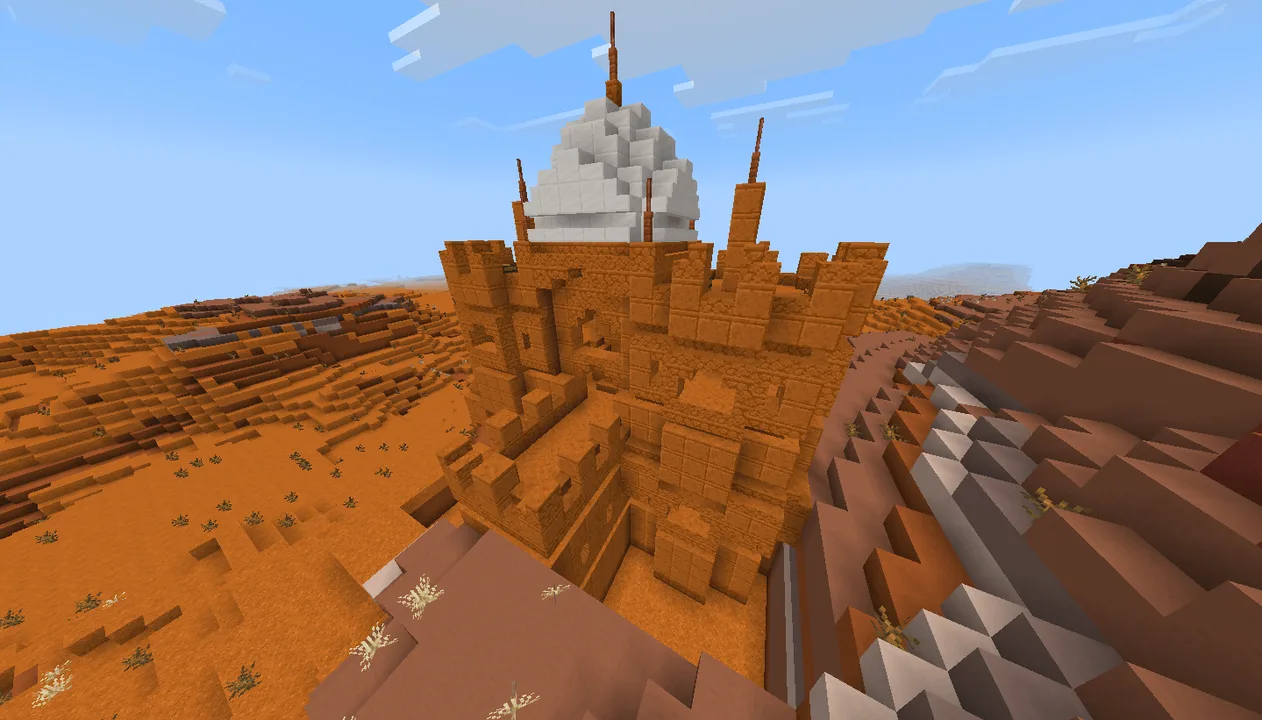
- **Badlands:** Two distinct temples made of red sandstone create an entirely different atmosphere.
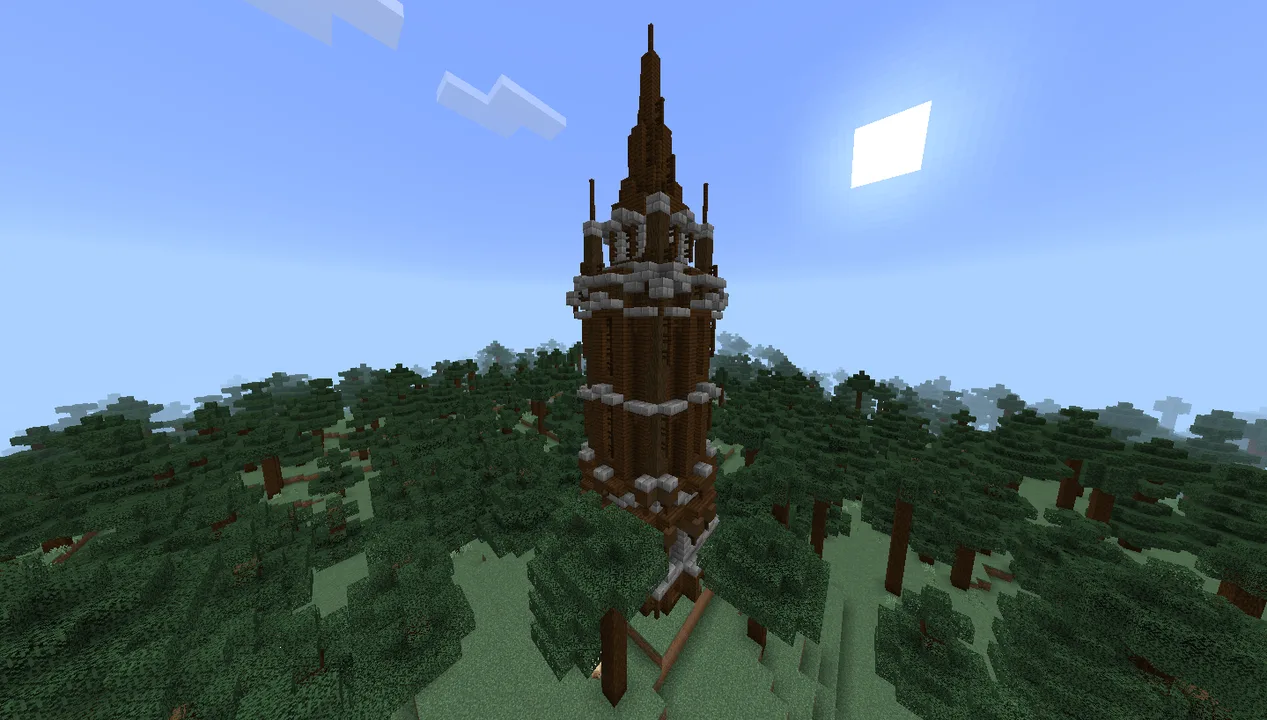
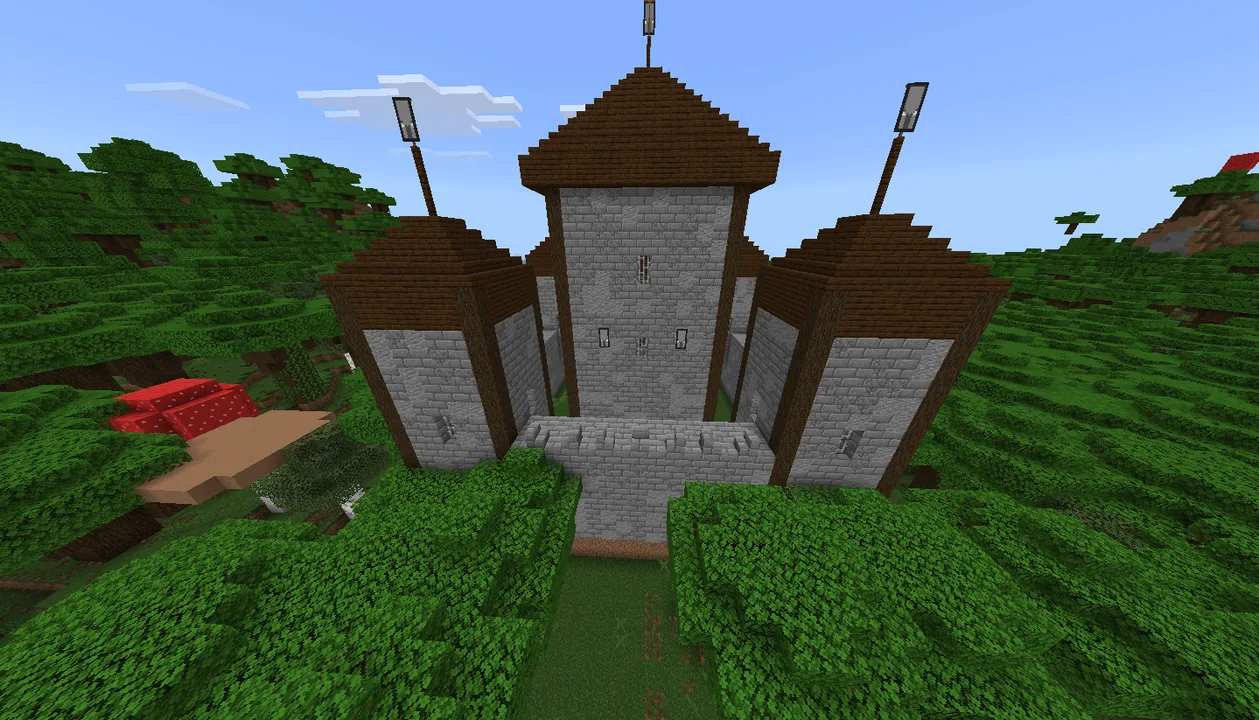
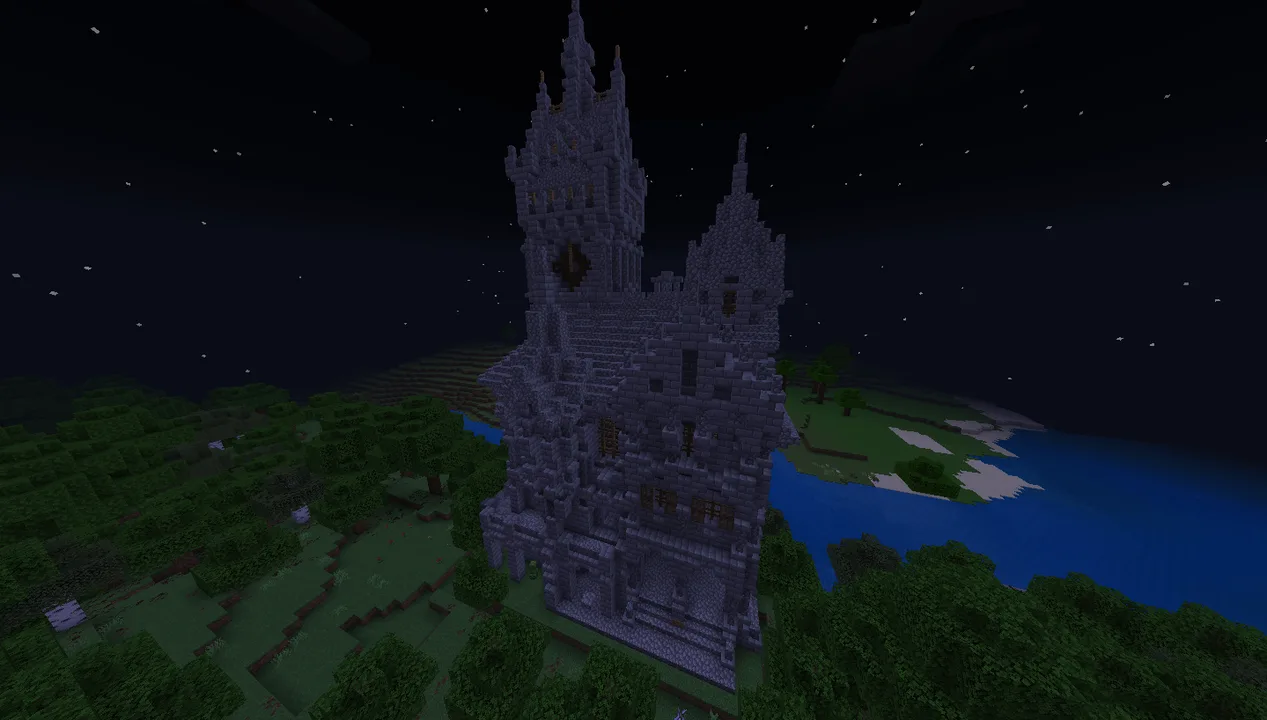
- **Illager Structures:** The add-on features several illager castles and towers, adding a layer of narrative and depth to your explorations.
This expansion not only transforms the Overworld into a land of adventure but also encourages players to explore every corner of their world. With each biomes’ unique structures, players can experience the thrill of uncovering ancient secrets, battling formidable foes, and collecting rare treasures.
**Installation Guidelines**
Installing the More Overworld Dungeons add-on is a straightforward process, ensuring that all players, regardless of their experience level, can enjoy this enhanced gameplay experience. Here’s how to install the addon for Minecraft Bedrock Edition:
1. **Download the Add-on:** Start by downloading the More Overworld Dungeons add-on file from a reputable content source. Make sure it’s compatible with Minecraft Bedrock Edition.
2. **Open the Minecraft Application:** Launch Minecraft on your device and navigate to the main menu.
3. **Access Settings:** Click on the ‘Settings’ option to open the game settings menu.
4. **Select Storage:** Within the settings, locate and select the ‘Storage’ option to manage your Minecraft files.
5. **Import the Add-on:** Scroll to find the `Behavior Packs` or `Resource Packs` sections, and choose the option to import the downloaded addon file. Follow the prompts to add it to your game.
6. **Create or Edit a World:** Return to the main menu and select ‘Play’. Choose an existing world or create a new one, and before entering the game, ensure that you have applied the More Overworld Dungeons add-on in the world settings under the applicable packs.
7. **Start Your Adventure:** Enter your world, and begin your exciting exploration of the enhanced Overworld, complete with its new structures and challenges.
With this add-on, the Overworld is transformed from a familiar landscape into a sprawling dungeon-filled realm, waiting to be explored. Whether you seek adventure, loot, or simply the thrill of discovery, the More Overworld Dungeons add-on is an essential expansion for any Minecraft Bedrock player looking to elevate their gameplay experience.
About the Content
CHANGELOG:
- Initial release featuring 38 new structures.
- Enhanced biome-specific designs for improved integration.
- Added diverse loot items tailored to structure difficulty.
- Introduced new hostile mobs to enrich combat experiences.
- Improved overall performance for smoother gameplay.
Installation
To install the More Overworld Dungeons add-on on your Minecraft Bedrock Edition, follow these steps:
1. **Download the Add-on:** First, acquire the add-on file from a trusted source. Ensure it's specifically designed for Minecraft Bedrock Edition.
2. **Open Minecraft:** Launch the Minecraft application on your device.
3. **Navigate to Settings:** Click on 'Settings' from the main menu to access game options.
4. **Go to Storage:** In the settings menu, find and select the 'Storage' section to manage your game’s content.
5. **Import the Add-on:** Look for options labeled ‘Behavior Packs’ or ‘Resource Packs’. Select the option to import or add a new pack, and locate the downloaded add-on file to import it into your game.
6. **Create a New World or Edit Existing One:** Back in the main menu, go to 'Play'. Choose to create a new world or edit an existing one. Make sure to apply the More Overworld Dungeons add-on in the world settings.
7. **Play the Game:** Finally, load your world and dive into a fresh and engaging exploration filled with new dungeons and challenges. Prepare for an adventure like no other!
Supported Minecraft Versions
26.20
If the download button doesn't work, click here for alternatives
If you are the original creator and would like this content removed, please submit a request through our DMCA page.