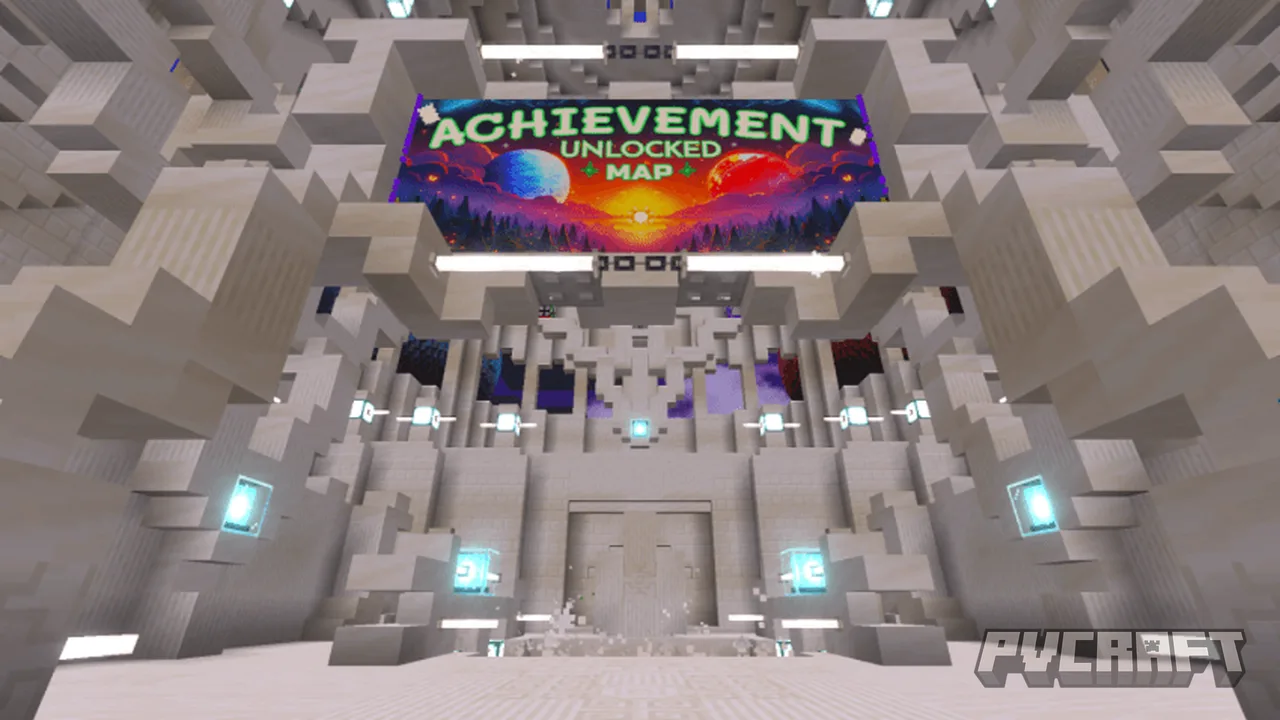
MCPE Achievement Unlocked Map
Skip to DownloadThe Achievement Unlocked Map for Minecraft Bedrock Edition is a unique adventure that allows players to discover and complete various challenges, unlocking achievements as they progress through an engaging environment.
ad
Description
The Achievement Unlocked Map enhances the Minecraft Bedrock experience by providing a tailored structure for players who enjoy accomplishing in-game tasks in a new and stimulating way. This map features various zones, each containing different challenges, puzzles, or mini-games that require the player to think creatively, utilize crafting skills, and sometimes even work collaboratively with friends in multiplayer mode.
Each challenge on the map is thoughtfully curated to cater to various play styles, from combat challenges to puzzle-solving quests. For instance, players may need to find hidden items, defeat specific mobs within set conditions, or solve intricate puzzles that unlock paths to new areas. The map encourages exploration and emphasizes the importance of strategic thinking, making it suitable for both casual gamers and seasoned players looking for a fresh take on achievement hunting.
One of the key features of this map is the streamlined interface for tracking achievements. As players progress, they receive visual indicators of their accomplishments, which can be motivating and rewarding. This setup feels particularly gratifying in Bedrock Edition, where achievements determine a player’s progression and skill level.
The sheer variety in tasks is designed to reflect the wide array of skills a player can harness in Minecraft, thereby showcasing the unique crafting and survival aspects of the game. This intrinsic focus on achievement hunting aligns with Minecraft's core principles, making it a perfect fit for anyone aiming to showcase their gameplay prowess or achievement collection.
Moreover, this map is great for content creators who may wish to showcase their achievement completions or challenge their community to see who can unlock the most achievements in a timed session. With multiplayer support, friends can tackle challenges together or engage in friendly competition to see who can rack up achievements the fastest, enhancing the social aspect of gameplay in Bedrock Edition.
For players who enjoy creative building, the map includes various resources and materials that can be used during challenges. This means players can engage in building activities alongside their achievement quest, adding a layer of creativity and versatility to gameplay. The full experience offers a well-rounded mix of traditional gameplay mechanics alongside modern challenges, ensuring that players remain engaged and entertained.
Furthermore, the Achievement Unlocked Map is compatible across all devices that run Minecraft Bedrock Edition, including mobile, console, and Windows. This means that whether you are playing on a tablet, gaming console, or PC, you can easily access and enjoy the challenges the map offers. Depending on the device, minor performance variations may occur, but overall, the gameplay is designed to be seamless and enjoyable on all platforms.
It's important to note that, depending on the Minecraft version you are using, you may need to ensure that your game is updated to the latest version to enjoy all the features of the map fully. Regular updates keep the content fresh, often adding new challenges or fixing any identified bugs as players share their experiences back to the creators. This interaction between developers and the community helps continuously enhance the gaming experience for everyone involved.
ad
About the Content
The Achievement Unlocked Map is specifically designed for Minecraft Bedrock Edition, creating an immersive experience where players must complete various tasks to unlock achievements. This map aims to provide a fun and interactive way for players to explore their skills while meeting specific game challenges.
CHANGELOG:
- Initial release with foundational gameplay mechanics.
- Added new achievements to enhance player engagement.
- Improved map navigation to streamline player experience.
- Fixed bugs affecting trigger events for achievement unlocking.
Installation
To install the Achievement Unlocked Map in Minecraft Bedrock Edition, follow these steps:
1. **Download the Map**: Obtain the map file from a trusted source available on this page. Make sure it’s specifically designed for Bedrock Edition.
2. **Locate the Downloaded File**: Once the map is downloaded, find the file in your device's download folder. The file will usually be in a .mcworld format, which is essential for Bedrock gameplay.
3. **Open Minecraft Bedrock Edition**: Launch the game on your device (mobile, console, or Windows).
4. **Import the Map**: Click on ‘Play’ from the main menu, then navigate to the ‘Import’ option. Depending on your platform, the process may vary slightly:
- On **Windows**, locate the map file and double-click it. This should automatically import it to your Minecraft games.
- On **Mobile** (iOS/Android), open the ‘Maps’ folder in the game's settings or import by selecting the file through the game browser.
- On **Console**, refer to the specific instructions pertaining to your console for file management to import the map successfully.
5. **Select the Map**: After importing, return to the ‘Play’ menu, scroll down to the ‘Worlds’ section, and locate the Achievement Unlocked Map. It should appear in your list as a new world.
6. **Customize Settings (Optional)**: Before you start, you can adjust game settings such as difficulty or game mode according to your preference.
7. **Start Playing**: Click on the map to enter and begin your achievement hunting journey!
By following these steps, you can seamlessly incorporate the Achievement Unlocked Map into your Minecraft Bedrock Edition experience. Enjoy exploring the challenges it presents and unlocking achievements as you progress!
Supported Minecraft Versions
1.21
If the download button doesn't work, click here for alternatives
If you are the original creator and would like this content removed, please submit a request through our DMCA page.