MCPE Escadona Lucky Block Bedrock Edition
Skip to DownloadConheça essa mapa de um minigame clássico do Minecraft, mas de uma forma totalmente divertida!!!
ad
Description
What is The Escadona?
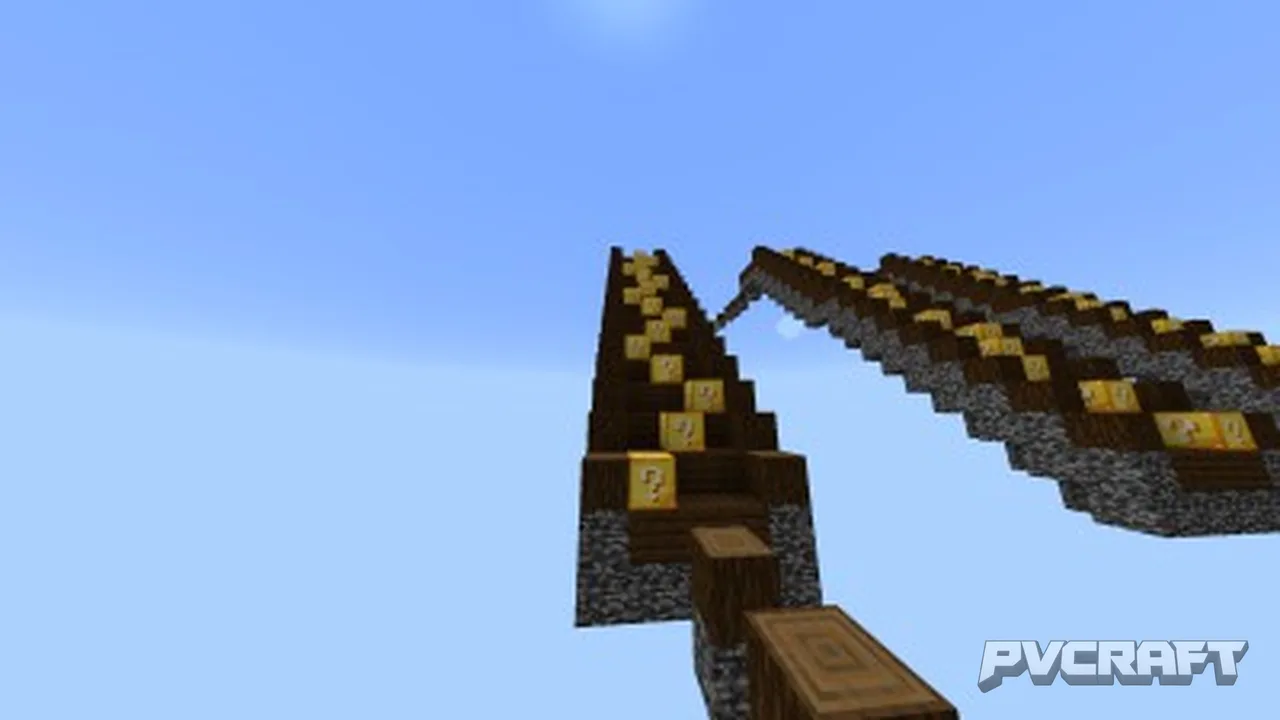
The Escadona (Portuguese for "The Big Staircase") is a custom-built adventure map created specifically for Minecraft Bedrock Edition. The entire map revolves around a single, monumental structure: a giant staircase composed entirely of Lucky Blocks. These special blocks, when broken, trigger completely random events. The goal is simple: reach the top of the staircase. The challenge lies in surviving the chaos unleashed with each step.
What makes it different from other Lucky Block maps?
Focused Vertical Progression: Unlike open-world Lucky Block maps, The Escadona forces you to move upward. Each step forward means more risk, but the top holds exclusive rewards you cannot find anywhere else.
Bedrock Optimization: This map is built from the ground up for Bedrock Edition. This means no glitches, no missing features, and full compatibility with cross-play across PC, Xbox, PlayStation, Nintendo Switch, and mobile devices.
Curated Randomness: While Lucky Blocks are random by nature, The Escadona carefully balances the spawning of disasters and treasures. You will never feel like the game is being unfair — but you will definitely feel the pressure.
Multiplayer Friendly: Invite up to 16 players to compete or cooperate. Watch from a distance as your friends accidentally summon creepers or fall into hidden traps.
Game Modes Included:
Single Player Mode: Conquer the staircase alone. Every decision is yours, and every consequence hits you directly.
Competitive Mode: Race other players to the top. The first one to place their banner on the final platform wins.
Cooperative Mode: Work together to break blocks, share resources, and survive the chaos as a team.
Who is this map for?
This map is perfect for players who enjoy unpredictable gameplay, high-risk-high-reward mechanics, and Minecraft content creators who want exciting, reaction-driven videos. If you are tired of predictable adventure maps and want something that surprises you every single time, The Escadona is exactly what you need.
ad
About the Content
Are you ready to test your luck and skill like never before? Welcome to The Escadona Lucky Block Map, the most chaotic and thrilling adventure map designed exclusively for Minecraft Bedrock Edition. This map takes the classic Lucky Block concept and transforms it into a towering, high-stakes challenge that will push your survival instincts to their absolute limit.
Imagine a massive staircase reaching high into the clouds. Each step of this staircase is made of nothing but Lucky Blocks. With every block you break, you could summon anything from a powerful ally and a chest full of diamonds, to a deadly trap, a horde of angry zombies, or even an explosion that sends you flying back to the ground. The Escadona structure is carefully designed to increase the tension with every step — the higher you go, the greater the risk, but the sweeter the reward.
This map is not just about luck, though. Strategy, timing, and quick decision-making are essential. Do you break every single Lucky Block, risking everything for more loot? Or do you carefully choose your path, trying to reach the top with minimal exposure to danger? Every playthrough offers a completely different experience, making The Escadona one of the most replayable maps you will ever find.
Perfect for solo players looking for a challenge, or for multiplayer sessions where you and your friends can race to the top, compete for the best loot, and laugh at each other's misfortune. The unpredictable nature of the Lucky Blocks guarantees that no two attempts are ever the same.
Key Features:
Massive staircase structure made entirely of Lucky Blocks.
Over 100 different possible outcomes from each Lucky Block.
Unique traps, bosses, and rewards exclusive to this map.
Fully optimized for Minecraft Bedrock Edition (works on PC, console, and mobile).
Extreme replayability — every new game is a brand new adventure.
Perfect for content creators looking for hilarious and intense moments.
Are you lucky enough to reach the top? Or will The Escadona send you crashing back down to earth? There is only one way to find out. Download The Escadona Lucky Block Map today and face the ultimate test of fortune and courage!
Installation
How to Install The Escadona Lucky Block Map on Minecraft Bedrock Edition
Follow this step-by-step guide carefully. The installation process may vary slightly depending on your device, but these instructions cover PC (Windows 10/11), iOS, Android, and consoles.
Step 1: Download the Map File
Locate and download the map file from your trusted source. The file will come in one of two formats:
.mcworld (recommended — opens automatically with Minecraft)
.zip (needs manual extraction)
Make sure you remember the folder where you saved the file.
Step 2: Installation by Device
For Windows 10/11 (Minecraft Bedrock from Microsoft Store):
If the file is .mcworld: Simply double-click the file. Minecraft will launch automatically and import the map. Once finished, the map will appear in your worlds list.
If the file is .zip: Right-click the file and select "Extract All". Open the extracted folder, then copy the folder inside. Press Windows + R, type %localappdata%\Packages\Microsoft.MinecraftUWP_8wekyb3d8bbwe\LocalState\games\com.mojang\minecraftWorlds and paste the folder there.
For Android (mobile):
Locate the downloaded .mcworld file using your file manager.
Tap on the file. Your device will ask if you want to open it with Minecraft. Confirm.
Minecraft will launch and import the map automatically.
Alternative method: Move the .mcworld file into Internal Storage/games/com.mojang/minecraftWorlds/ and then launch Minecraft.
For iOS (iPhone/iPad):
Download the .mcworld file to your device.
Tap the file and select "Share" then "Copy to Minecraft".
Minecraft will open and import the map instantly.
For Xbox, PlayStation, or Nintendo Switch:
Console installation requires an extra application. You will need a file manager app (such as "File Explorer" for Xbox or a similar tool for your console) and a way to transfer files via USB or local network.
Transfer the .mcworld file to your console via USB drive or network transfer.
Open your file manager app on the console and locate the file.
Select the file and choose "Open with Minecraft".
The game will launch and install the map automatically.
Note: Some consoles require the map to be inside the minecraftWorlds folder. Consult your console's specific Bedrock Edition file structure online.
Step 3: Activate Required Experimental Features
Before playing, you must activate certain game settings. If you skip this step, the Lucky Blocks may not work correctly.
Launch Minecraft and go to the Play menu.
Find The Escadona Lucky Block Map in your worlds list.
Click the pencil icon (Edit) next to the world name.
Scroll down to the Experimental Gameplay section.
Enable the following options:
Holiday Creator Features
Creation of Custom Biomes
Additional Modding Capabilities (if available)
Also enable Activate Cheats (this is required for the random events and score tracking).
Go back and click Play.
Important: Do not change any other world settings unless you know what you are doing. Changing settings like "Fall Damage" or "Mob Spawning" can break the map's intended challenge.
Step 4: Configure Your Game Settings for Best Experience
To enjoy The Escadona exactly as the designer intended, set these options:
Default Game Mode: Adventure
Difficulty: Hard (this is where the map truly shines)
Show Coordinates: On (helps you track your progress)
Fire Spread: Off
TNT Explodes: On
Mob Griefing: On
Step 5: Launch and Play
Once everything is set, click Play and enter The Escadona. Read the starting message carefully — it contains important rules and tips. Break your first Lucky Block and begin your climb!
Troubleshooting Common Issues
Issue: The map does not appear in my worlds after importing.
Solution: Restart Minecraft completely and check the world list again. If it still does not appear, delete the file and re-import it using the .mcworld format.
Issue: Lucky Blocks are just dropping normal items instead of triggering events.
Solution: You forgot to enable Experimental Features. Go back to Step 3 and activate all required toggles.
Issue: I keep spawning outside the map or inside the ground.
Solution: Reset the map by deleting the world file and reinstalling it from scratch. Make sure you did not accidentally edit the spawn point.
Issue: The map lags on my device.
Solution: Reduce your render distance to 8-10 chunks. Turn off fancy graphics and smooth lighting. The map is optimized for Bedrock, but older devices may struggle with the high number of Lucky Block events.
Supported Minecraft Versions
1.17
If the download button doesn't work, click here for alternatives
If you are the original creator and would like this content removed, please submit a request through our DMCA page.