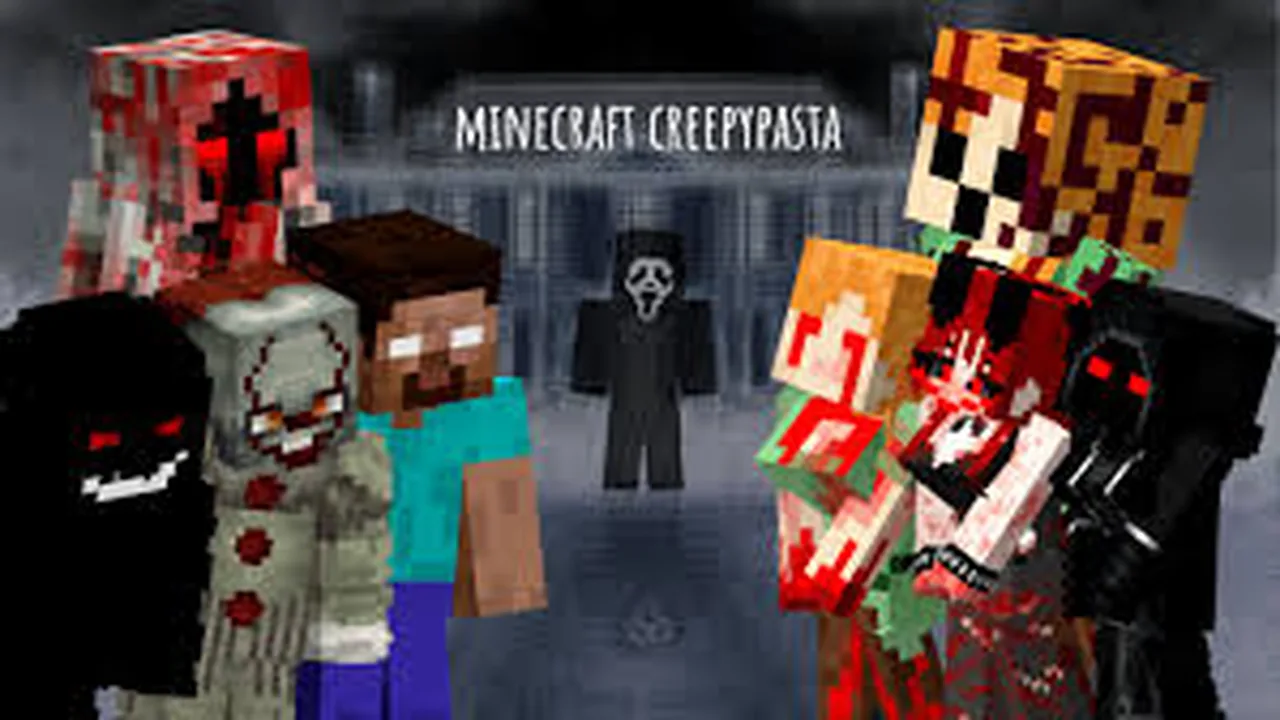
MCPE CREEPYPASTA FROM THE FOG (GH)
Skip to DownloadDive into the chilling world of Creepypasta from the Fog (GH) in Minecraft, where horror and survival intertwine. Explore eerie landscapes, encounter terrifying creatures, and unravel dark stories.
Description
In the mystical and dark realm of Minecraft, the Creepypasta from the Fog (GH) addon transforms the game into an embodiment of horror. As you step into this chilling new world, you’ll find yourself enveloped in a thick fog that not only obscures your vision but also heightens the tension. This addon brings a host of new experiences that challenge your survival instincts and keeps you on the edge of your seat.
The environments are designed to evoke feelings of unease. Dark forests filled with twisted trees, abandoned buildings that creak under the weight of their secrets, and spooky caverns filled with echoes of long-lost souls await your exploration. The immersive atmosphere is not just about visuals; it is enhanced by custom sound effects that send shivers down your spine. Every rustle of leaves, every whisper carried by the wind reminds you that you are never alone.
Moreover, the creatures that lurk within this fog are a sight to behold—each is inspired by famous Creepypasta tales, ensuring you encounter unique challenges. These include eerie phantoms that appear when least expected and grotesque entities that stalk you relentlessly, mimicking your every move. Navigating through this horror requires not only strategy and survival skills but also a heart brave enough to face the unknown.
Narratives are intricately woven throughout the addon, bringing the stories to life in a way that adds depth to your gameplay. You’ll uncover lore hidden in diary entries, mysterious notes found throughout the land, and whispered legends that tell of heroes who faced these nightmares before you. Each tale is designed to engage your imagination and provide a captivating backdrop as you navigate these treacherous environments.
In addition to horror, the addon integrates gameplay mechanics that bring a unique twist to the standard Minecraft experience. Survival modes challenge you to gather resources not only for crafting but to defend yourself against the horrors that lurk in every shadow. You will need to strategize your exploration, balancing the need for resources with the risks of encountering terrifying foes. The nighttime is particularly treacherous, with the fog rolling in and amplifying the fear of what might be hiding just beyond your vision.
The Creepypasta from the Fog (GH) addon also promotes teamwork, encouraging players to join forces to face the horrors together. Friends can band together to traverse the haunted landscapes, share resources, and uncover secrets hidden in the fog. Each adventurer can have a role—whether as a resource gatherer, a fighter, or a lore seeker—fostering an engaging multiplayer experience.
If you’re looking to host a spooky server for friends or simply explore this thrilling world, this addon promises hours of captivating content. Expand your Minecraft universe and dive deep into the chilling stories that await you!
About the Content
Creepypasta from the Fog (GH) is a thrilling Minecraft addon that immerses players in spine-tingling tales inspired by internet horror stories. This unique mod introduces a range of new elements, including ominous environments, grotesque creatures, and haunting narratives that immerse you in a world filled with dread and mystery.
Installation
Installing Creepypasta from the Fog (GH) is a simple process that can turn your Minecraft experience into a thrilling horror adventure. Here’s a step-by-step guide on how to get started:
1. **Download the Addon**: Begin by downloading the Creepypasta from the Fog (GH) addon file from a trusted Minecraft community site. Ensure the file is compatible with your version of Minecraft.
2. **Access Minecraft**: Open your Minecraft game and navigate to the main menu. Make sure to back up your worlds in case you want to revert later.
3. **Locate your Resource Packs**: Go to the options menu, and click on the 'Resource Packs' tab. This is where you'll add the downloaded addon.
4. **Upload the Addon**: Drag and drop the downloaded addon file into the Resource Packs section or use the 'Open Resource Pack Folder' button to manually place it in the folder.
5. **Activate the Addon**: Once the addon is in the list, select it and click 'Activate'. You should see it move to the active list on the right side of the screen.
6. **Create a New World**: For the best experience, consider creating a new world. Go to the 'Singleplayer' or 'Multiplayer' menu, click 'Create New World', and select the resource pack to ensure it is enabled.
7. **Adjust Game Mode Settings**: Depending on your comfort level with horror, you might want to play in Survival mode for a challenge or Creative mode to explore without fear. Adjust the settings accordingly.
8. **Explore the Horror**: Load the world and delve into the chilling landscapes! Gather resources, face the unearthly creatures, and uncover the dark tales hidden within the fog.
Remember that in this world, caution is your greatest ally. Happy exploring! Embrace the terror, and may your Minecraft journey be filled with spine-chilling surprises!
Supported Minecraft Versions
1.21
If the download button doesn't work, click here for alternatives
If you are the original creator and would like this content removed, please submit a request through our DMCA page.