MCPE Jurassic World By Legendary Addons Studios (UPDATED)
Skip to DownloadExperience the thrill of Jurassic World in Minecraft Bedrock Edition! This addon brings dinosaurs and prehistoric elements to your game.
Loading video...
Description
Installing Jurassic World By Legendary Addons Studios in Minecraft Bedrock Edition is a straightforward process, allowing players to dive into exciting prehistorical gameplay quickly. First, ensure that you have the required version of Minecraft Bedrock Edition installed on your device. The addon is compatible with most mobile devices, consoles, and Windows platforms where Bedrock Edition runs.
To install the addon, download the addon file from the page (link not provided). After downloading, open Minecraft Bedrock and navigate to the settings menu. From there, select the ‘Storage’ option and tap on ‘Import’ to add the downloaded addon file to your game.
Once the addon is imported, you can activate it by heading to the ‘Worlds’ menu. Create a new world or edit an existing one, and within the settings, find the ‘Behavior Packs’ and ‘Resource Packs’ sections. Look for Jurassic World By Legendary Addons Studios and apply it to your world. Ensure you have both behavior and resource packs selected for the full experience.
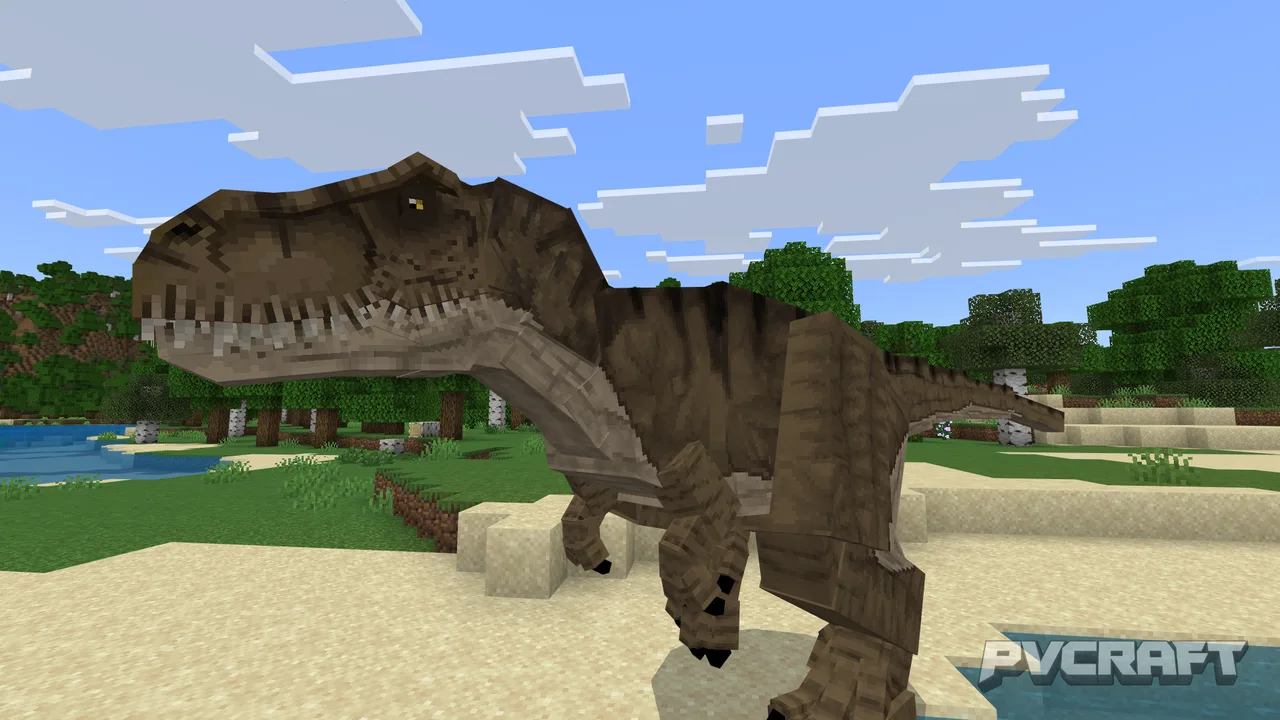
After setting up your world, enter it and prepare to be immersed in a vibrant land filled with dinosaurs! The world contains diverse biomes, including dense jungles and open plains, making it easier to find different dinosaur species. Each dinosaur has distinct features and behaviors; for instance, T-Rexes can be aggressive and hunt players, while herbivores like the Triceratops may be passive unless provoked.
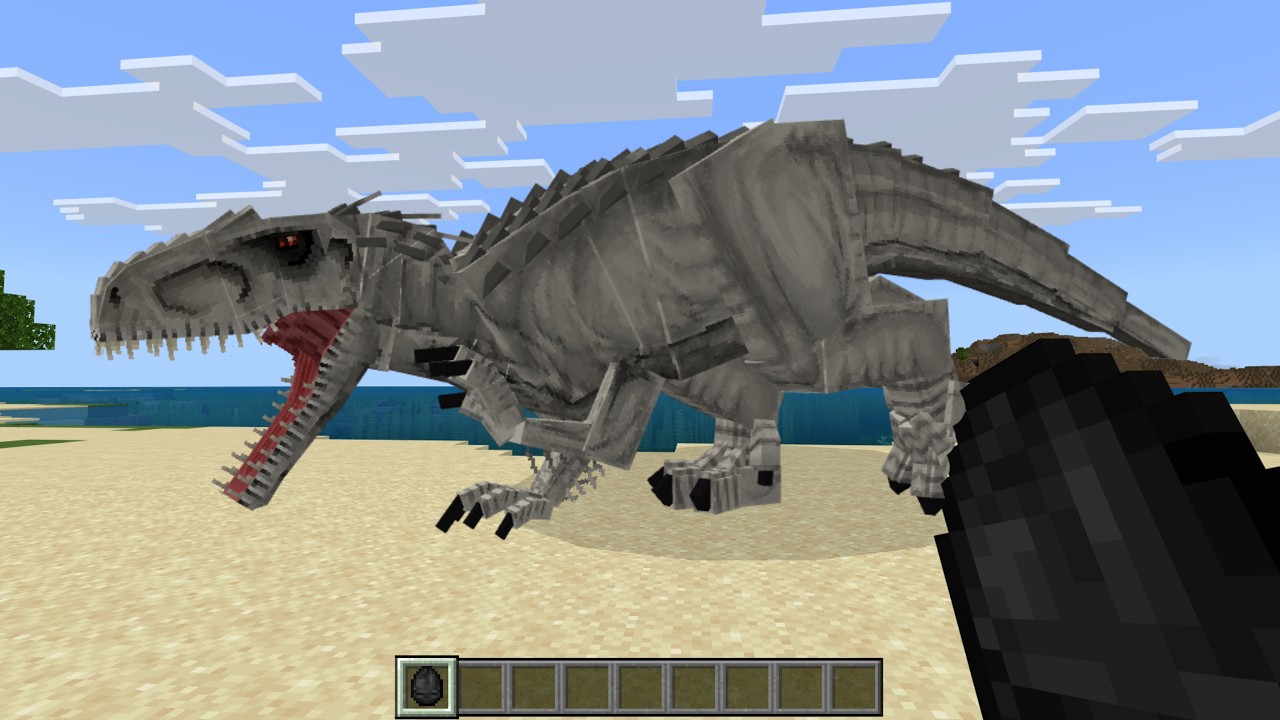
In addition to exploring, players may collect dinosaur eggs and implement breeding mechanics, offering deeper engagement with the prehistoric creatures. As you gather resources, you'll have opportunities to build facilities such as enclosures and visitor centers, simulating a real Jurassic theme park.
The addon also embraces more interactive features such as themed furniture and items. Players can engage in a range of tasks, from feeding dinosaurs to capturing new specimens, enhancing the immersive gameplay experience. Enjoy the thrill of planning your park, managing resources, and ensuring the safety of your visitors while interacting with these formidable creatures.
The Jurassic World By Legendary Addons Studios not only expands gameplay options but also immerses players in a rich narrative filled with exploration and excitement. The addon is visually stunning, bringing vibrant animations and well-designed models that make the dinosaurs appear life-like. Perfect for solo and multiplayer experiences, this addon promises endless adventure as players strive to survive and thrive in their Jurassic wilderness.
About the Content
Jurassic World By Legendary Addons Studios is an exciting Minecraft Bedrock addon that transforms your world into a bustling prehistoric theme park complete with iconic dinosaurs and lush environments reminiscent of the famous Jurassic franchise. The addon features a wide variety of dinosaur species, each with unique behaviors and appearances. Players can explore expansive biomes designed to mimic the Jurassic ecosystem while engaging in exhilarating gameplay that involves capturing and interacting with these magnificent creatures.
CHANGELOG:
- Initial Release: Introduced a variety of dinosaurs including T-Rex, Velociraptor, and Triceratops.
- Added Jurassic-themed structures such as visitor centers and viewing platforms.
- Implemented dinosaur breeding mechanics for increased gameplay depth.
- Enhanced dinosaur behaviors for more realistic interactions.
- Fixed various bugs affecting dinosaur spawning and AI.
- Optimized performance to ensure a smoother gaming experience.
This addon is designed for players who are dinosaur enthusiasts, fans of the Jurassic franchise, or anyone looking to enrich their Minecraft experience with new challenges and exploration opportunities. Whether you're seeking adventure, education, or simply want to witness the power of prehistoric life, this addon caters to all types of Minecraft players. Explore, survive, and even manage your own Jurassic Park-like experience!
Installation
To properly install the Jurassic World By Legendary Addons Studios addon, follow these detailed steps:
1. **Download the Addon:** Visit the download section on this page to get the Jurassic World By Legendary Addons Studios file. Ensure you are downloading the latest version for the best performance and features.
2. **Locate the File:** After downloading, navigate to your device's file manager to locate the downloaded file. It's usually found in the ‘Downloads’ folder.
3. **Import into Minecraft:** Open Minecraft Bedrock Edition. Go to the settings menu, then select 'Storage'. Here, choose the 'Import' option to add the Jurassic World addon.
4. **Activate the Addon:** Go to the 'Worlds' tab and either create a new world or select an existing one to modify. Once in the world settings, scroll down to ‘Behavior Packs’ and ‘Resource Packs’. You’ll see the Jurassic World addon in both sections; select and apply them.
5. **Adjust World Settings:** make any additional tweaks to your world settings, such as enabling cheats or modifying difficulty levels based on your preference.
6. **Enter Your World:** Start the world and prepare to immerse yourself in a dinosaur-filled adventure! You’ll notice your surroundings filled with Jurassic-themed structures and the diverse range of dinosaurs roaming free.
7. **Explore and Manage:** Take your time to explore the new biomes, encounter various dinosaur species, and engage with the new gameplay mechanics. Collect dinosaur eggs, build enclosures, and create your own dinosaur theme park!
Remember to check for updates to the addon frequently to ensure you experience all the new features and improvements. Dive deep into the Jurassic world and enjoy the adventure! This engaging experience not only broadens your Minecraft gameplay but also introduces elements of strategy and survival, enhancing your overall experience.
Supported Minecraft Versions
26.3
If the download button doesn't work, click here for alternatives
If you are the original creator and would like this content removed, please submit a request through our DMCA page.