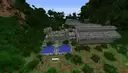
MCPE Isla Sorna (Site B) 1997-2003
Skip to DownloadDiscover the real heart of Jurassic Park: Isla Sorna, Site B. This massive map, originally crafted by Ingenops for Java and now converted for Bedrock, reveals the factory floor where dinosaurs were truly born. Explore the abandoned, overgrown ruins from T
ad
Description
Step beyond the tourist attractions of Isla Nublar and into the raw, untamed wilderness of Isla Sorna, the legendary Site B. As John Hammond said, this was the "factory floor," the secret location where InGen's dinosaurs were bred and raised before being shipped to the park. This incredible map, a labor of love originally built by Ingenops on Java Edition, has been meticulously converted to Bedrock Edition to bring this iconic location to a wider audience.
Experience the island exactly as it was after InGen's abandonment following a devastating hurricane. This is not a curated park; it's a true lost world, reclaimed by nature and teeming with untold stories. The map incorporates key locations and environmental cues from The Lost World: Jurassic Park film, Jurassic Park III, and even the classic Trespasser game, creating the most comprehensive and authentic depiction of Site B available for Minecraft. Prepare to traverse dense jungles, discover derelict facilities, and feel the haunting presence of a place where science once played god, only to flee from its own creations.
ad
About the Content
This Isla Sorna (Site B) map is a monumental achievement in virtual world-building, offering an unparalleled exploration experience for any Jurassic Park fan. Originally created by the talented Ingenops in 2021 for Java Edition, this Bedrock conversion ensures every player can access this masterpiece without the need for cross-platform complications. The map captures a specific timeline for the island, spanning from its emergency evacuation after the hurricane to the events of the second and third films, presenting a world in a state of beautiful decay.
A Landscape of Abandoned Science and Reclaimed Nature:
The core of the map is its breathtaking and accurate geography. You will find the iconic features that defined Site B on the big screen. The map includes the dramatic High Hide platforms overlooking the grassy plains where herds of Parasaurolophus and Gallimimus once roamed. You can explore the treacherous Aviary, its glass dome shattered and its structure crumbling, allowing the once-contained Pteranodons to rule the skies. The rugged ** canyon**, a key location from Jurassic Park III, is recreated with stunning verticality, offering both a navigational challenge and a dramatic vista.
The Legacy of InGen's Hubris:
Scattered throughout the island are the decaying bones of the InGen Compound. This is not a single building but a network of abandoned structures. You'll find the long-term worker village, now overrun with vines and foliage, the ruined Embryonics Administration building where the dinosaurs were first created, and various field labs and supply sheds left to rust. The map cleverly uses the environment to tell a story without words. Overgrown jeep tracks, broken fences, and scattered crates of supplies hint at the rapid and panicked evacuation. The ambiance is one of profound silence, broken only by the sounds of the jungle, forcing you to constantly wonder what created the sound and if you are truly alone. This conversion preserves all the original detail and atmosphere, making it a faithful and immersive pilgrimage to one of science fiction's most famous islands.
Installation
Getting This Map Into Your Game:
Ready to explore Site B? Getting this converted map into your Bedrock Edition game is a straightforward process. First, click the download link on this page. You'll be taken to MediaFire to get the map file, which will be in .mcworld format for maximum ease of use.
Once the download is complete, the next steps are simple:
Locate the downloaded .mcworld file on your device. This is usually in your 'Downloads' folder.
Double-click the .mcworld file. This is the key action!
Your device will likely ask you which application you want to use to open the file. You must select Minecraft.
After selecting Minecraft, the game will launch automatically and begin importing the Isla Sorna map directly into your worlds list.
You won't need to manually move any files or unzip folders. The .mcworld format handles everything for you. Once the import is finished, you'll find "Isla Sorna (Site B)" ready to play in your world selection screen. Just click 'Play' and your adventure on the factory floor begins!
Supported Minecraft Versions
1.21
If the download button doesn't work, click here for alternatives
If you are the original creator and would like this content removed, please submit a request through our DMCA page.