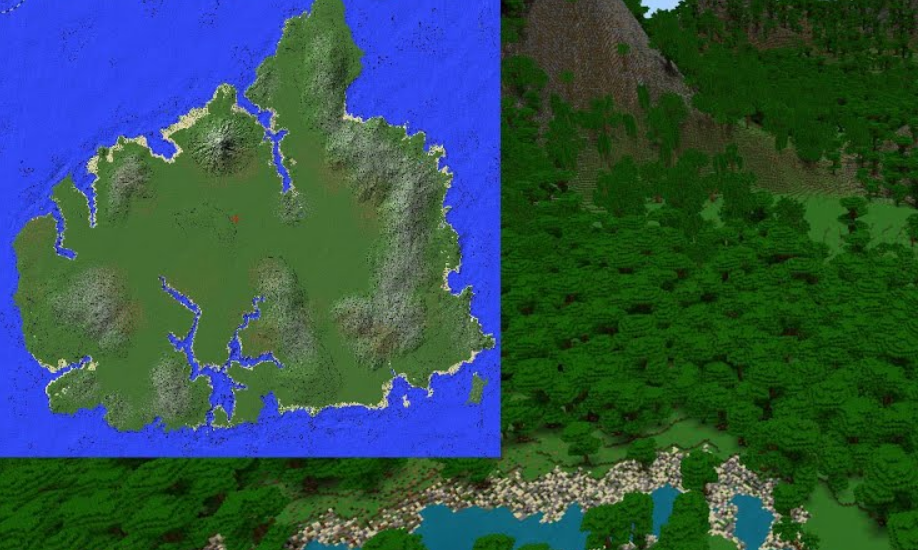
MCPE Sorna by Pedrovisqui (Only Island)
Skip to DownloadAbandoned by man and reclaimed by nature, Sorna by Pedrovisqui is the ultimate Jurassic survival map. Stranded on the iconic Site B, you must explore, scavenge, and build to survive in a world where dinosaurs are not just exhibits, but the dominant predat
ad
Loading video...
Description
Answer the distress call of the ultimate survival challenge. "Sorna by Pedrovisqui" drops you onto the shores of the infamous Isla Sorna, the original factory floor for InGen's genetic miracles. This is not a guided tour; it is a fight for existence on a island that has been completely abandoned by its creators and left to the mercies of its prehistoric inhabitants. Inspired directly by the tense atmosphere of The Lost World: Jurassic Park, this map is designed from the ground up as a pure survival experience.
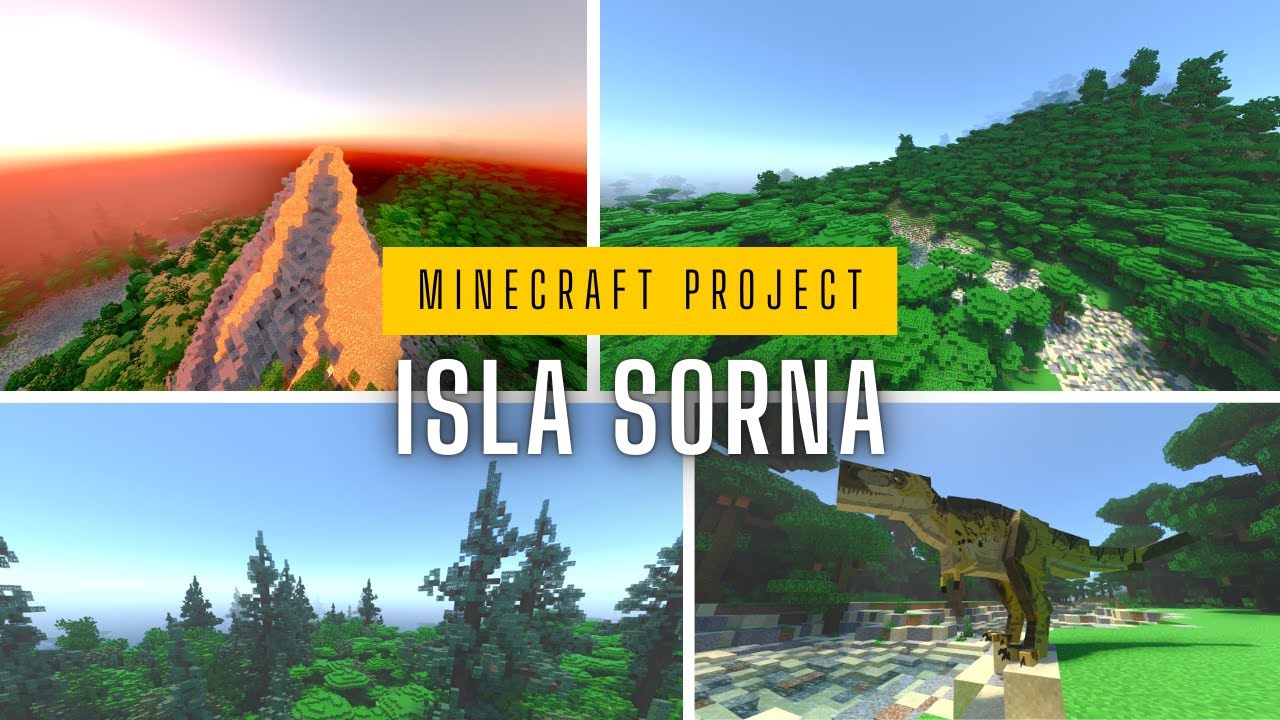
With no pre-built shelters or safe havens, every decision matters from the moment you spawn. The dense, towering jungles hide vital resources but also conceal lurking dangers. The open plains offer little cover from the gaze of towering herbivores and the packs of cunning predators that stalk them. Your goal is simple: survive. You must harvest the island's bounty, craft tools and weapons, and construct a fortress capable of withstanding the primeval horrors of the night. This is Isla Sorna as it was meant to be experienced—raw, untamed, and utterly thrilling.
ad
About the Content
The "Sorna by Pedrovisqui" map is a masterfully crafted survival sandbox that immerses players in the most authentic "Site B" experience possible in Minecraft. Faithfully inspired by the lore and visuals of the Jurassic Park films, this map presents Isla Sorna not as a collection of movie sets, but as a living, breathing, and hostile ecosystem. The "Only Island" designation is crucial; it means the environment is pristine, offering no shortcuts or safe zones, forcing players to engage deeply with the core mechanics of survival and base building.
A Hostile Ecosystem:
The island's geography is your first challenge and your primary resource. Dense, multi-layered jungles dominate the landscape, providing wood and foraging opportunities but limiting visibility and creating perfect ambush spots for territorial creatures. Wide, river-cut valleys offer space for agriculture and long-sight lines, but leave you exposed to the elements and passing herds—or the predators that follow them. Rugged highlands and misty mountains contain valuable ores but are fraught with perilous climbs and unpredictable weather. The map’s terrain is intentionally varied to create diverse gameplay scenarios, encouraging strategic movement and careful choice of settlement locations. The Survival Gameplay Loop:
Your journey begins with nothing. The core gameplay loop is one of classic survival, amplified by the constant, ambient threat of the island's inhabitants. The initial phase is a desperate scramble for basic resources: punching trees for wood, harvesting stone for rudimentary tools, and hunting local wildlife for food. As you establish a foothold, the mid-game focuses on fortification. You must construct a secure base, often starting with a simple wooden shack and evolving into a formidable stone fortress complete with walls, lighting, and automated defenses. The end-game challenges you to explore the most dangerous regions of the island in search of rarer materials, all while managing your hunger, health, and sanity against a backdrop of echoing roars and the unsettling silence of a forest that knows it is being hunted. This map is a tribute to survival purists and Jurassic Park fans alike, offering a relentless and rewarding test of skill and courage.
Installation
Deploying to Your Isla Sorna Survival Zone:
Ready to test your mettle? Installing this survival map is your first step toward an unforgettable adventure. Follow this clear, step-by-step guide to ensure a smooth drop onto the island.
Secure the Map File: Click the download link on this page. Your browser will take you to our secure MediaFire hosting page. Download the "Sorna_by_Pedrovisqui.zip" file to your computer.
Extract the World Save: Find the downloaded .zip file. Unlike resource packs, this file must be extracted. Right-click on it and select "Extract All..." from the menu. Choose your desktop as the destination for easy access. This will create a new folder containing the actual world data.
Locate Your Minecraft Saves: Open your Minecraft launcher and start the game. From the main menu, navigate to 'Singleplayer'. This screen helps ensure the correct directory path is active. Now, press the Windows key + R to open the Run dialog. Type %appdata%\.minecraft\saves precisely and hit Enter. This will open a new File Explorer window showing all your existing Minecraft worlds.
Install and Launch: Drag the extracted "Sorna_by_Pedrovisqui" folder from your desktop directly into the open 'saves' folder. Close the window, return to Minecraft, and your new "Sorna by Pedrovisqui" world will appear in the singleplayer list. Select it and click "Play Selected World" to begin your fight for survival. Good luck.
Supported Minecraft Versions
1.21
If the download button doesn't work, click here for alternatives
If you are the original creator and would like this content removed, please submit a request through our DMCA page.