MCPE Enhanced Combat Experience with Health Bars
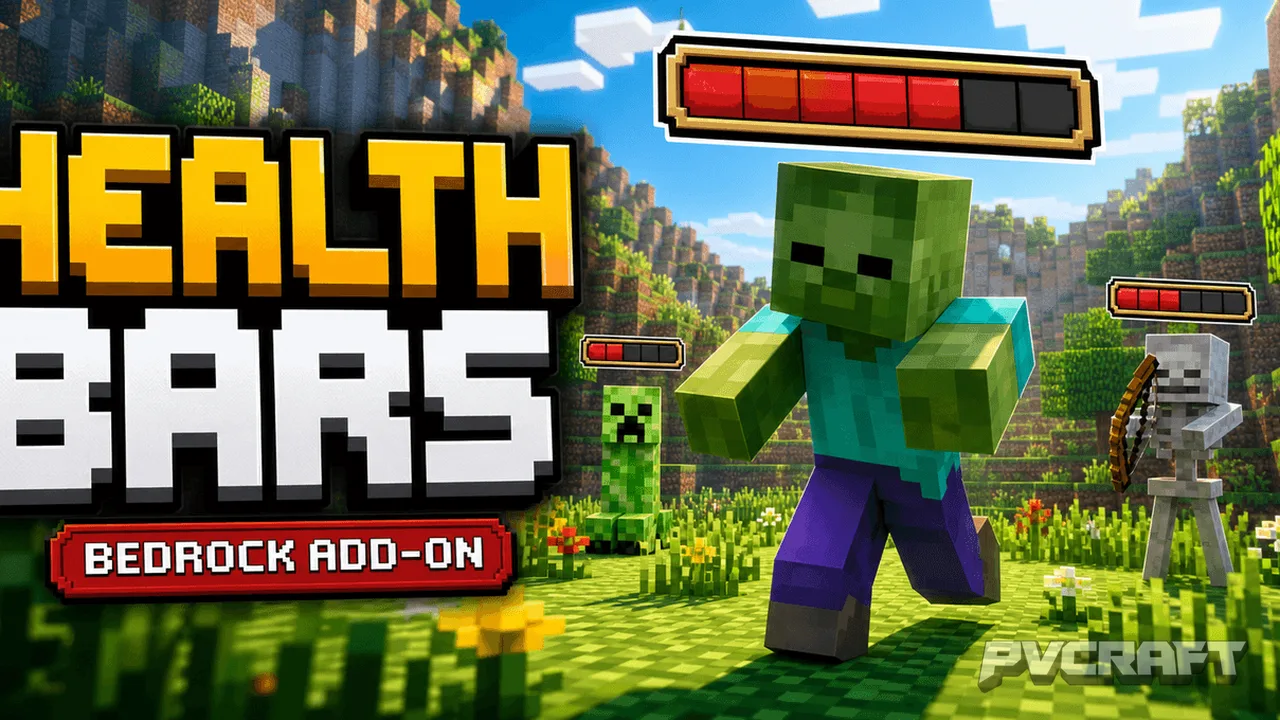
Skip to DownloadEnhance your Minecraft Bedrock gameplay with the Health Bars | Combat UI addon. This add-on visually displays health bars above mobs when they take damage, providing real-time feedback during combat for a more tactical experience.
Description
The Health Bars | Combat UI addon is a transformative enhancement for the Minecraft Bedrock Edition, designed to revolutionize how players engage with mobs during combat. This add-on introduces an intuitive visual interface that displays health bars above mobs when they take damage. Inspired by popular gaming mechanics from titles like Terraria, this feature allows players to keep track of mob health at a glance, making combat encounters more dynamic and strategically engaging.
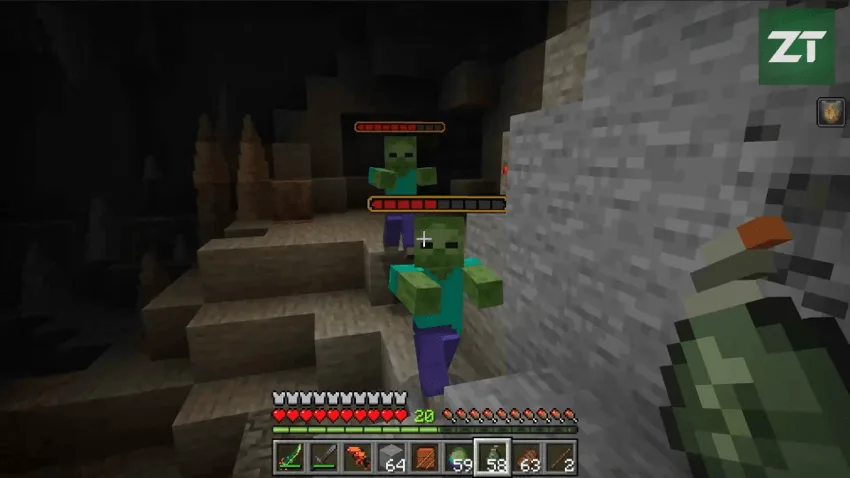
When installed, players will notice a colorful pixel-art health bar appear above a mob as it receives damage. This bar is not only visually appealing but also updates in real time, reflecting the current health status of the mob. Once the battle is over or the mob is defeated, the health bar fades away after a short, configurable delay. This adds a layer of clarity to gameplay, allowing players to strategize their attacks and use resources wisely based on the mob's remaining health.
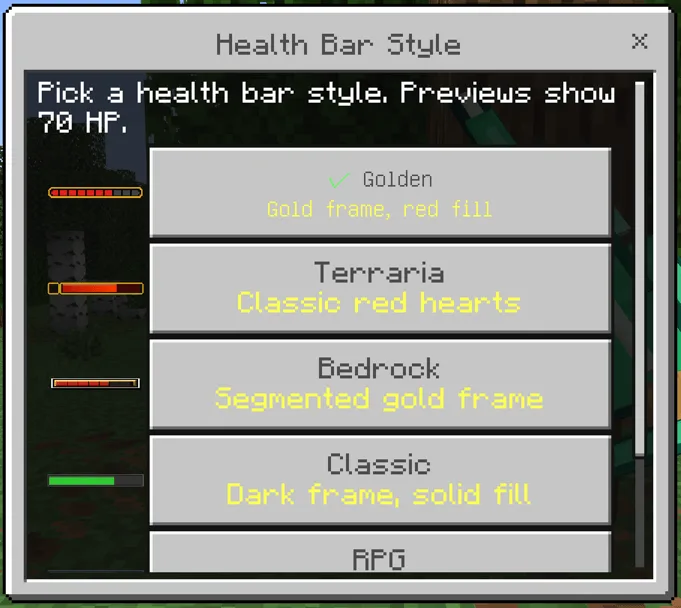
One of the standout features of this addon is the inclusion of multiple visual styles. Players can choose from three distinct designs: Terraria, Classic, and RPG. This variety ensures that the health bars can match the aesthetic of the player’s world, enhancing immersion. Whether you prefer a nostalgic look reminiscent of classic games or a modern styled interface, there's an option for every player.
Furthermore, the addon is equipped with optional health bars for players, making it ideal for PvP scenarios or multiplayer environments. In such settings, each player can see their health displayed in a similar manner to that of mobs, which helps to foster a competitive atmosphere while providing critical information necessary for survival in intense battles.
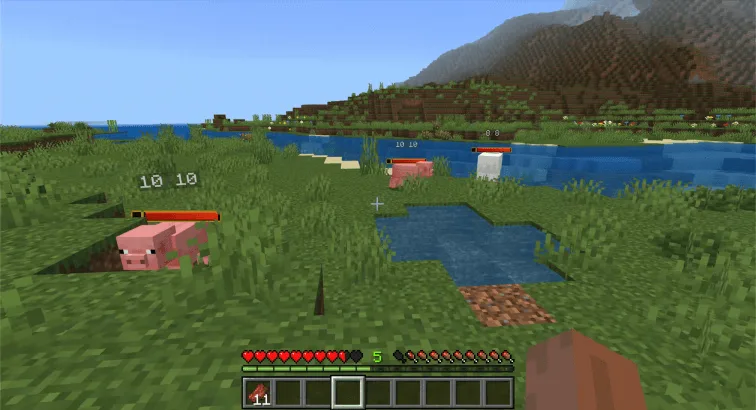
For those who appreciate detailed stats, the addon also offers an optional HP number display that shows both current and maximum health of mobs. This feature is particularly useful in challenging combat situations where knowing the exact health of a foe can influence player decisions. Players can toggle this option based on their preference, allowing for a personalized gameplay experience.
Another great aspect of the Health Bars | Combat UI addon is its lightweight nature. It operates as a behavior/resource pack pair, ensuring that it does not burden system resources or interfere with the game’s performance. This is particularly important for players on mobile devices or lower-spec consoles, as they can enjoy these enhancements without experiencing lag or stuttering gameplay.
To cater to different playstyles, the addon includes two modes for displaying health bars: an on-hit mode and an always-visible mode. The on-hit mode keeps bars temporary, only showing them when a mob takes damage, which helps maintain a clean interface during normal gameplay. Conversely, the always-visible mode allows players to keep health bars permanently displayed above mobs, which can be beneficial for ongoing battles or while exploring dangerous areas.
Installation is straightforward, allowing players to easily enhance their gameplay without hassle. Simply activate both the Behavior Pack and Resource Pack when creating or editing a world, and you're ready to enter combat with a newfound tactical advantage.
Overall, the Health Bars | Combat UI addon significantly enriches the combat experience in Minecraft Bedrock Edition. By providing players with clear visual indicators of mob health, it encourages strategic gameplay and enhances engagement during battles. Whether you’re adventuring through dungeons, taking on bosses, or engaging in PvP, this addon ensures that you are always informed and ready for action. Equip yourself with this handy tool and take your combat skills to the next level!
About the Content
CHANGELOG:
- Initial release featuring basic health bar functionality.
- Introduced three visual styles: Terraria, Classic, and RPG.
- Implemented optional health numbers for mobs and players.
- Added in-game settings menu for easy customization.
- Enhanced performance for smoother gameplay in multiplayer sessions.
Installation
To install the Health Bars | Combat UI addon in Minecraft Bedrock Edition, follow these simple steps:
1. **Download the Addon:** First, ensure that you have the addon file saved to your device. This will typically be in the .mcaddon format.
2. **Open Minecraft Bedrock Edition:** Start your game and navigate to the main menu.
3. **Create or Edit a World:** You can either create a new world or edit an existing one. To edit, select a world from your list and click on the pencil icon to access the settings.
4. **Activate the Packs:** In the world settings, scroll down to the 'Behavior Packs' and 'Resource Packs' sections. Tap on each one and select the Health Bars | Combat UI pack to activate it for your world.
5. **Save and Play:** Once you have activated both packs, make sure to save your settings. Now, enter your world and start playing. The health bars will automatically appear above mobs when they take damage.
6. **Customize Settings:** If you want to customize the appearance and functionality of the health bars, you can open the in-game settings menu by typing one of the following commands in the chat: /hb, /health-bars, /ztp:health-bars, or /ztp:hb. Remember to save any changes you make to ensure they apply during your gameplay.
By following these steps, you will be well-equipped to maximize your combat efficiency and enjoy a richer gaming experience!
Supported Minecraft Versions
26.30
If the download button doesn't work, click here for alternatives
If you are the original creator and would like this content removed, please submit a request through our DMCA page.