MCPE Military Weapons Addon for Minecraft Bedrock
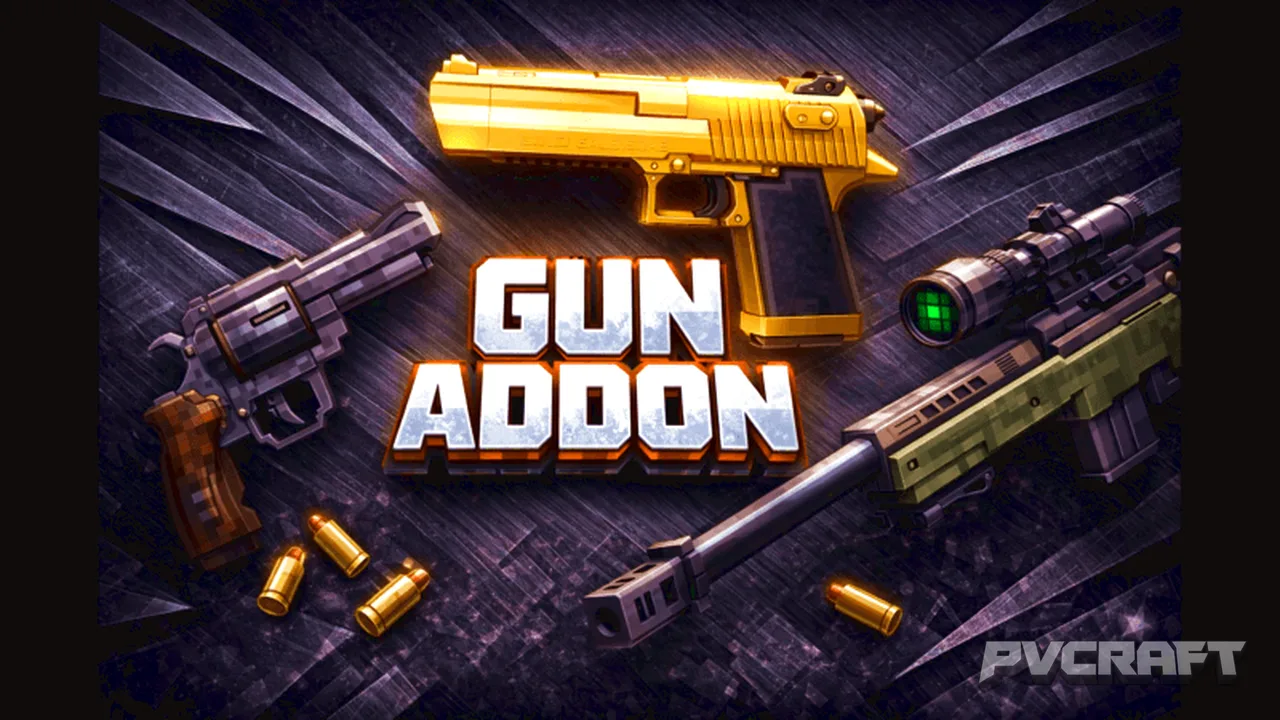
Skip to DownloadEnhance your Minecraft Bedrock experience with the Military Weapons Addon. This unique addon introduces a variety of military-themed firearms, allowing players to craft and utilize authentic weapons for combat and adventure. Perfect for players looking to
Description
The Military Weapons Addon for Minecraft Bedrock Edition revolutionizes your gameplay by introducing a diverse array of military-themed firearms that enhance your combat strategies. Unlike vanilla Minecraft, where players rely on swords and bows, this addon allows you to wield real-world inspired guns that are crafted from various materials found in the game. Imagine traversing the blocky landscapes with a high-powered rifle or a tactical handgun, allowing for increased range and damage output against mobs and other players alike.
To get started with the Military Weapons Addon, players must first acquire the necessary materials. The primary crafting ingredient for the weapons is iron ingots, which can be obtained from mining iron ore throughout the world. As players progress, they will also need additional resources such as leather and various dyes to craft specific gun models, each with unique attributes. This crafting system not only engages players but also encourages exploration and resource gathering, essential components of the Minecraft experience.
Each weapon within the addon possesses distinct features that can cater to various playstyles. For instance, some guns feature rapid-fire capabilities, making them ideal for close-quarters engagements, while others are designed for precision shooting over long distances. This diversity ensures that players can adopt tactical approaches to combat, whether they prefer stealth missions or all-out assaults against hostile mobs.
The addon also includes a variety of customization options, allowing players to modify their weapons with different skins and attachments to suit their preferences. This feature adds a layer of personalization and strategy, as certain attachments can enhance weapon performance, such as increased accuracy or reduced recoil. Furthermore, players can experiment with different combinations of weapons to discover the most effective loadout for their adventures.
Moreover, the Military Weapons Addon is designed to function seamlessly within the Minecraft Bedrock environment. It is compatible across all platforms, including mobile, console, and Windows, ensuring that all players can enjoy the newfound firepower without performance issues. The addon creator, BedrockAddon, has also emphasized community engagement by creating channels for feedback and bug reports, allowing for continuous updates and enhancements based on user experiences.
Tips for using this addon include mastering the crafting process to ensure you have a steady supply of weapons available for your adventures. It’s also beneficial to strategize your approach during combat, utilizing the range of your firearms to engage enemies from a distance before they can close in on you. Experimenting with different weapons and attachments can lead to discovering the perfect combination that enhances your playstyle.
For players who want to immerse themselves in a more tactical gameplay experience, the Military Weapons Addon is an essential addition to your Minecraft Bedrock world. It provides a refreshing twist on combat mechanics and encourages players to think strategically while exploring, building, and surviving. Arm yourself with the might of modern weaponry and take your adventures to the next level!
About the Content
CHANGELOG:
- Initial version featuring a selection of military weapons.
- Improved crafting mechanics for better resource management.
- Added unique textures for each weapon to ensure distinction.
- Introduced feedback channels for users to report bugs.
- Enhanced gameplay balance for a more immersive experience.
Installation
To install the Military Weapons Addon for Minecraft Bedrock Edition, follow these steps:
1. **Download the Addon**: First, ensure you have the addon file downloaded to your device. This file typically comes in .mcpack or .mcaddon format.
2. **Open Minecraft**: Launch Minecraft Bedrock Edition on your device. Ensure you are using the latest version of the game to avoid compatibility issues.
3. **Import the Addon**: Simply tap on the downloaded addon file. Minecraft will automatically open and prompt you to import the addon. Confirm the import process.
4. **Create or Edit a World**: Once the addon is imported, navigate to the ‘Play’ section. You can either create a new world or edit an existing one. Be sure to enable the addon in the world settings under the ‘Behavior Packs’ and ‘Resource Packs’ sections.
5. **Craft Your Weapons**: Enter your world and start gathering the required materials such as iron ingots and leather. Use the crafting table to create your military weapons according to the recipes included in the addon.
6. **Enjoy Your Gameplay**: With your new weapons crafted, embark on your adventures in Minecraft! Engage in combat with mobs, explore different environments, and experience the thrill of wielding military-grade firearms.
Ensure you keep an eye out for updates to the addon, as the creator frequently enhances gameplay based on community feedback.
Supported Minecraft Versions
26.20
If the download button doesn't work, click here for alternatives
If you are the original creator and would like this content removed, please submit a request through our DMCA page.