
MCPE (UPDATED) JURASSIC SAGA ADDON V3 UPDATE!!!
Skip to DownloadRelive the entire cinematic journey from Jurassic Park to Jurassic World Dominion! Jurassic Saga Addon V3 brings over 20 iconic dinosaurs from all six films into your Minecraft world. Experience the magic, wonder, and danger of the franchise block by bloc
Loading video...
Description
Embark on the ultimate cinematic adventure with the Jurassic Saga Addon V3. This project is a love letter to the entire film saga, meticulously bringing the prehistoric stars of all six movies into Minecraft. From the original Jurassic Park to the epic conclusion of Jurassic World Dominion, this addon allows you to witness these legendary creatures in your own world.
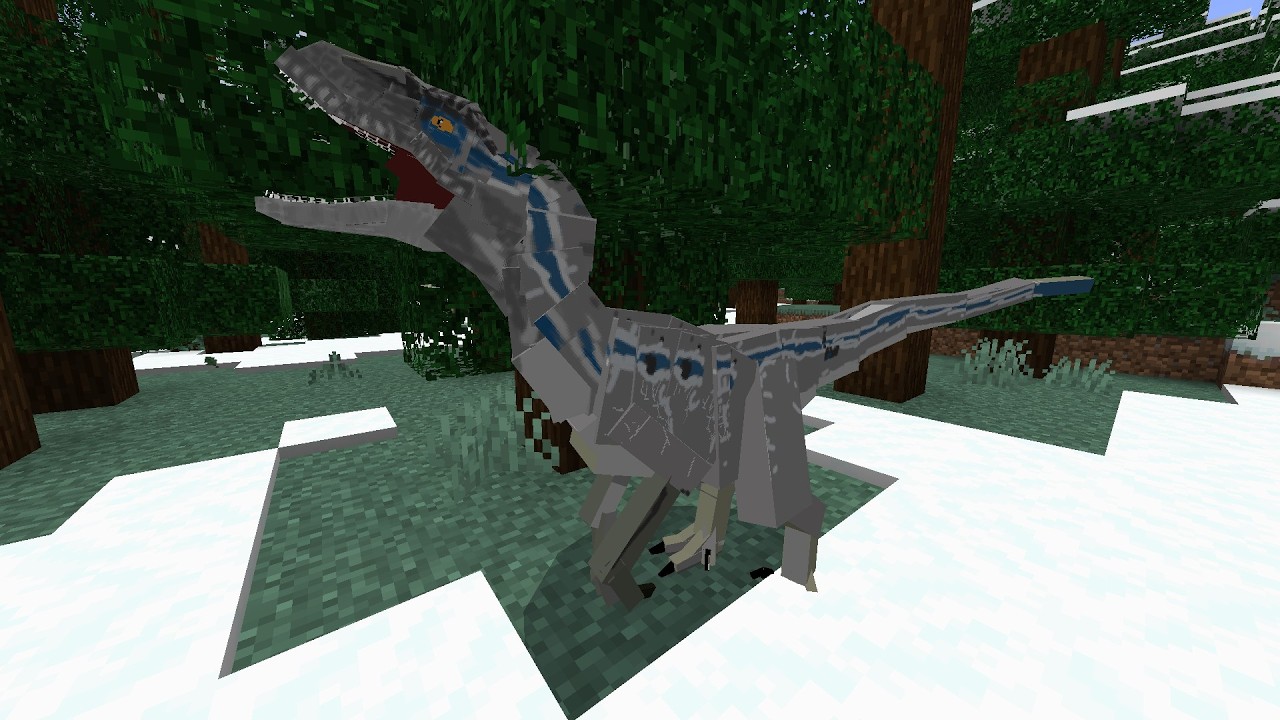
With over 20 dinosaurs included, you can encounter the majestic Brachiosaurus, face the terrifying Tyrannosaurus Rex, and outsmart the cunning Velociraptors. Each creature is designed to reflect its on-screen persona, creating an authentic and thrilling experience. Updated and refined, V3 delivers better stability, more accurate models, and immersive behaviors that will make you feel like you've stepped onto Isla Nublar itself.
About the Content
The Jurassic Saga Addon V2 is a comprehensive cinematic experience designed for Minecraft Bedrock Edition. Its primary goal is to faithfully translate the most iconic creatures from the Jurassic Park and Jurassic World film series into the game, creating a living tribute to the franchise's 30-year history. This addon focuses on quality and recognition, ensuring that each of the 20+ dinosaurs is instantly familiar to fans.
A Cinematic Bestiary:
The addon's roster is a curated collection of the most memorable creatures from the silver screen. This includes the gentle giants like the Brachiosaurus, whose towering presence defines wonder, and the armored Ankylosaurus, a walking tank. The roster of predators is equally impressive, featuring the undisputed king, the Tyrannosaurus Rex; the intelligent and deadly Velociraptor; the formidable Spinosaurus from Jurassic Park III; and the terrifying genetic hybrids, the Indominus Rex and the Indoraptor. The addon also includes fan favorites like the spitting Dilophosaurus, the horned Carnotaurus, and the massive Giganotosaurus from Dominion. Each dinosaur is placed in biomes that mirror their film habitats, from dense jungles to open plains, making exploration a constant source of excitement and nostalgia.
Immersive Film-Accurate Behaviors:
Beyond their appearance, the dinosaurs are programmed with behaviors that echo their cinematic counterparts. Velociraptors may hunt in coordinated packs, the T-Rex's roar can inspire fear from a great distance, and the Indominus Rex might use its camouflaging abilities to become a near-invisible threat. The addon aims to recreate key moments from the films, allowing players to build their own Jurassic Park or simply survive in a world where these prehistoric titans roam free. It’s a dynamic, living world that celebrates the entire scope of the Jurassic film saga.
Installation
Step 1: Obtain the Addon File
First, use the download button on this page. Your device will fetch the Jurassic_Saga_V3.mcaddon file. Let the download finish completely.
Step 2: Let Minecraft Handle the Setup
Now, find the downloaded file. Instead of moving it manually, your best bet is to simply tap on the file (on mobile) or double-click it (on PC). A pop-up will ask you to confirm opening it with Minecraft. Select "Minecraft," and the game will take over from there, automatically unpacking and installing everything in the right place on its own.
Step 3: Switch On the Addon in Your World
The addon is now on your device, but it's like a cartridge that needs to be inserted. Open Minecraft and go to the settings for the world you want to play in. Look for the "Behavior Packs" section. You'll see "Jurassic Saga V2" waiting there. Click the "Activate" button to slot it in. Don't stop there! You must also visit the "Resource Packs" menu and activate the "Jurassic Saga V2" pack there too. This double-activation is essential for the dinosaurs to look and act correctly.
Step 4: Launch Your Adventure
That's it! Load into your world. After a moment, the dinosaurs will begin to appear in their natural habitats. Grab your gear, stay alert, and enjoy your very own Jurassic world!
Supported Minecraft Versions
1.21 1.20
If the download button doesn't work, click here for alternatives
If you are the original creator and would like this content removed, please submit a request through our DMCA page.