MCPE Effortless Item Management with Storage Transfer
Skip to DownloadStreamline your item collection in Minecraft Bedrock with the Storage Transfer add-on, allowing you to automatically send nearby items straight to your storage containers. This innovative tool enhances gameplay by simplifying item management and reducing
Description
In the vast world of Minecraft Bedrock Edition, managing resources efficiently can often make the difference between survival and chaos. The Storage Transfer add-on introduces a revolutionary way to handle item collection without the tedious back-and-forth trips to your storage systems. This tool is designed for players who want to simplify their gameplay experience, allowing them to focus on exploration and crafting without the distraction of constant inventory management.
### What is Storage Transfer?
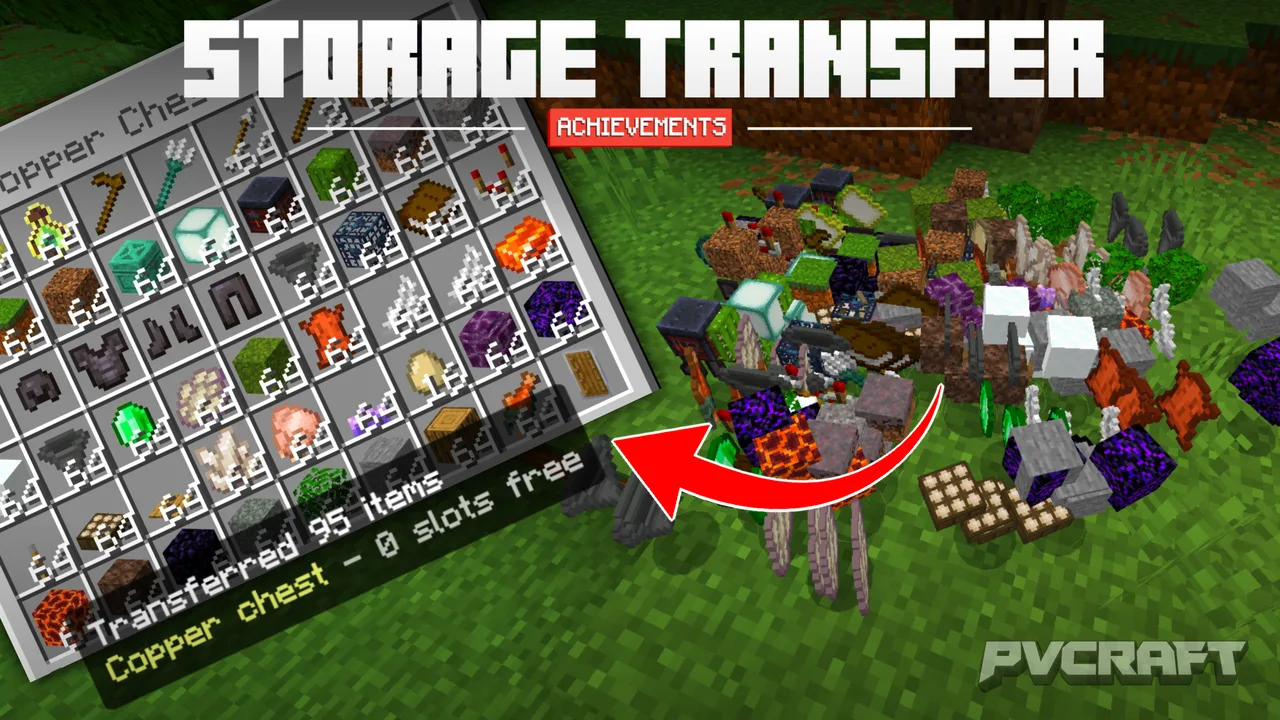
Storage Transfer is an add-on that allows players to automatically convert nearby item drops directly into your storage containers. This means that whenever you harvest resources or defeat mobs, the items they drop can be seamlessly sent to your chests, barrels, or any other container within a six-block radius. This process requires minimal interaction, making it an ideal solution for busy players who wish to streamline their Minecraft experience.
### How Does It Work?
To utilize the Storage Transfer functionality, players need to interact with a container while holding the Storage Transfer item, establishing a link between the item collector and the storage unit. Once linked, any item that drops within the specified range will automatically be deposited into the container without further action needed on the part of the player. This significantly reduces the hassle of item collection, making it especially beneficial during large farming operations or combat scenarios where resources accumulate quickly.
If players wish to disconnect their storage from the item collector, they can simply sneak and interact with the same container. Status feedback is provided directly via the action bar, ensuring that players are aware of the current status of their linked container.
### User Experience
This add-on is particularly beneficial for those who enjoy playing in survival mode, where resource management is a crucial aspect. By automating item transfer, players can focus more on building, exploring, or engaging in combat, rather than worrying about how to transport their loot back to designated storage areas. The efficiency gained from using Storage Transfer can help players keep their inventories organized, which is especially helpful when exploring caves or defeating mobs in the Nether or End dimensions.
The intuitive design ensures that multiple players can link to the same container without interference; this is particularly useful in multiplayer scenarios where collaboration often leads to an influx of items. Furthermore, the add-on automatically recognizes double chests as a single entity, making it easier to manage bulk items.
However, it is essential for players to keep in mind that certain item types, like Shulker Boxes or Bundles, cannot be transferred with this add-on. If these items are in the vicinity during the transfer process, they may cause collected items to be lost, thus players should plan their item management strategy accordingly.
### Practical Usage Scenarios
Whether you are an avid farmer, a combat enthusiast, or just someone who enjoys crafting extensive builds, Storage Transfer enhances your gameplay by allowing you to focus on the fun aspects of Minecraft. Imagine farming your crops and having all the gathered produce automatically sent to your barrels or chests, freeing you to continue your agricultural endeavors without interruptions.
This add-on is also useful for players who frequently venture into combat against mobs. As you defeat enemies and collect their drops, knowing that these items are being automatically sorted into your storage gives peace of mind, allowing you to loot efficiently and head back to your base without a cluttered inventory.
### Installation Instructions
Installing the Storage Transfer add-on is a straightforward process:
1. Download the .mcaddon file from your chosen source.
2. Open the downloaded file – Minecraft will automatically import the add-on into your game.
3. Navigate to your world settings, and ensure that both the Behavior Pack and the Resource Pack for Storage Transfer are activated.
4. Confirm your selections and launch your world to start enjoying the benefits of automatic item management.
This add-on is compatible with Minecraft Bedrock Edition and requires no experimental features to be enabled, ensuring that it will work seamlessly in most gameplay scenarios. As you embark on your adventures, let Storage Transfer handle the nitty-gritty of item collection, allowing you to immerse yourself in the creativity and exploration that Minecraft has to offer.
In conclusion, the Storage Transfer add-on stands out as a valuable tool for players seeking to optimize their Minecraft experience. By simplifying item management, it enhances the overall gameplay experience, allowing for greater focus on exploration, crafting, and building. Whether you are a casual player or a dedicated survivalist, this add-on could be the missing piece in your Minecraft toolkit.
About the Content
CHANGELOG:
- Initial release with core features
- Enhanced item detection range to 6 blocks
- Improved user feedback for linked containers
- Fixed issues regarding double chest detection
- Added localization support for various languages
Installation
To install the Storage Transfer add-on, follow these steps:
1. Download the Storage Transfer .mcaddon file to your device.
2. Open the file, and it will automatically import into your Minecraft game.
3. Launch the Minecraft Bedrock Edition and navigate to the settings of your world.
4. Under the Behavior Packs and Resource Packs sections, make sure to enable both packs associated with Storage Transfer.
5. After activation, enter your world and begin utilizing the automatic item collection feature. This add-on does not require any experimental settings, making it straightforward to integrate into your existing gameplay.
Supported Minecraft Versions
26.30
If the download button doesn't work, click here for alternatives
If you are the original creator and would like this content removed, please submit a request through our DMCA page.