MCPE Recover Your Items with Death Corpse and Coordinates
Skip to DownloadThe Death Corpse and Coords addon enhances your Minecraft Bedrock experience by allowing you to recover items from a skeleton corpse that spawns at your death location, complete with coordinates displayed in chat. This addon is perfect for players looking
Description
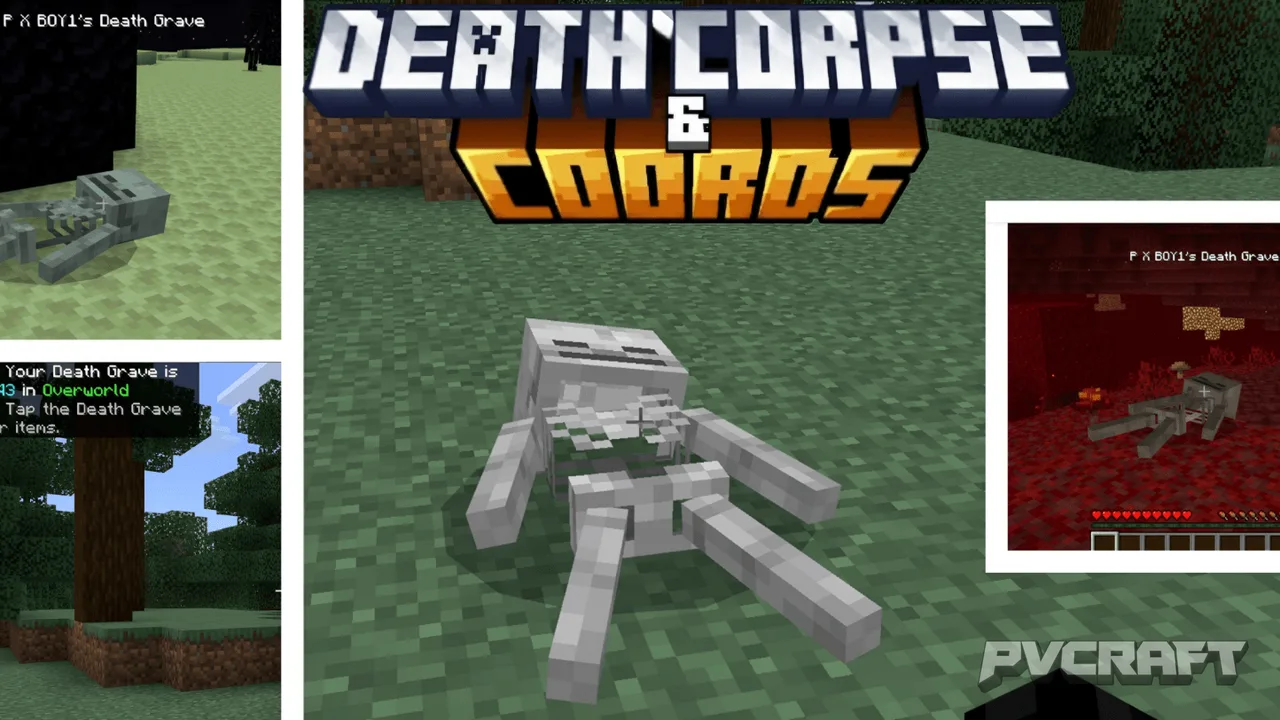
In the vast and sometimes perilous world of Minecraft Bedrock Edition, losing your hard-earned items to unexpected deaths can be frustrating. The Death Corpse and Coords addon addresses this issue by providing a seamless and intuitive way to recover lost items. Imagine exploring a cave only to be surprised by a mob ambush, resulting in an untimely demise. Without this addon, you could lose everything. However, with the Death Corpse and Coords addon, a skeleton corpse spawns right at your death location, allowing you to retrieve your belongings without the stress of them despawning.
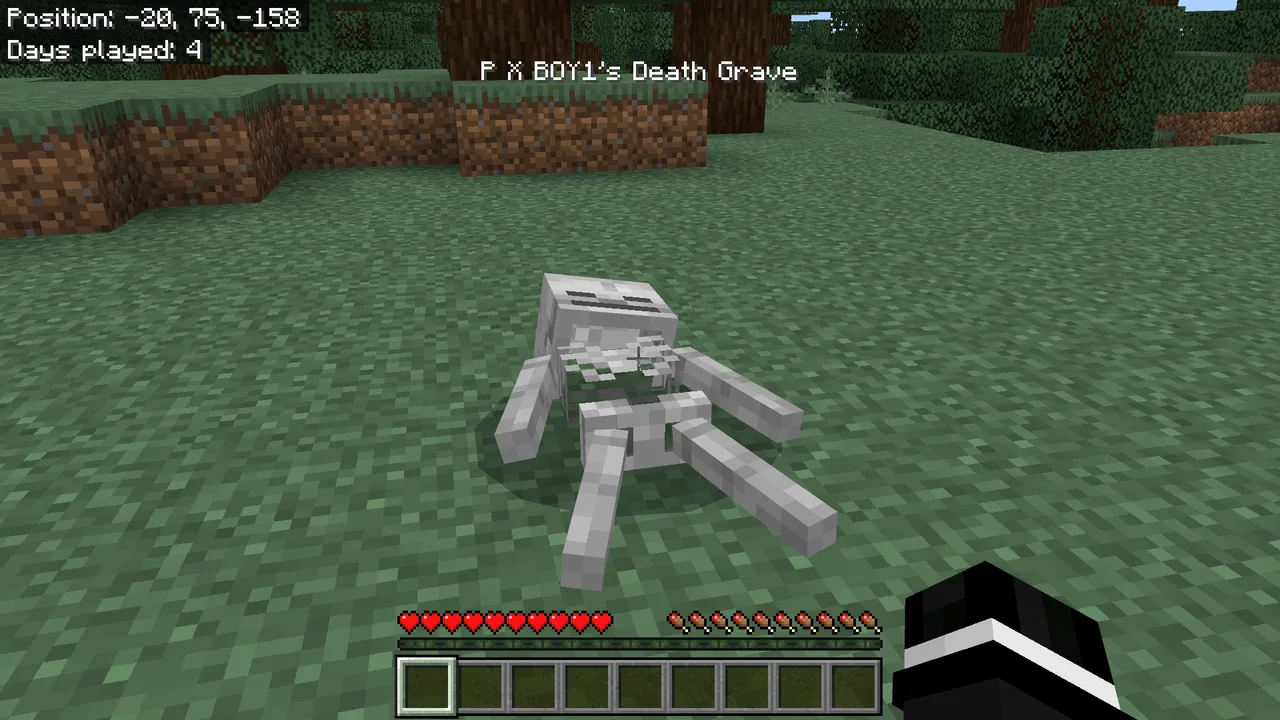
When you die, the addon triggers a series of helpful features that significantly improve your gameplay experience. Firstly, the location of your death is marked by a skeleton corpse that holds all the items you had when you perished. This means that you won't have to worry about losing essential tools, weapons, or resources that you've meticulously gathered. Instead of scattering them across the ground, they are safely stored inside the corpse, making recovery straightforward and hassle-free.
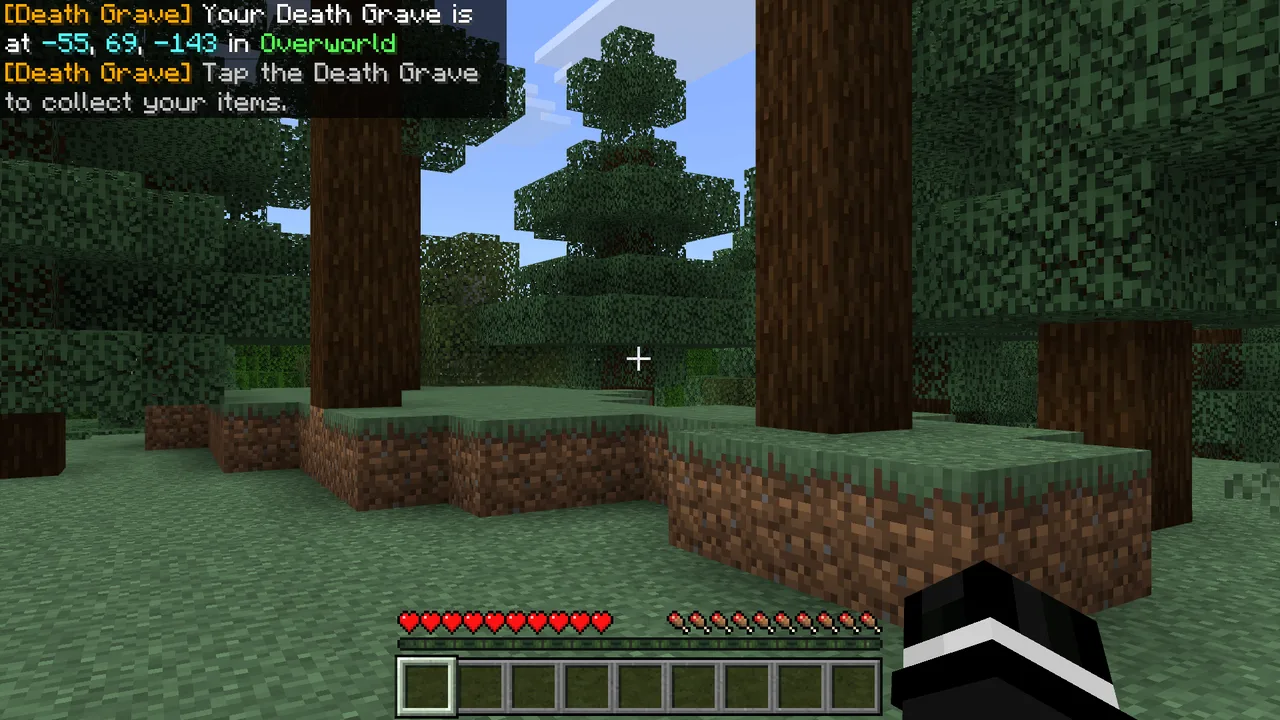
Another key feature is the automatic display of your death coordinates in the chat. This ensures that even if you are exploring expansive terrain, you can easily navigate back to your corpse and reclaim your items. The coordinates are displayed alongside the dimension you were in—whether it’s the Overworld, Nether, or End—giving you precise guidance on where to go.
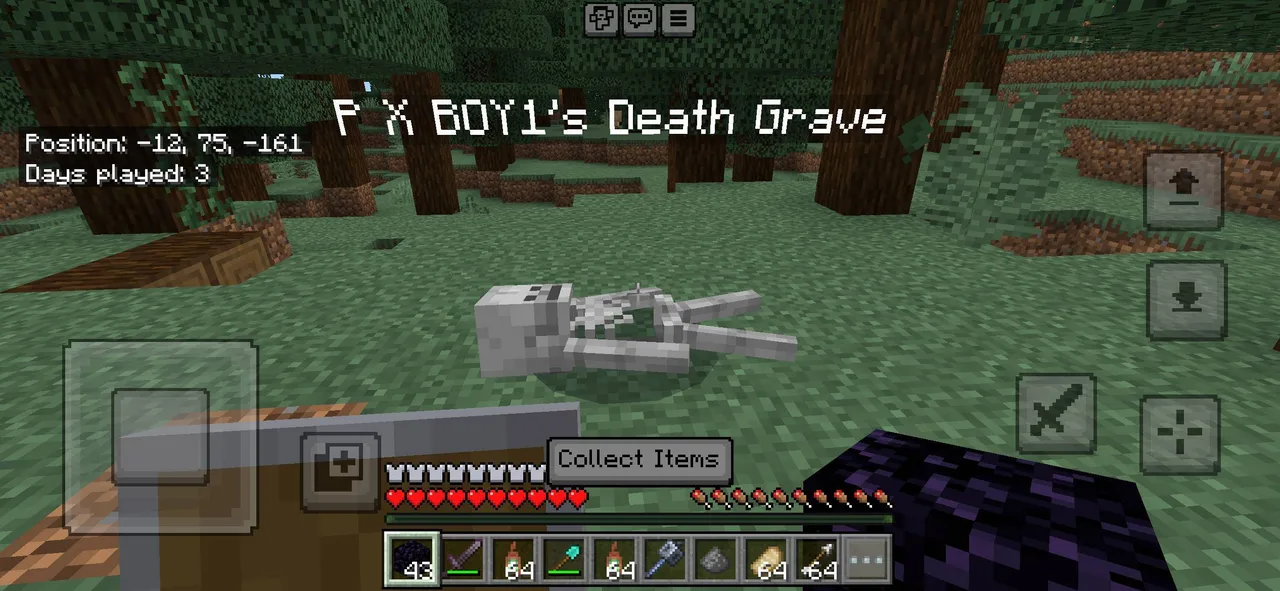
After respawning, players receive a helpful reminder message that points them back towards their corpse, ensuring that you won’t forget where you need to go. This is particularly beneficial in larger worlds where retracing your steps can be complicated. Once you reach the location of the skeleton, you can simply point your crosshair at it to see a tooltip displaying your player name, confirming that this is indeed your death location.
To collect your items, just interact with the corpse. The addon has been designed for convenience; as you collect items, your armor will automatically equip back to the correct slots, which saves time and allows you to get back to the action quickly. If, however, your inventory is full, any excess items will drop at your feet, preventing loss and ensuring that you don’t miss out on anything valuable.
For those who play in survival mode, this addon proves to be exceptionally useful. It allows you to take risks during exploration without the constant fear of losing everything. Players can engage in battles or explore treacherous areas, knowing that they have a safety net for their items. This change not only enhances survival gameplay but also encourages players to take on challenges they might have otherwise avoided.
The Death Corpse and Coords addon is lightweight, compatible with the latest version of Minecraft Bedrock, and utilizes stable script APIs. This means you won't need to toggle any experimental features or worry about performance issues that could affect your gaming experience. Furthermore, it works across all dimensions, making it suitable for all gameplay styles and preferences. Whether you’re an adventurer, a builder, or a combat enthusiast, this addon has something to offer.
In summary, the Death Corpse and Coords addon is a valuable addition for any Minecraft Bedrock player looking to enhance their gameplay experience. It strikes a balance between maintaining the core survival mechanics while providing a much-needed safety net for item recovery. If you often find yourself frustrated by the loss of items upon dying, this addon is an excellent solution that ensures your hard work doesn’t go to waste. By utilizing straightforward features, it effectively enhances exploration and survival without complicating the gameplay.
In usage scenarios, consider a player delving into the Nether. The environment is famously treacherous, with lava pits and hostile mobs lurking around every corner. If you were to fall into lava or be overwhelmed by a group of Ghasts, the Death Corpse and Coords addon would save the day. You can respawn, retrieve the coordinates from chat, and quickly return to safely recover your gear. This peace of mind significantly alters how players approach exploration and risk-taking in Minecraft, making it a must-have for anyone serious about their adventures.
About the Content
CHANGELOG:
- Initial release with core features
- Added death coordinates display in chat
- Improved item recovery process
- Enhanced compatibility with Minecraft Bedrock
- Fixed minor bugs affecting gameplay
Installation
Installing the Death Corpse and Coords addon is a simple process that enhances your Minecraft Bedrock experience. Follow these steps to get started:
1. **Download the Addon**: First, ensure you have the addon file downloaded on your device. This will typically be in the .mcaddon format.
2. **Open Minecraft**: Launch Minecraft Bedrock Edition on your device.
3. **Access Worlds**: From the main menu, select ‘Play’ to access your worlds.
4. **Edit or Create a World**: Choose an existing world or create a new one. If you're creating a new world, be sure to set it to survival mode for the full experience.
5. **Behavior Packs**: In the world settings, scroll down to find the ‘Behavior Packs’ option. Click on it to open your installed packs.
6. **Select the Addon**: Find the Death Corpse and Coords addon in the list and click to add it to your world.
7. **Activate the Resource Pack**: The resource pack will automatically be activated alongside the behavior pack, ensuring the addon functions correctly.
8. **Start the World**: Once everything is set up, start your world. You’re now ready to experience the benefits of the Death Corpse and Coords addon!
Enjoy your new gameplay enhancements and the peace of mind knowing your items will be secure after death!
Supported Minecraft Versions
26.40 26.30 26.20 26.13 26.12
If the download button doesn't work, click here for alternatives
If you are the original creator and would like this content removed, please submit a request through our DMCA page.