MCPE Jerry's Colonies: Your Civilization Awaits
Skip to DownloadJerry's Colonies addon for Minecraft Bedrock allows players to build and manage their own colonies. Create a civilization, grow your citizens, and engage in wars to expand your territory. This addon introduces unique management mechanics and immersive gam
Description
In the expansive world of Minecraft Bedrock Edition, the Jerry's Colonies addon offers a unique twist that transforms the gameplay experience into one of civilization management and strategic development. Unlike standard Minecraft gameplay that focuses heavily on survival and building, this addon immerses players in the role of a colony leader, where the responsibility lies not just in crafting and exploring, but also in governing and expanding a thriving community.
The journey begins with the simple act of crafting a flag from wool and a stick, which serves as the central marker for your colony. This flag is not merely a decorative element; it signifies the foundation of your territory. Placing this flag on a fence establishes the starting point for your civilization, allowing you to unlock various features as your colony develops.
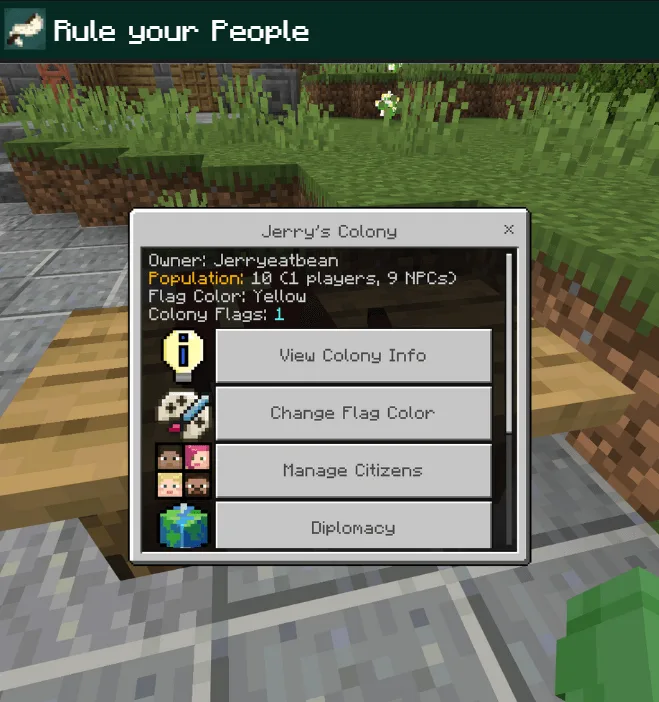
One of the key features of Jerry's Colonies is the Mayor's Table, a central hub for colony management. This interactive table provides access to various functionalities that are essential for managing your citizens and expanding your territory. Players can view vital statistics about their colony, including citizen mood, colony level, and even access options for customizing flags and managing members. This level of detail encourages players to engage more deeply with their community, ensuring every decision impacts the overall success of the colony.
As your colony grows, it progresses through three distinct stages: Colony, City, and Kingdom. Each stage unlocks new features and capabilities, allowing players to expand their territory and influence. The leveling system provides a rewarding progression mechanic; by completing various tasks such as feeding citizens, recruiting knights, or winning wars, players earn experience points that contribute toward leveling up their colony. With each advancement, new structures and citizens become available, which in turn enhances the gameplay experience.
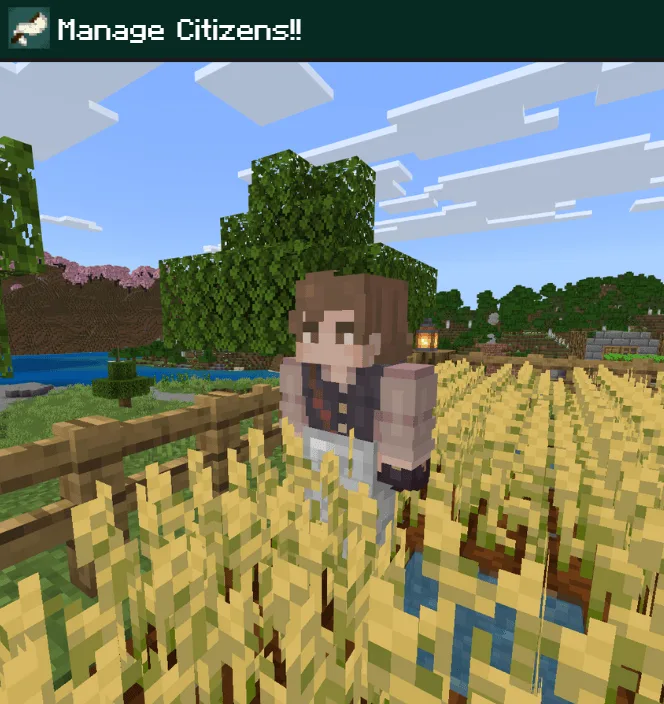
Citizens play a crucial role in your colony's success. They come in two varieties: players and NPCs. While you can hire your friends to join your colony, NPC citizens can be purchased or discovered in the wild. Each citizen has specific needs, including food for survival and happiness. Managing these needs is paramount, as a hungry citizen can lead to decreased productivity and potentially fatal outcomes for the colony. This necessity for resource management adds a layer of realism and depth to the gameplay, pushing players to think strategically about their supply chains and food distribution.
Moreover, the introduction of workplaces allows citizens to specialize in various jobs, enhancing productivity within the colony. Tasks such as logging, mining, and farming can be delegated to NPCs, who, upon being assigned to workstations, will begin to produce resources essential for the colony's growth. This system encourages players to optimize their workstation placements and citizen assignments, adding another strategic layer to colony management.
In addition to economic management, players can engage in diplomacy and warfare. The Mayor's Table offers options for setting relationships with other colonies, whether forming alliances or declaring war. This feature introduces a competitive element to the gameplay, where players must balance cooperation with neighboring colonies against the risk of conflict. Wars can be declared once certain conditions are met, and players can lead their knights into battle to conquer enemy flags, which grants the victor control over the defeated territory.
The immersive experience of Jerry's Colonies is further enhanced by the addition of unique mechanics such as festivals and banquets, which can improve citizen morale. Keeping your citizens happy is essential for maintaining productivity, and organizing events can provide temporary boosts to their mood. However, these events require resources, and players must carefully manage their supplies to avoid diminishing their colony's stability during such festivities.
It’s also worth noting the importance of research and knowledge. Players can invest in technology to unlock new features and improve their colony’s defenses. This enhances gameplay by allowing players to strategize their research priorities according to their immediate needs, whether it be military upgrades or production enhancements. The presence of a knowledge tree introduces even more complexity, as selecting specific upgrades can significantly alter the direction of your colony.
Jerry's Colonies is not just about building; it's a comprehensive management simulation that requires players to be thoughtful and strategic. It suits players who enjoy deep, engaging gameplay that goes beyond mere survival. Those who appreciate the intricacies of resource management, city-building mechanics, and strategic warfare will find this addon particularly rewarding. However, players who prefer a more straightforward experience may find the added complexities overwhelming.
In summary, Jerry's Colonies addon for Minecraft Bedrock is an excellent choice for players looking to dive into a captivating blend of strategy, management, and community-building. This addon transforms your Minecraft experience, offering engaging mechanics that challenge you to grow your civilization from the ground up. Enjoy the rich features it brings and embark on your journey to build a thriving colony today!
About the Content
CHANGELOG:
- Initial release with core colony building features
- Added new citizen management systems
- Introduced warfare mechanics for player colonies
- Enhanced user interface for better navigation
- Fixed bugs relating to citizen behavior and interactions
Installation
To install the Jerry's Colonies addon in Minecraft Bedrock Edition, follow these steps:
1. **Download the Addon File**: Ensure you download the addon file compatible with Minecraft Bedrock Edition.
2. **Open Minecraft**: Launch Minecraft Bedrock Edition on your device.
3. **Access Settings**: Go to the 'Settings' menu from the main screen.
4. **Select Storage**: Navigate to the 'Storage' option where you can find the 'Import' feature.
5. **Import the Addon**: Click on the 'Import' button and select the downloaded Jerry's Colonies addon file. The game will process the file and add it to your available addons.
6. **Create a New World**: Go back to the main menu and select 'Play' to create a new world. Make sure to enable the addon in the world settings under the 'Behavior Packs' and 'Resource Packs' sections.
7. **Customize Settings**: Adjust any additional world settings according to your preference.
8. **Enjoy Your Colony**: Once your world is set up, dive in and start your journey of building and managing your colony!
Supported Minecraft Versions
26.50 26.40 26.30 26.20 26.13 26.12
If the download button doesn't work, click here for alternatives
If you are the original creator and would like this content removed, please submit a request through our DMCA page.