MCPE Illuminate Your Journey with the Torch OffHand Addon
Skip to DownloadThe Torch OffHand addon for Minecraft Bedrock Edition allows players to hold a torch in their offhand, illuminating dark paths and enhancing gameplay. This accessory makes it easier to navigate through caves and explore the world without losing visibility
Description
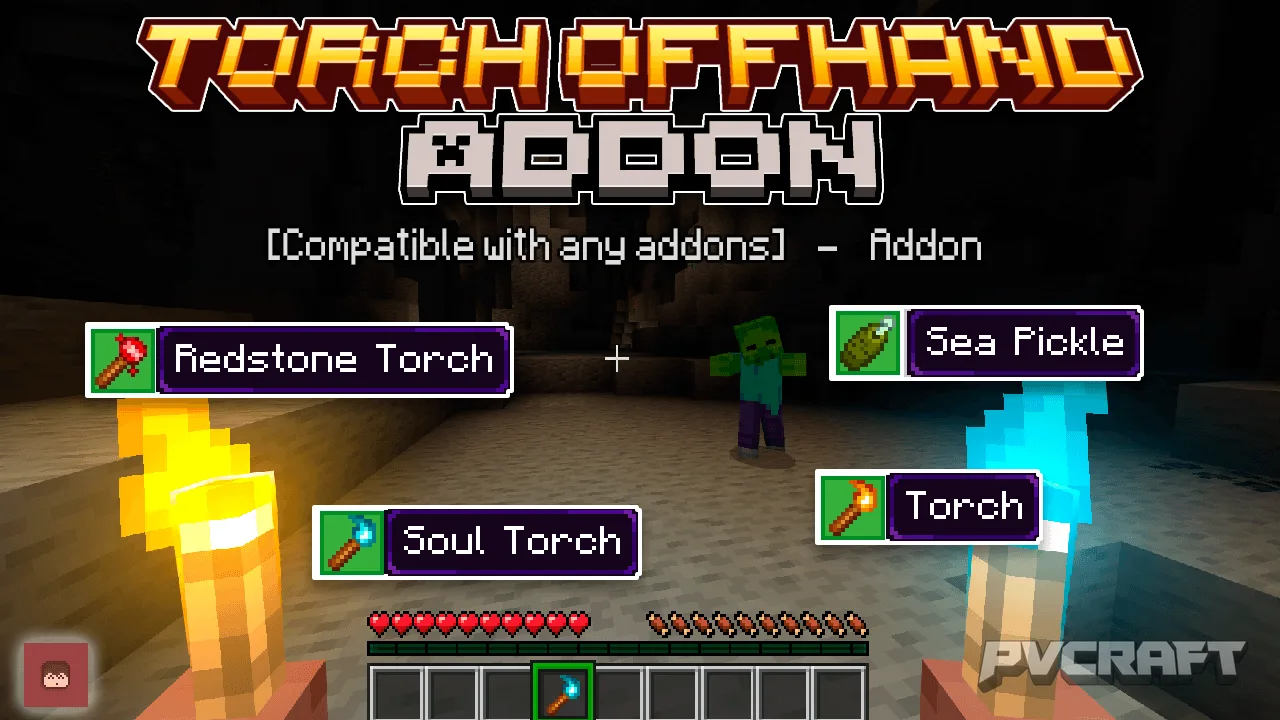
The Torch OffHand addon revolutionizes the way players utilize torches in Minecraft Bedrock Edition. This innovative add-on enables players to hold a torch in their offhand, significantly enhancing visibility in dark environments without needing to constantly switch between items. With this new accessory, players can seamlessly explore caves, dungeons, and other shadowy areas while keeping their primary hand free for tools or weapons.
One of the standout features of the Torch OffHand addon is its ability to light up your surroundings just by holding a torch in your hand. This feature is particularly useful during nighttime or in dimly lit areas, allowing players to traverse the world without fear of lurking dangers. Imagine navigating a treacherous cave system, all while illuminating your path and keeping your sword ready for any hostile mobs.
In addition to its basic functionality, the addon introduces a Torch Config Book, offering players customization options for their torch usage. This item allows for a tailored gaming experience, letting players set various parameters according to their preferences. For instance, players can adjust the distance at which the torch illuminates their surroundings, decide if they can place torches while sneaking, and even control whether the torch lighting is exclusive to survival mode or available in all game modes. Furthermore, users can enable a unique sound effect when they first hold a torch, adding a layer of auditory feedback to their gameplay.
Using the addon is simple and intuitive. To place a torch while holding it in your offhand, players need to perform a sneaking action coupled with a block hit. This means that when equipped correctly, players can efficiently place torches along their path, ensuring they can illuminate dark areas without interrupting their gameplay flow. This mechanic enhances the overall experience, especially when exploring expansive cave systems or venturing into the depths of the Nether.
The addon also expands torch functionality by introducing lighting effects to underwater environments. Players can now place sea pickles in their offhand, which glow in the water, providing much-needed illumination in aquatic settings. This innovation is perfect for players who enjoy exploring underwater ruins or building submerged structures. It not only enhances gameplay but also encourages creativity in how players approach their builds in water.
Moreover, the Torch OffHand addon is designed to be fully compatible with all other Minecraft Bedrock Edition addons, making it an excellent addition for players looking to enhance their gameplay without the hassle of conflicts. Since it does not alter any core game files, achievements remain intact, allowing players to continue earning rewards without interruption. Whether you’re a seasoned Minecraft veteran or a newcomer, this addon offers a unique experience that enhances exploration and gameplay strategy.
In summary, the Torch OffHand addon is an essential tool for any Minecraft Bedrock player who craves a more interactive and efficient way to manage lighting in their adventures. With its user-friendly mechanics and customization options, this add-on transforms the use of torches, making exploration more enjoyable and less cumbersome. Grab your torch and light your way through the darkest of caverns, knowing you have the support of this fantastic addon at your disposal.
About the Content
CHANGELOG:
- Initial release with core features
- Added custom settings via Torch Config Book
- Improved offhand torch placement mechanics
- Enhanced underwater lighting functionality
- Fixed minor bugs for smoother gameplay
Installation
To install the Torch OffHand addon for Minecraft Bedrock Edition, follow these steps:
1. **Download the Addon Files**: First, you need to download both the Torch OffHand Behavior Pack (BP) and the Resource Pack (RP) files. Ensure you have both components, as they are necessary for the addon to function properly.
2. **Open Minecraft**: Launch Minecraft Bedrock Edition on your device and navigate to the main menu.
3. **Access Settings**: Click on the 'Settings' button and then select 'Storage'. Here you can see the packs that are currently installed.
4. **Import the Packs**: Using the 'Import' function, import both the BP and RP files you downloaded. After importing, these packs should appear in your list of available packs.
5. **Create or Edit a World**: You can either create a new world or edit an existing one. If creating a new world, make sure to select the Torch OffHand addon in the 'Behavior Packs' and 'Resource Packs' sections.
6. **Activate Experimental Gameplay**: If prompted, enable experimental gameplay to ensure the addon works correctly. This setting allows for additional features that may not be found in the standard gameplay.
7. **Start the Game**: Once everything is set up, start your world. You should now be able to use torches in your offhand and enjoy the new illumination features!
8. **Explore and Customize**: After entering your world, feel free to explore and adjust the torch settings using the Torch Config Book, which you will find in your inventory upon entering the game.
By following these steps, you can easily enhance your Minecraft experience with the Torch OffHand addon, making your adventures in the game more enjoyable and illuminated.
Supported Minecraft Versions
26.30
If the download button doesn't work, click here for alternatives
If you are the original creator and would like this content removed, please submit a request through our DMCA page.