MCPE Clear Vision for Your Minecraft Adventures
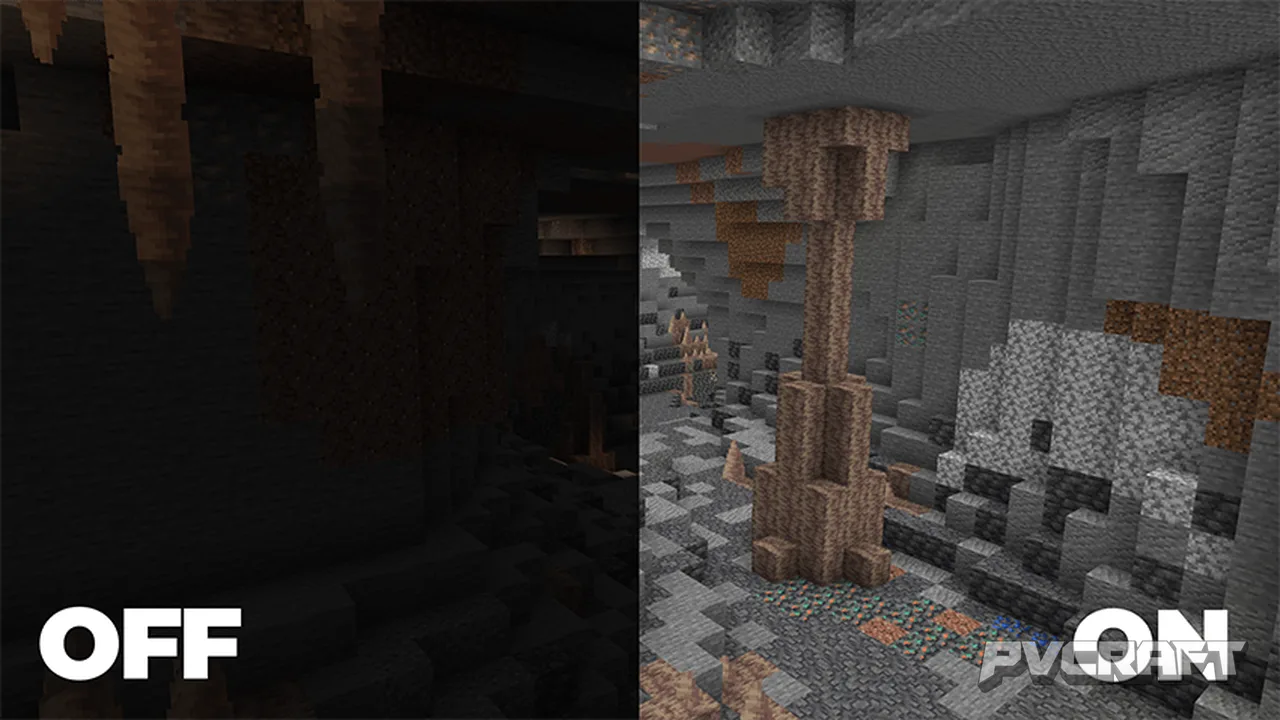
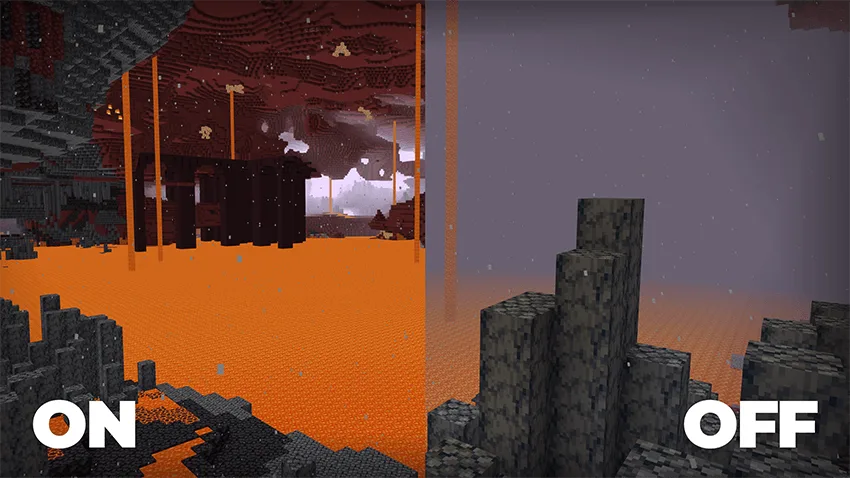
Skip to DownloadClear Vision enhances your Minecraft experience by improving visibility in dark places such as caves and the Nether. This texture pack maintains compatibility with other visual enhancements and keeps your achievements intact, making it perfect for players
ad
Description
In the vast worlds of Minecraft Bedrock Edition, exploration often leads players into the darkest corners of caves, the depths of the Nether, and shadowy areas filled with potential danger and unknown treasures. To navigate these environments efficiently, having a clear view is crucial. This is where the Clear Vision texture pack comes into play. Created by BebuPlayz, this texture pack significantly enhances your visibility in these dimly lit environments without compromising the game’s core aesthetic.
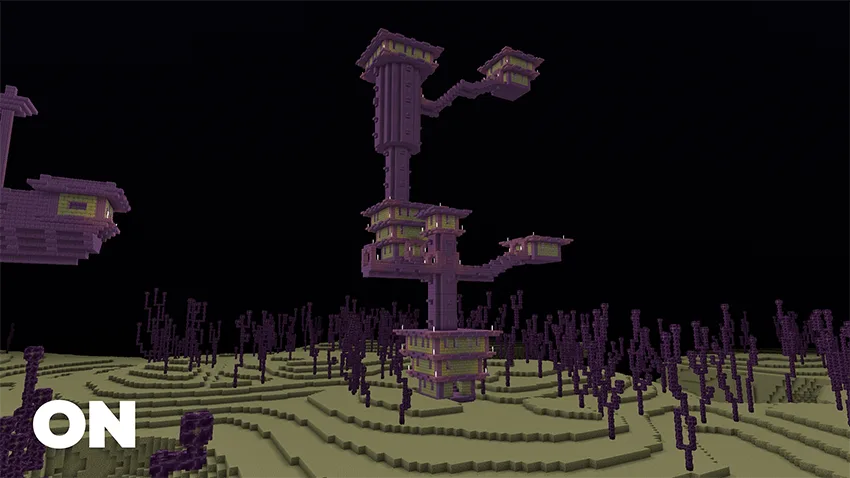
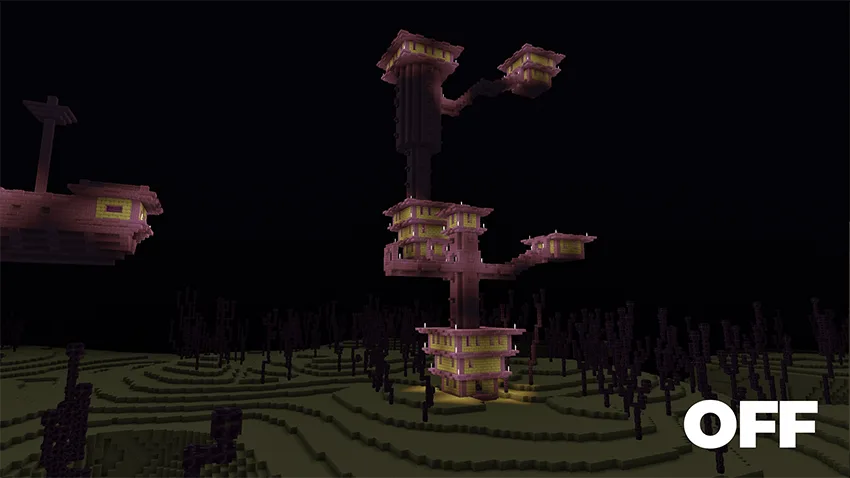
Clear Vision is designed to redefine how players experience the immersive world of Minecraft. One of the primary features of this texture pack is its ability to illuminate dark areas, enabling players to see better in caves, forests at night, or the eerie landscapes of the Nether. Unlike vanilla Minecraft, where darkness can obscure your surroundings and make it difficult to navigate, Clear Vision brightens these environments, helping players to spot ores, mobs, and other vital elements that might otherwise go unnoticed.
The benefits extend beyond mere visibility. For survival mode players, being able to accurately assess your surroundings can be the difference between life and death. When you explore caves or venture into the Nether, visibility can be your best ally against hostile mobs. With Clear Vision, you can identify threats from a distance, allowing you to plan your approach or escape routes more effectively. This is particularly vital in survival gameplay, where every second counts.
In terms of building, Clear Vision also proves advantageous. Players engaged in designing elaborate structures or intricate bases will find that clearer surroundings enhance their creative process. Being able to clearly see where you’re placing blocks, especially in darker spots, allows for more precise construction. Whether you are building a grand castle or a cozy cottage, the improved visibility aids in better design execution, contributing to a more satisfying building experience.
While Clear Vision enhances visibility, it is also designed to be lightweight and efficient, ensuring that it does not hinder your gaming performance. The pack is compatible with various other visual enhancements, such as Vibrant Visuals, which means players can combine it with other texture packs to create a cohesive visual experience that suits their preferences. Importantly, it does not interfere with achievement tracking, so players can enjoy the benefits of improved visibility without sacrificing their progress in the game.
However, players should be aware that while Clear Vision significantly enhances visibility, it might slightly alter the atmospheric feel of certain environments. Some players may prefer the original darker aesthetic of caves and the Nether, which adds to the sense of danger and adventure. For these players, Clear Vision may not align with their immersive experience. It is essential to consider your gameplay style and preferences before installing any texture pack.
Additionally, while Clear Vision works exceptionally well in most environments, players should understand that it primarily focuses on enhancing visibility rather than altering textures for aesthetic purposes. Players looking for dramatic visual changes might find this pack somewhat limited in that regard. Nonetheless, for those who prioritize exploration, survival, and creative building, Clear Vision stands out as an invaluable tool.
Installing this texture pack is straightforward and can be accomplished in a few simple steps. Firstly, make sure you have the latest version of Minecraft Bedrock installed and prepare to dive into a clearer, more visually engaging world. Whether you are playing on mobile, console, or Windows, the installation process is user-friendly and designed for ease of use, allowing players of all experience levels to enjoy its benefits immediately.
ad
About the Content
CHANGELOG:
- Initial release with enhanced visibility features
- Removed Nether particles for improved clarity
- Fixed Fire Resistance bug while in lava
- Optimized textures for better performance
- Enhanced compatibility with Vibrant Visuals for a cohesive experience
Installation
To install the Clear Vision texture pack on your Minecraft Bedrock Edition, follow these steps:
1. Download the Clear Vision texture pack file from the source where it is hosted.
2. Once the download is complete, locate the file on your device. It should be in a .mcaddon format.
3. Open Minecraft Bedrock Edition. Ensure that you are logged into your account.
4. Navigate to the Settings menu, then go to the Storage section.
5. Here, select the option to import the downloaded package. This will add the texture pack to your game.
6. After importing, exit to the main menu and select "Create New" or choose an existing world to modify. You will see options for resource packs.
7. Activate the Clear Vision texture pack from the available packs list. Ensure it is selected as the active texture pack.
8. Once done, proceed to load your world, and enjoy your new clear view in the game!
Remember to adjust your settings as needed to enhance performance, especially if you are using other texture packs or shaders along with Clear Vision.
Supported Minecraft Versions
26.40 26.30 26.20 26.13 26.12
If the download button doesn't work, click here for alternatives
If you are the original creator and would like this content removed, please submit a request through our DMCA page.