MCPE ClearVision Resource Pack for Bedrock
Skip to DownloadClearVision is a functional texture pack designed for Minecraft Bedrock Edition, featuring grid overlays and enhanced visibility for blocks, ideal for builders and redstone engineers.
ad
Description
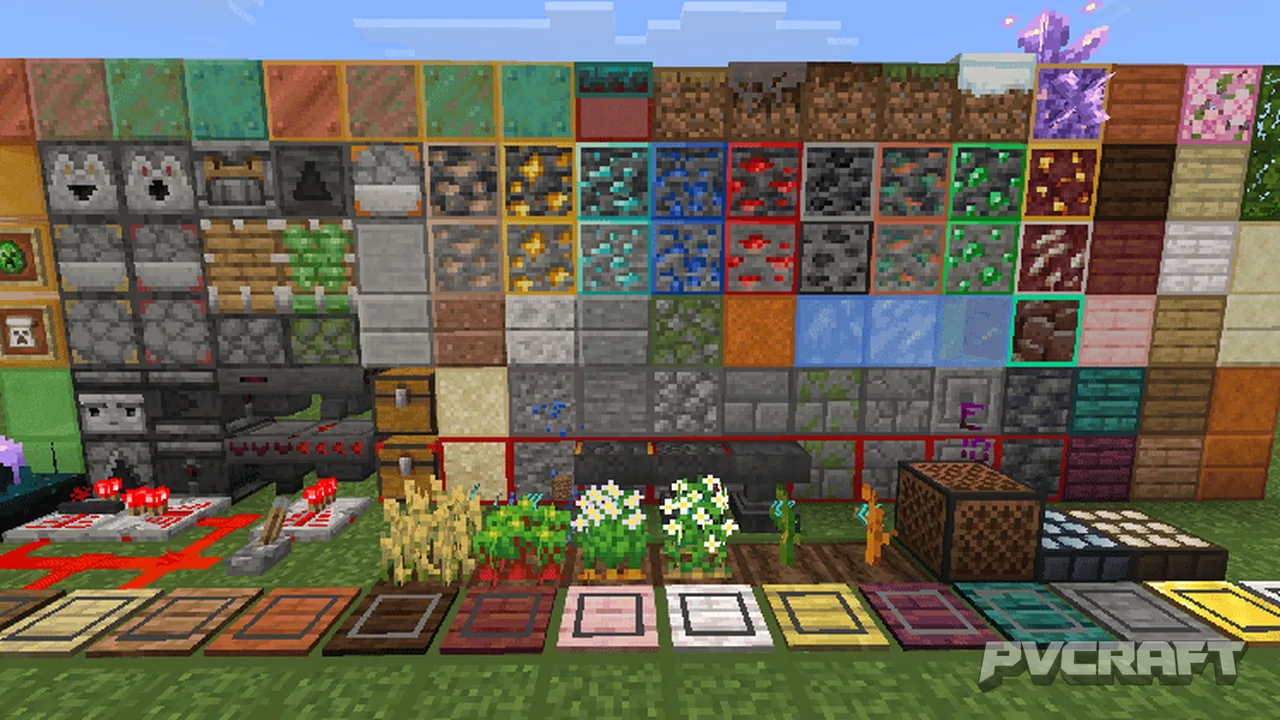
ClearVision Resource Pack is an innovative texture pack tailored specifically for Minecraft Bedrock Edition. This pack aims to enhance the visual experience of players, making building and redstone engineering significantly easier. By integrating grid overlays onto various commonly used blocks, ClearVision allows players to count and align blocks with precision, ensuring better construction and design workflows. The pack is crafted with both casual players and dedicated builders in mind, offering functionalities that cater to a wide range of gameplay styles.
One of the most notable features of ClearVision is its grid overlay system. This addition not only aids in block placement but also enhances spatial awareness, making it easier for players to visualize their builds in a structured manner. Whether you are crafting intricate redstone machines or constructing elaborate buildings, the grid lines serve as a guide that simplifies measuring and alignment tasks.
Furthermore, the ClearVision pack provides enhanced visibility for blocks, helping players differentiate between similar block types. This is particularly beneficial when working with blocks that have subtle variations in texture. For example, the pack clearly outlines polished and smooth slabs, ensuring that players can select the right block for their design without confusion.
In addition to the visual enhancements, ClearVision includes specialized features for redstone engineers. It displays detailed redstone states such as the power levels of comparators and repeaters, allowing players to monitor their redstone circuits more effectively. This feature is designed to streamline the troubleshooting process, making it easier for users to identify issues in their redstone creations.
Another advantage of this resource pack is its ability to highlight the growth stages of crops and distinguish between different block states, such as waxed copper or infested blocks. This functionality is important for players who engage in farming or exploration, as it allows for more informed decisions when harvesting or interacting with their environment.
The user interface (UI) enhancements included in ClearVision further contribute to a more seamless gameplay experience. Players will notice improvements in crafting interfaces, with options for quick crafting and easy item transfers. This means that managing inventories and crafting processes becomes more efficient, allowing players to focus on their creative projects rather than becoming bogged down by tedious mechanics.
ClearVision Resource Pack is not just about aesthetics; it also addresses performance optimizations to ensure smooth gameplay. The pack is designed to reduce lag and maintain high performance, making it suitable for use on various devices, including mobile, console, and Windows editions of Minecraft Bedrock. This optimization allows players to enjoy the benefits of enhanced visuals without compromising on gameplay quality.
In summary, ClearVision Resource Pack stands out as an essential tool for Minecraft Bedrock players who are serious about their building and redstone engineering endeavors. With its user-friendly grid system, block differentiation, redstone monitoring, and optimized performance, this resource pack is a worthy addition to any player's toolkit. Experience Minecraft like never before with ClearVision, and take your creativity to new heights.
ad
About the Content
CHANGELOG:
- Initial release with core features
- Introduced grid overlays for efficient block counting
- Enhanced visibility options for better gameplay experience
Installation
To install the ClearVision Resource Pack, follow these steps:
1. Download the resource pack file in .mcpack format.
2. Open the Minecraft Bedrock Edition application.
3. Navigate to the 'Settings' menu from the main screen.
4. Go to 'Storage' and select 'Resource Packs'.
5. Click on 'Import' and locate the downloaded .mcpack file.
6. Once imported, go to the 'Create New World' or 'Edit' existing world option.
7. In the world settings, scroll to 'Resource Packs' and select ClearVision.
8. Ensure the resource pack is active, then load your world to enjoy the enhancements.
Supported Minecraft Versions
1.21.130
If the download button doesn't work, click here for alternatives
If you are the original creator and would like this content removed, please submit a request through our DMCA page.