MCPE Dark Fantasy Visuals Resource Pack
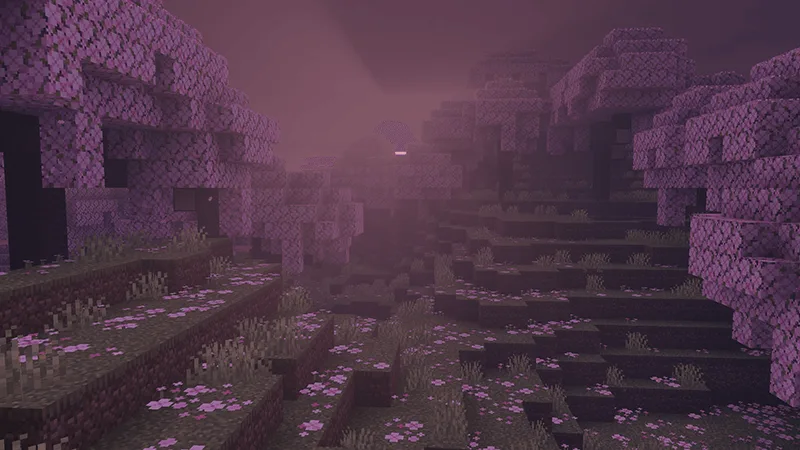
Skip to DownloadTransform your Minecraft experience with the Dark Fantasy Visuals Resource Pack, which introduces a shadowy and atmospheric aesthetic to the game world. Inspired by the rich environments of dark fantasy games, this pack enhances your gameplay by reshaping
ad
Description
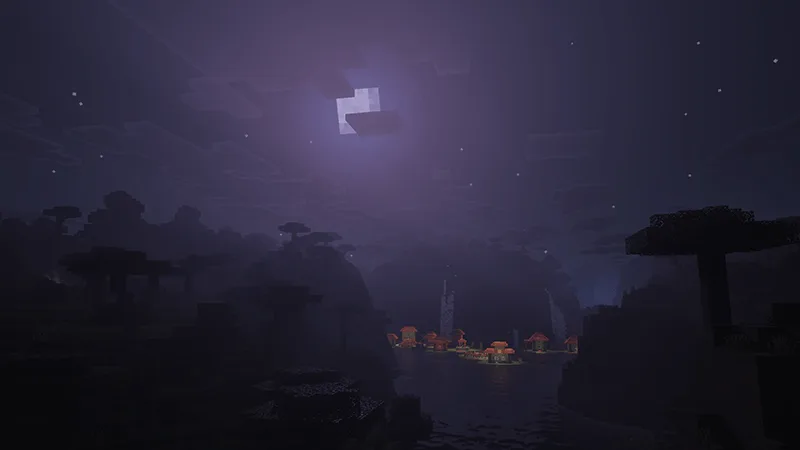
The Dark Fantasy Visuals Resource Pack for Minecraft Bedrock Edition invites players to immerse themselves in a redefined gaming experience that leans heavily into the aesthetics of darker fantasy worlds. This texture pack completely transforms Minecraft's iconic visuals, creating an atmosphere reminiscent of beloved games like Elden Ring and Dark Souls. Players can expect a trip into a realm where shadows loom larger, colors are muted, and the ambient details make every corner of their world feel alive and enchanting.
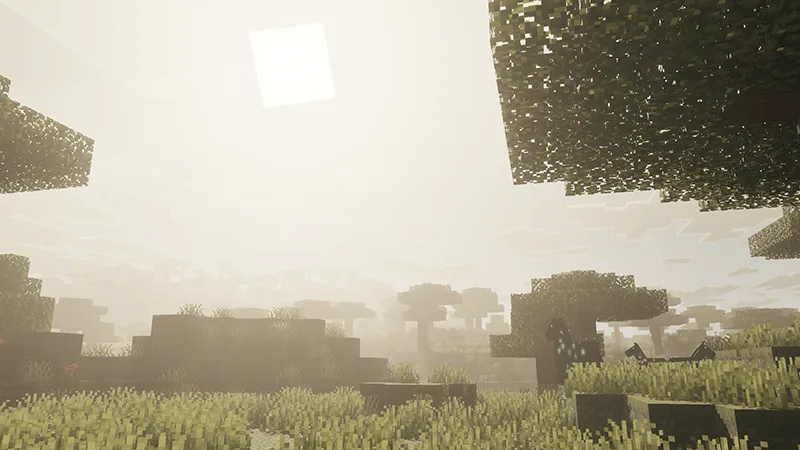
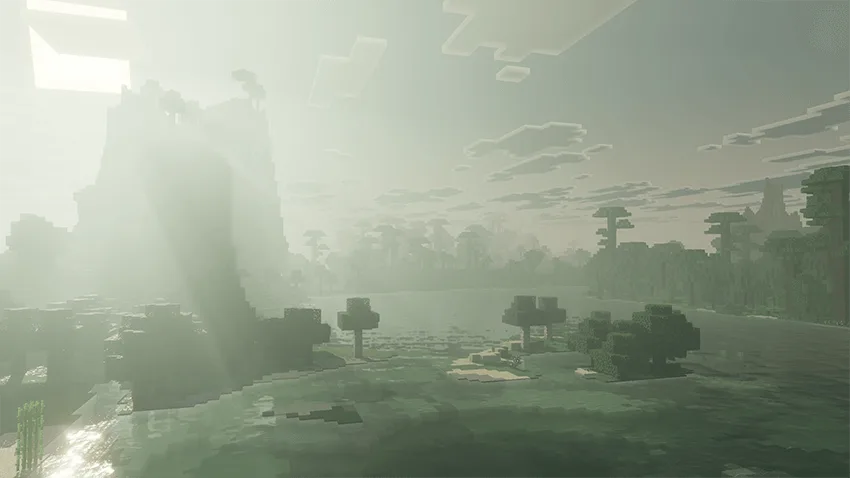
One of the standout features of this resource pack is its ability to deepen the mood of various biomes. For instance, forests appear more foreboding, with thick shadows enveloping the trees, while caves feel more claustrophobic and eerie. The colors within the landscapes have been meticulously adjusted, enhancing the depth of each biome without losing the core essence of Minecraft's blocky charm. The pack introduces a richer array of shades, making environments appear more dynamic and engaging. Imagine exploring a darkened forest filled with the rich, deep greens of foliage contrasted by the soft, ethereal light filtering through the leaves, creating a truly captivating experience.
In addition to the visual overhaul, the Dark Fantasy Visuals Resource Pack also brings forth enhanced lighting effects. Players will notice that light sources like torches and glowstone emit a more pronounced glow, casting longer shadows that add a layer of intrigue to gameplay. This change not only changes how the world looks but also how players interact with it. Navigating through dark caves or abandoned ruins becomes an adventure driven by not just exploration, but also the fear of what might lurk in the shadows.
Moreover, the pack ensures that even the smallest details are attended to. Blocks have been redesigned with new textures that reflect this darker theme. Whether it’s the shimmering water now reflecting a more ominous sky or the textures of stone appearing rougher and more ancient, every block contributes to a unified theme of mystery and adventure. This attention to detail invites players to appreciate the world around them more than ever before, as even the simplest tasks, like mining or building, become visually stunning experiences.
For those who enjoy storytelling within their gameplay, this resource pack is perfect for creating a narrative rich environment. Whether you're role-playing as a hero venturing into a cursed land or embarking on a quest to uncover ancient secrets, the Dark Fantasy Visuals Resource Pack provides the perfect backdrop to your adventures. It encourages creativity and immersion, allowing players to craft experiences that feel both personal and grand in scope.
In summary, if you’re looking to elevate your Minecraft Bedrock experience, the Dark Fantasy Visuals Resource Pack is a must-have addition. It not only enhances the game's visuals but also deepens the emotional engagement players have with their surroundings. Venture into a world where every shadow tells a story, and every biome is filled with rich lore waiting to be explored. Embrace the darkness and let your Minecraft adventures become an epic saga!
ad
About the Content
CHANGELOG:
- Initial release with key features including revamped lighting and shadow effects.
- Enhanced texture detail for all biomes.
- Improved atmospheric elements for a more immersive environment.
- Adjusted color palettes to reflect darker themes.
- Optimized for better performance on various Bedrock devices.
Installation
Installing the Dark Fantasy Visuals Resource Pack in Minecraft Bedrock Edition is straightforward. Follow these steps to ensure a smooth installation:
1. **Download the Resource Pack**: First, you need to obtain the Dark Fantasy Visuals Resource Pack file, which is typically in .mcpack format. Ensure you save it to a location you can easily access.
2. **Open Minecraft**: Launch the Minecraft Bedrock Edition on your device.
3. **Access Settings**: From the main menu, go to 'Settings'. Here, look for the 'Storage' or 'Global Resources' option, depending on your device.
4. **Import the Resource Pack**: Navigate to the location where you saved the .mcpack file. Simply tap on it to import the resource pack directly into Minecraft. You should see a notification confirming the import.
5. **Activate the Pack**: Go back to the 'Settings' menu, then select 'Global Resources'. Find Dark Fantasy Visuals in the list of available packs and select it. Click on ‘Activate’ to enable the pack.
6. **Create or Load a World**: Once the pack is activated, either create a new world or load an existing one. You’ll now experience your Minecraft world with the enhanced dark fantasy visuals.
7. **Adjust Settings**: For optimal performance and visuals, consider adjusting your graphics settings. Ensure that 'Vibrant Visuals' is enabled, which complements the resource pack's features.
By following these steps, you’ll be ready to dive into a new, immersive Minecraft experience that transforms how you interact with the game!
Supported Minecraft Versions
1.21.100
If the download button doesn't work, click here for alternatives
If you are the original creator and would like this content removed, please submit a request through our DMCA page.