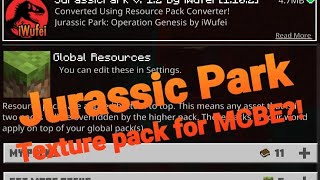
MCPE JP Texture by iwufei
Skip to DownloadImmerse your Minecraft world in the iconic aesthetic of Jurassic Park! This texture pack meticulously redesigns blocks, items, and the UI with the park's classic logo, lush tropical foliage, and high-tech structures. Build your own Isla Nublar with authen
ad
Description
Transform the very fabric of your Minecraft world with the Jurassic Park Texture Pack, a detailed and faithful visual overhaul inspired by one of the greatest adventure films of all time. This pack focuses exclusively on a complete artistic reinterpretation of Minecraft's default textures, bringing the distinct look and feel of Isla Nublar to your builds without modifying mobs or entities.
Discover a new palette of blocks that perfectly captures the Jurassic Park essence. Lush, vibrant greens redefine jungle leaves and grass blocks, making your biomes feel like the dense, tropical paradise of the film. Stone and mineral blocks feature subtle fossilized textures and patterns, hinting at the prehistoric world beneath the surface. The pack shines in its architectural offerings, providing you with clean, modern textures for blocks like quartz, iron, and concrete, allowing you to construct the park's iconic electric fences, the majestic main gate, and the sophisticated Visitor's Center with unprecedented authenticity.
Beyond the environment, the user interface receives a special treat. Menus, inventory screens, and the hotbar are elegantly skinned with the classic Jurassic Park logo and a clean, amber-and-black color scheme, maintaining immersion from the moment you log in. This is the definitive texture pack for any builder or fan looking to recreate the wonder, nostalgia, and grandeur of Jurassic Park, block by beautiful block.
ad
About the Content
Embark on a unique building journey with the Jurassic Park Texture Pack, a comprehensive and standalone visual mod that reimagines the core aesthetic of Minecraft through the lens of Steven Spielberg's cinematic masterpiece. This project is a dedicated tribute to the film's iconic design, focusing solely on delivering a high-quality, consistent texture overhaul for blocks, items, and the GUI. It is important to note that this pack does not add any dinosaurs or new mobs; its power lies in transforming your existing world into a canvas worthy of the Jurassic Park name.
Detailed Block & Environmental Textures:
Every biome gains a new life. We've completely redesigned the foliage suite—jungle leaves are lusher and more detailed, grass blocks have a richer, deeper green, and vines appear more tropical and abundant, perfect for creating those dense Isla Nublar jungles. Terracotta and concrete blocks now sport clean, modern finishes ideal for constructing the park's infrastructure. Crucially, we've added custom textures for key architectural elements: iron bars become electrified fences, redstone components take on a more high-tech appearance, and certain stone types feature embedded amber fossils, a nod to the park's genetic origins.
Items and Icon Overhaul:
The immersion extends to your inventory. All items have been thoughtfully redesigned to fit the theme. Maps now resemble the official park schematics, clocks and compasses have a sleek, futuristic look, and even simple items like paper might feature the iconic Jurassic Park logo. Weapons and tools maintain a rugged, utilitarian design, fitting for a park ranger or a survivor in a land of rediscovered giants.
User Interface (GUI) and Atmospheric Details:
The transformation is seamless from the start. The main menu, inventory screens, and health/hunger bars are all styled with the signature Jurassic Park branding, using a sophisticated palette of black, gold, and dark green. This attention to detail ensures that every moment you spend in the game reinforces the theme. This pack is designed for creators who wish to build the iconic locations from the film or design their own original Jurassic Park, providing all the visual tools necessary to make your vision a stunning, blocky reality. It’s the perfect way to experience Minecraft with a fresh, exciting, and professionally inspired new look.
Installation
How to Download & Apply this Texture Pack:
Secure Download: Click the download link provided on this page. You will be redirected to our trusted file partner, MediaFire, where you can securely download the texture pack file. The file will be in .zip format. It is crucial that you do not extract or unzip this file.
Locate your Resource Packs Folder: Start the Minecraft Launcher and enter the game. From the main menu, navigate to 'Options' -> 'Resource Packs'. Click the button at the bottom that says 'Open Pack Folder'. This will automatically open the resourcepacks folder for your Minecraft installation.
Install the Pack: Simply click and drag the downloaded .zip file from your downloads folder into the open resourcepacks folder.
Activate the Texture Pack: Return to the 'Resource Packs' screen in Minecraft. The "Jurassic Park Texture Pack" should now appear in the list on the left. Hover over it and click the arrow to move it to the 'Selected Packs' column on the right. Its position in this column can affect texture loading, with higher packs taking priority.
Finalize and Play: Click 'Done' or 'Confirm'. Minecraft will now reload all assets. Once the loading is complete, your world will be visually transformed! You will immediately notice the new block textures and updated user interface. You are now ready to gather materials and start building your very own Jurassic Park with the new, theme-accurate blocks at your disposal.
Supported Minecraft Versions
1.21 1.20 1.19 1.18 1.17 1.16
If the download button doesn't work, click here for alternatives
If you are the original creator and would like this content removed, please submit a request through our DMCA page.