MCPE Ocean User Interface Texture Pack
Skip to DownloadTransform your Minecraft Bedrock experience with the Ocean User Interface Texture Pack, designed to enhance the aesthetics of your game by incorporating a marine theme. Featuring vibrant colors and water-inspired details, this pack is perfect for players
ad
Description
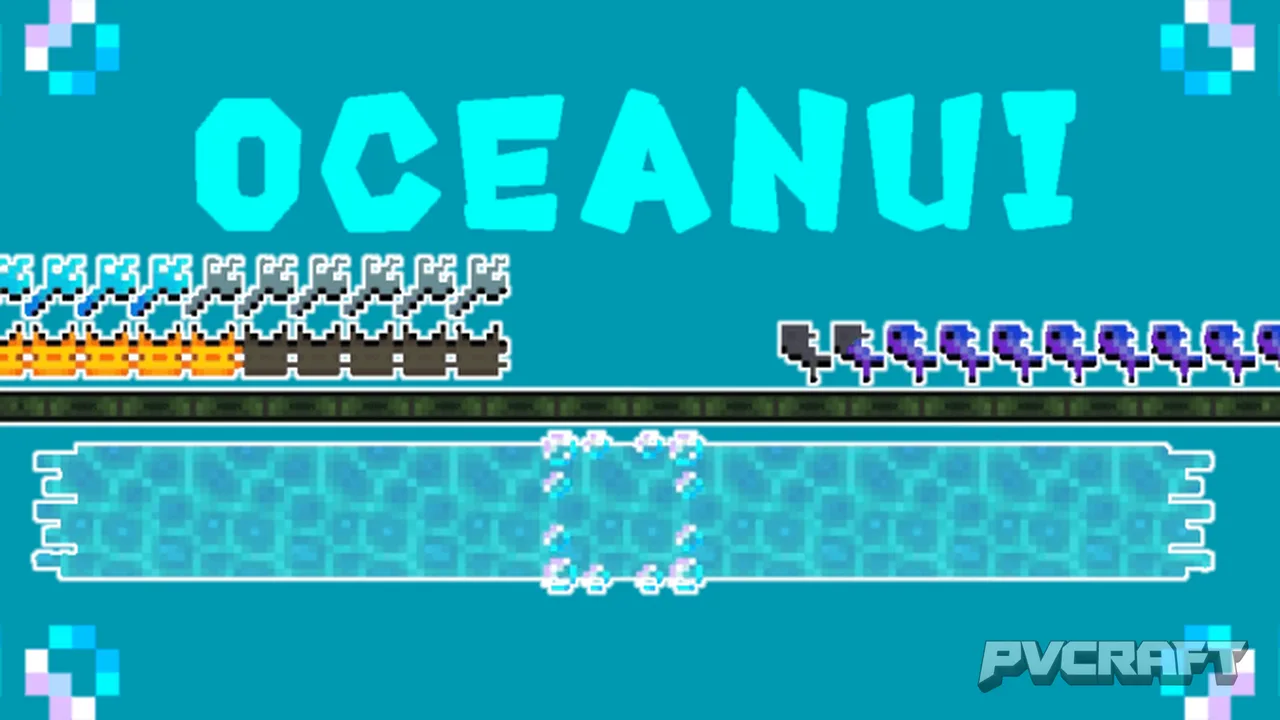
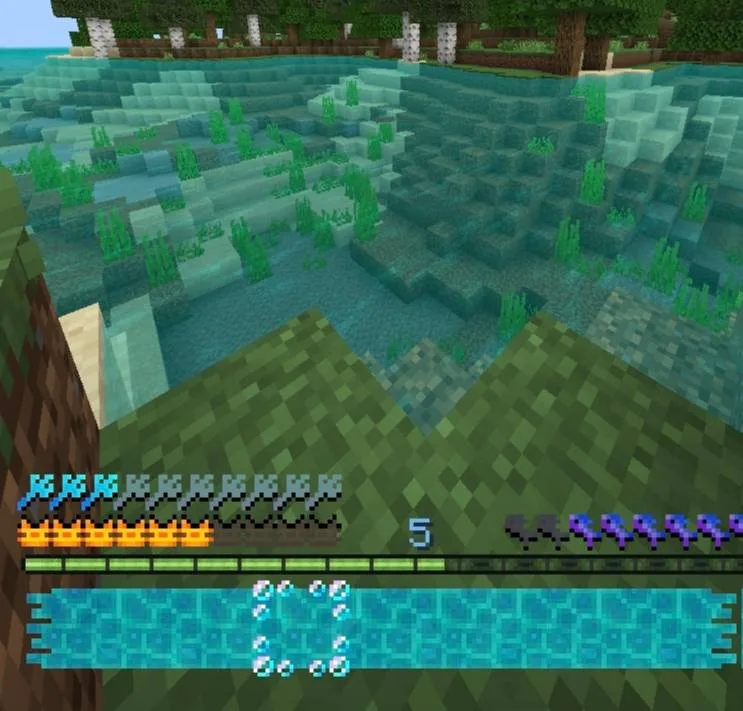
The Ocean User Interface Texture Pack introduces a refreshing aesthetic to your Minecraft Bedrock gaming experience. This texture pack reimagines various in-game elements with an ocean-themed design, enhancing immersion and making gameplay feel unique. One of the first things players will notice is the new health indicator, represented as an Axolotl heart. This change not only adds personality to the health bar but also aligns perfectly with the aquatic theme of the pack.
Furthermore, as you delve into your Minecraft adventures, the inventory system has received a substantial makeover. Each item now features water bars and bubbles that visually represent selection, providing a more dynamic interactive experience. This change is not merely cosmetic; it fundamentally alters how players perceive their inventory, making it feel more alive and connected to the surrounding environment.
In addition to these UI improvements, the pack replaces traditional fire visual elements with bubbles, creating a more coherent ocean vibe. This subtle but significant transformation enhances the overall visual aesthetics, making the game world feel more cohesive and engaging. Players venturing through their worlds will appreciate how these alterations enhance their environments, turning mundane tasks into visually stimulating experiences.
Another notable feature is the new blue color of the experience points, which replaces the standard colors with a soothing hue that matches the underwater theme. This change not only aligns with the rest of the texture pack but also helps players identify their experience points in a more visually appealing way. As a result, players can enjoy a more immersive gameplay experience that resonates with the aquatic atmosphere.
The Ocean UI Texture Pack is especially beneficial for players who enjoy exploring underwater biomes or engaging in activities related to the ocean, such as fishing. The enhancements make interactions with the game feel more thematic and aligned with the environment. Those who love building in or near water will find that the aesthetics of their creations are accentuated, providing a visually consistent experience throughout their gameplay.
It's essential to note that while the Ocean UI Texture Pack significantly alters the appearance of various game elements, it does not affect the core mechanics or gameplay of Minecraft Bedrock. This preservation of fundamental mechanics alongside enhanced aesthetics makes it an excellent choice for players seeking to refresh their game without compromising their gameplay experience.
However, players should be mindful of the compatibility of this pack with certain device specifications. While it is optimized for a wide range of devices, players with older hardware may experience performance issues or slower load times. Therefore, it might be worthwhile for users to consider their device's capabilities before installation, particularly if they run multiple texture packs or mods concurrently.
In summary, the Ocean User Interface Texture Pack offers a unique approach to enhancing Minecraft Bedrock's visual experience, making it a great addition for players looking to explore the game in a new light. With its array of thoughtful design choices, this pack enriches gameplay while maintaining all essential mechanics, ensuring that players can dive into their adventures with a fresh perspective.
Ultimately, whether you’re a builder, explorer, or survivor, the Ocean UI Texture Pack opens up new avenues for creativity and immersion, making every moment in your world feel more connected to the oceans that inspire it. This texture pack is tailored for anyone looking to elevate their gaming experience with a cohesive ocean theme that breathes new life into the beloved game.
ad
About the Content
CHANGELOG:
- Initial release with core oceanic features
- Introduced Axolotl heart icons for a unique health display
- Updated inventory to feature water bars and bubbles for each selected item
- Changed fire visuals to bubbles, adding an immersive water effect
- Updated experience points color to a soothing blue hue for a cohesive ocean theme
Installation
Installing the Ocean User Interface Texture Pack is a straightforward process that can be completed in a few easy steps. Follow this guide to enhance your Minecraft Bedrock experience:
1. **Download the Texture Pack**: First, you’ll need to download the Ocean UI Texture Pack file. Ensure that it is the correct format (.mcpack) for Minecraft Bedrock Edition.
2. **Open Minecraft Bedrock**: Launch your Minecraft Bedrock Edition on your device.
3. **Access Settings**: From the main menu, navigate to the ‘Settings’ option.
4. **Resource Packs**: In the settings menu, scroll down to ‘Storage’ or ‘Resource Packs.’ Here, you’ll see an option to import packs.
5. **Import the Pack**: Click on ‘Import’ and select the downloaded Ocean UI Texture Pack file. The game will automatically import it.
6. **Activate the Pack**: Once the import is complete, you will see the texture pack listed. Activate it by clicking on the pack and selecting ‘Activate’ or ‘Enable.’
7. **Join Your World**: Finally, return to the main menu and enter your desired world. You should now see the Ocean UI Texture Pack applied, transforming your gaming experience.
By following these steps, you can easily install and start enjoying the new ocean-themed aesthetics in your Minecraft Bedrock world.
Supported Minecraft Versions
26.30 26.0 1.21 1.20 1.19
If the download button doesn't work, click here for alternatives
If you are the original creator and would like this content removed, please submit a request through our DMCA page.