MCPE TACZ Mod V1.0.2 Translated Edition: Enhance Your Minecraft Weapon Experience
Skip to DownloadThe TACZ Mod V1.0.2 Translated Edition revitalizes Minecraft Bedrock by introducing an extensive range of weapon names and descriptions, enhancing your gameplay experience. This mod ensures that every item, weapon, and ammo type has a translated name and
Description
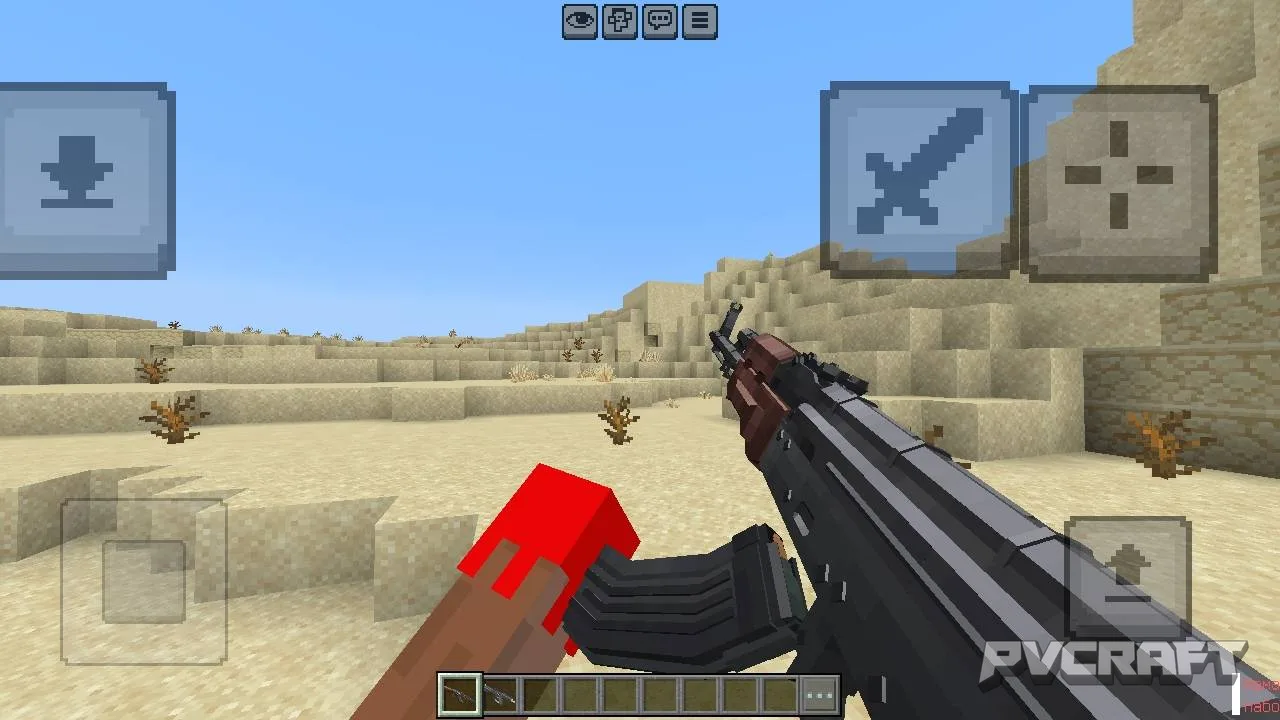
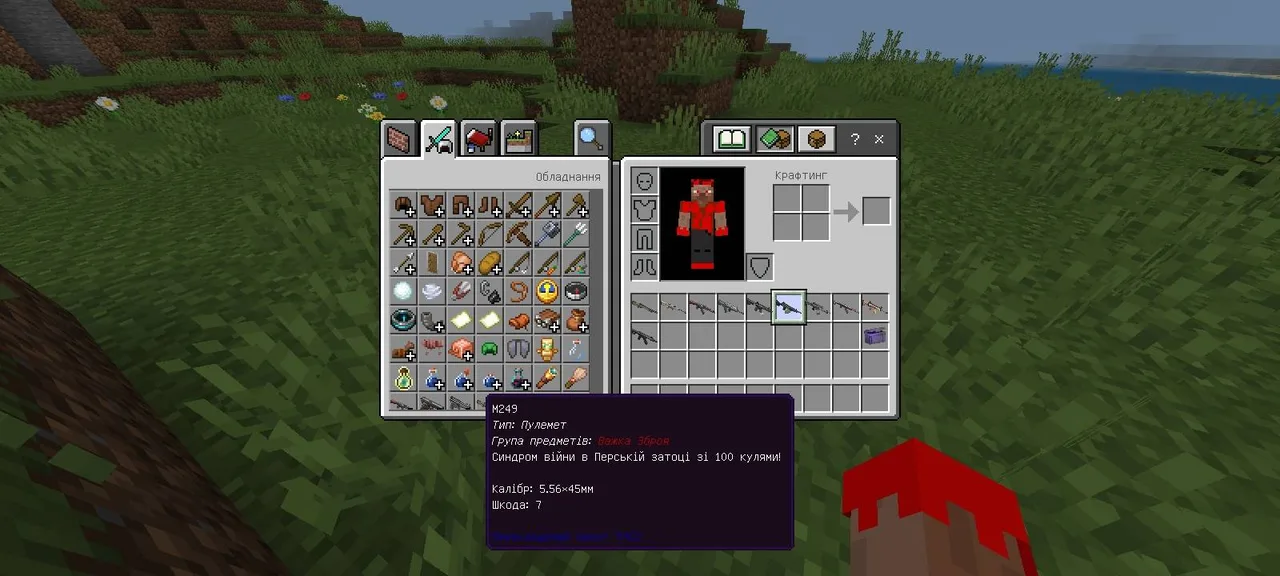
The TACZ Mod V1.0.2 Translated Edition is a groundbreaking addition to the Minecraft Bedrock Edition landscape, designed specifically for players who wish to enrich their gameplay through a deep and immersive weapon customization experience. This mod is a dedicated localization project that expertly translates the names and lore of various weapons, ammunition, and item categories into multiple languages including English, Ukrainian, Russian, and Polish. The focus on translated names not only increases accessibility for players but also allows for a deeper connection with the items they use in-game.
One of the standout features of the TACZ mod is its ability to enhance the understanding and enjoyment of weapons throughout a player's Minecraft journey. Each weapon has been carefully given a unique name, accompanied by lore that informs players of its characteristics and background. This feature is particularly beneficial for those engaging in multiplayer sessions, as understanding the weapons can provide a strategic advantage during combat scenarios. Moreover, enabling the “Shared Packages” feature ensures that players can see these translated names, further promoting teamwork and communication within groups.
Additionally, the TACZ mod does not alter the core gameplay mechanics of Minecraft, allowing players to utilize it in both Survival and Creative modes seamlessly. This means you can enjoy the enriched experience of weapon lore without compromising the familiar gameplay style you know and love. Whether you’re embarking on a survival adventure, battling mobs, or simply building and crafting in your world, this addon enhances your interaction with weapons, making each encounter more engaging.
The installation process for the TACZ Mod is straightforward, ensuring that players of all skill levels can easily enhance their game. The mod efficiently adapts to various Minecraft Bedrock versions, making it suitable for a wide audience. Players often report that using this mod transforms their mundane gameplay into a vibrant tapestry of stories and strategies, where every weapon has a tale to tell.
Furthermore, the TACZ mod is not only about weaponry; it embodies the essence of exploration and discovery. As players come across new weapons and types of ammunition, the lore behind each item encourages them to explore the Minecraft world more thoroughly. This mod can inspire players to try different combat styles and strategies, making their adventures in Minecraft more dynamic and exciting.
In terms of compatibility, the TACZ Mod is optimized for the latest versions of Minecraft Bedrock, ensuring that players won’t encounter issues across different updates. This aspect is crucial, as it maintains the mod's functionality even as the core game evolves, allowing for a consistent user experience. Furthermore, it is important to note that the mod has been carefully crafted to integrate smoothly with the existing game mechanics, meaning players will not face any disruptions while using the mod.
In conclusion, the TACZ Mod V1.0.2 Translated Edition stands out as a unique and essential tool for Minecraft Bedrock players looking to deepen their weapon experience. By translating and enhancing the lore behind each weapon, it provides a layer of depth and understanding that enriches the gameplay. Whether you're a seasoned warrior or a budding adventurer, this mod will undoubtedly enhance your Minecraft experience, making every weapon feel meaningful and every battle worth fighting.
About the Content
CHANGELOG:
- Translated weapon names to enhance clarity.
- Added new lore for weapons and ammo types.
- Improved compatibility with current Minecraft Bedrock updates.
- Adjusted display options for better multiplayer experiences.
- Enhanced user interface for weapon selection and descriptions.
Installation
Installing the TACZ Mod V1.0.2 Translated Edition is a straightforward process that allows you to quickly enhance your Minecraft Bedrock experience. Follow these steps to ensure a successful installation:
1. **Download the Addon**: Start by downloading the TACZ Mod V1.0.2 Translated Edition file to your device. Ensure that the file is compatible with your version of Minecraft Bedrock.
2. **Open Minecraft Bedrock**: Launch the Minecraft Bedrock Edition on your device. Make sure you’re logged into your account.
3. **Access Settings**: From the main menu, go to the 'Settings' option and scroll down to find 'Storage'. This is where you’ll manage your add-ons and packs.
4. **Import the Mod**: Locate the downloaded mod file on your device. You may need to navigate to your file manager to find it. Tap on the file to import it into Minecraft. Once imported, the mod will appear in your list of available add-ons.
5. **Activate the Addon**: Go back to the 'Settings' menu and select 'Game'. Find the 'Behavior Packs' and 'Resource Packs' sections. Here, you can see the TACZ Mod listed. Enable both the behavior and resource packs by tapping on them.
6. **Start a New Game or Load an Existing World**: You can apply the TACZ Mod to a new world or an existing one. Make sure to select the pack in the world settings if you're using an existing world.
7. **Enable Shared Packages**: If you’re playing with friends, don’t forget to enable the 'Shared Packages' feature to ensure everyone can see the translated weapon names.
8. **Enjoy the Game**: Once everything is set, start your game and explore the enhanced weapon experience. Check the inventory to see the new translated names and lore for your gear.
By following these steps, you’ll be ready to dive into a richer, more immersive Minecraft gameplay experience with the TACZ Mod.
Supported Minecraft Versions
26.10
If the download button doesn't work, click here for alternatives
If you are the original creator and would like this content removed, please submit a request through our DMCA page.