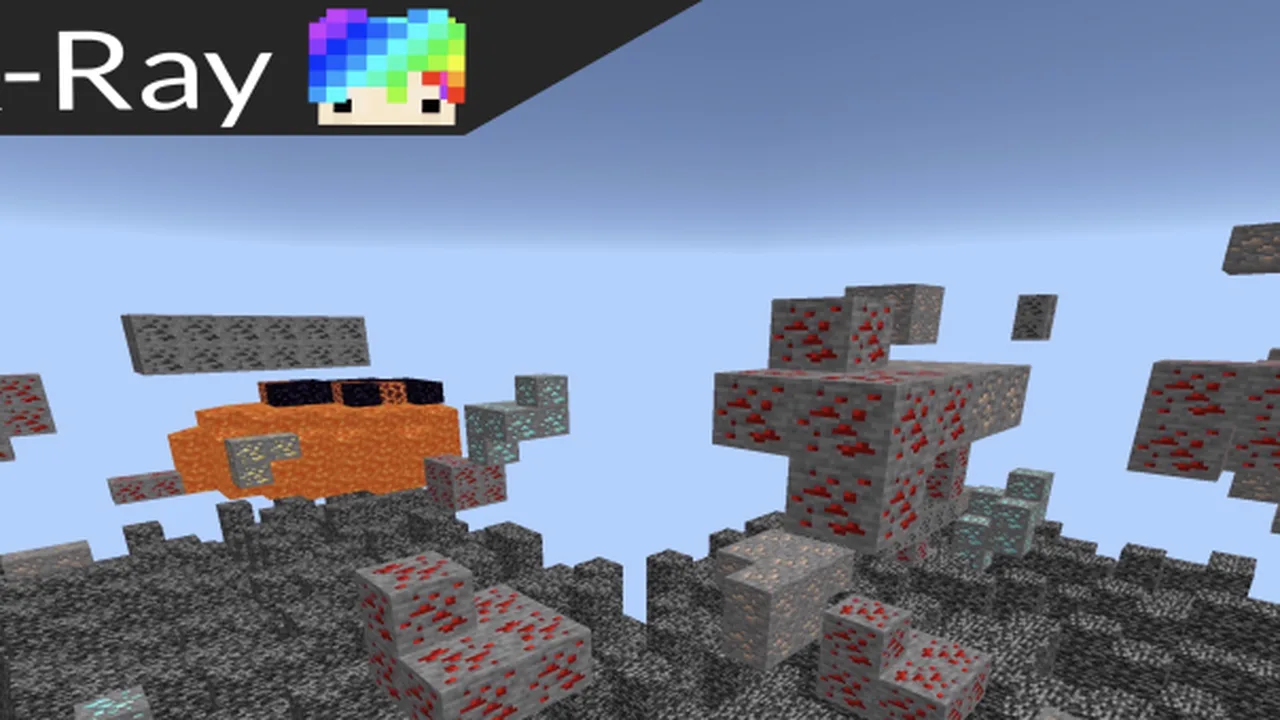
MCPE X-Ray Texture Pack 1.20.X
Skip to DownloadThe X-Ray Texture Pack 1.20.X for Minecraft Bedrock Edition allows players to see through blocks, making resource gathering and exploration significantly easier. Perfect for players looking to find diamonds and other valuable ores quickly.
ad
Description
In Minecraft Bedrock Edition, the X-Ray Texture Pack serves a unique purpose that significantly alters the way players interact with the game world. One of the primary benefits is the ability to instantly locate precious resources and hidden caves, resulting in faster gameplay and a more streamlined mining experience. With the X-Ray pack enabled, common ores become visible through surrounding blocks, allowing players to strategize their mining routes effectively.
When you first install the X-Ray Texture Pack, you may notice that certain blocks become transparent while others maintain their standard appearances. This selective visibility helps players focus solely on valuable resources without distractions. For instance, diamonds become incredibly easy to spot, saving you hours of tedious digging that you would otherwise engage in during traditional gameplay.
The pack is particularly beneficial for players who prefer to build and craft without the frustrating resource grind. Instead of exploring vast caverns or digging extensive tunnel systems that could lead to dead ends, players can directly mine to ores as soon as they identify them on the surface or just beneath other blocks. This efficiency is especially appealing in survival mode, where time and resources are often scarce.
In addition to the competitive advantage it offers, the X-Ray Texture Pack can make casual gameplay more enjoyable. Players who wish to focus on building or exploring biomes rather than resource gathering can use this texture pack to reduce downtime and enhance their creative experience. It opens the door to a different way of playing, allowing more focus on the game's aesthetic qualities, architecture, and design.
It is essential to note that using the X-Ray Texture Pack can diminish the challenge of the game. Players may find that while it eliminates some of the grind associated with resource acquisition, it also impacts the overall experience of exploration and adventure that Minecraft is known for. Therefore, it's best suited for certain gameplay styles, whether you are looking to speedrun to a specific goal or simply want a different experience without the extensive mining that usually accompanies resource collection.
To install the X-Ray Texture Pack, simply follow these steps:
1. Download the X-Ray Texture Pack file from the provided location on this page.
2. Open Minecraft Bedrock Edition on your device (mobile, console, or Windows).
3. Navigate to the ‘Settings’ menu.
4. Select ‘Storage’ and scroll down to the ‘Texture Packs’ section.
5. Click on ‘Import’ to upload the downloaded texture pack file.
6. Once uploaded, find the X-Ray Texture Pack in your list and apply it to your desired world.
7. Enter your world and enjoy a new level of resource visibility!
This pack is compatible with all Minecraft Bedrock devices, including mobile and console versions. It invites players to optimize their mining techniques and redefine their gameplay strategies. Even though it introduces an advantageous mechanic, it leaves room for creative exploration and innovation, allowing gamers to find new finds without the grind. It’s essential, however, to approach this powerful tool with balance, relishing the hidden gems of Minecraft while enjoying the benefits of enhanced visibility.
ad
About the Content
The X-Ray Texture Pack is designed exclusively for Minecraft Bedrock Edition, enhancing gameplay by allowing players to visualize resources behind blocks. With this texture pack, players can easily identify ores such as diamonds, gold, and iron without digging through layers of stone. This tool proves invaluable for survival players striving to maximize their efficiency and resource management.
**CHANGELOG:**
- Initial release of the X-Ray Texture Pack.
- Minor adjustments to block visibility settings for optimal performance.
- Enhanced clarity for ores to improve identification during gameplay.
- Addressed compatibility issues with various Minecraft Bedrock updates.
- Implemented feedback from early users for better usability.
Installation
To install the X-Ray Texture Pack 1.20.X on Minecraft Bedrock Edition, follow these steps carefully to ensure proper setup:
1. **Download the Pack:** Start by downloading the X-Ray Texture Pack file. Make sure to choose the version that matches your Minecraft Bedrock Edition.
2. **Locate the File:** After downloading, navigate to the folder where the file was saved on your device. This is usually in your downloads or 'Files' folder.
3. **Open Minecraft Bedrock Edition:** Launch the Minecraft application on your device—this could be on console, mobile, or Windows PC.
4. **Access Settings:** In the main menu, click on the ‘Settings’ button located at the bottom right of the screen.
5. **Find Storage Menu:** Scroll down and select the ‘Storage’ option, which allows you to manage texture packs and other game resources.
6. **Import Texture Pack:** Within the storage options, look for the ‘Texture Packs’ section. Click on the ‘Import’ button to upload the downloaded X-Ray Texture Pack file.
7. **Apply the Texture Pack:** After successfully importing the pack, return to the main menu and select ‘Play.’ Choose the world you wish to modify or create a new one, then open the ‘Resource Packs’ menu for that world. Find the X-Ray Texture Pack in the list and click ‘Apply.’
8. **Start Playing:** Enter your selected world and enjoy the enhanced visibility of ores! You should now see valuable resources through the surrounding blocks, making mining much easier.
**Important Note:** While this texture pack significantly aids in locating ores, using it may impact your gameplay experience and challenge. It's advisable to enjoy this feature responsibly and consider toggling it on and off depending on your current gameplay goals.
Supported Minecraft Versions
1.21
If the download button doesn't work, click here for alternatives
If you are the original creator and would like this content removed, please submit a request through our DMCA page.