MCPE Nexora Visuals Texture Pack for Minecraft Bedrock
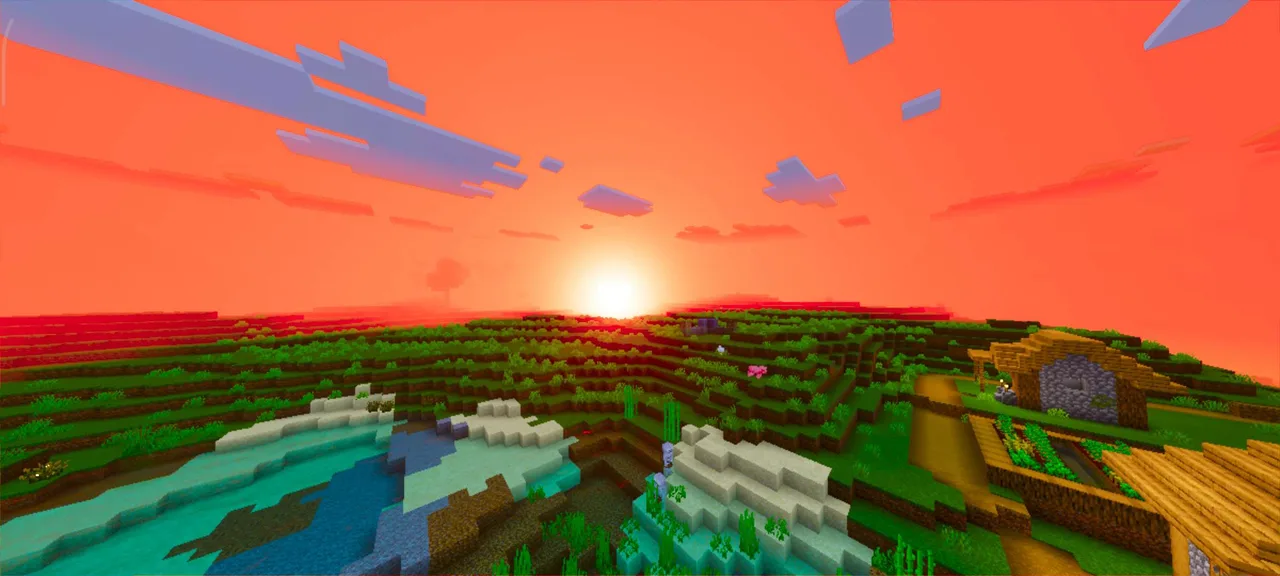
Skip to DownloadNexora Visuals brings a vibrant overhaul to Minecraft Bedrock with enhanced color grading, improved PBR lighting, and dynamic water effects, creating a rich and immersive world for players. Explore deeper contrasts and smoother shadows that significantly
ad
Description
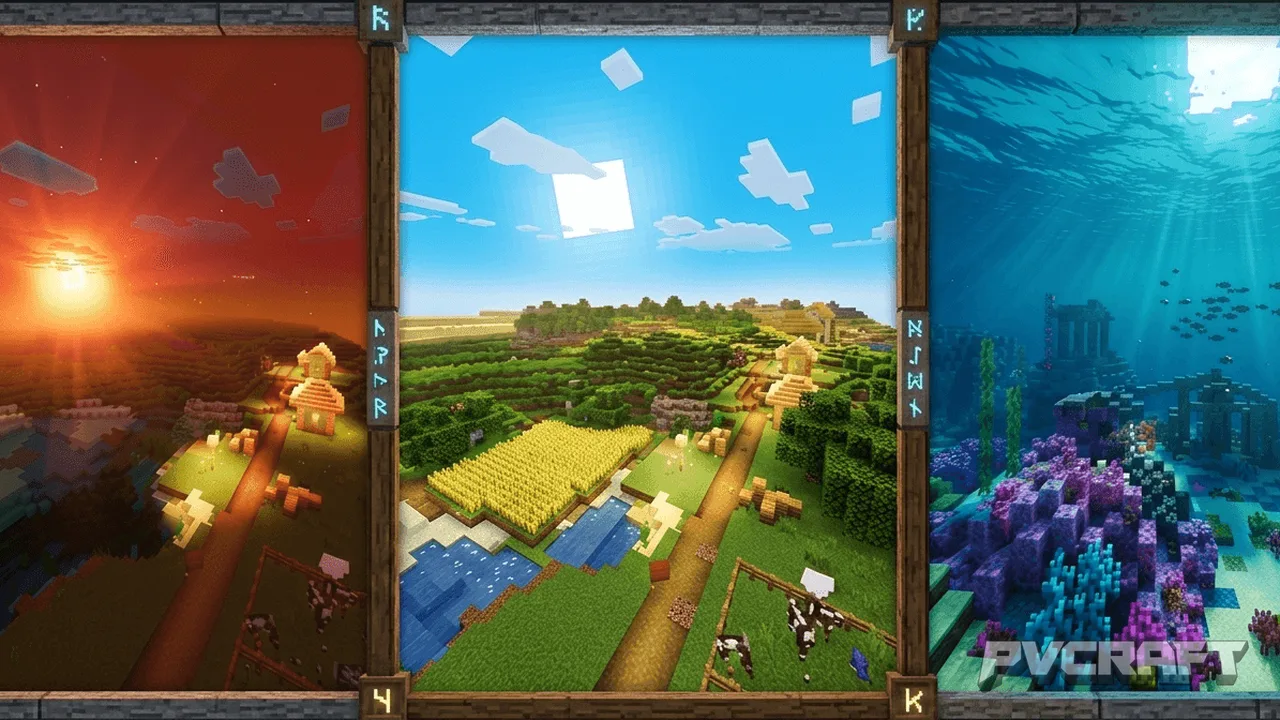
Nexora Visuals is a texture pack meticulously designed to enhance the visual experience within Minecraft Bedrock Edition. This pack focuses on elevating the game's aesthetic by integrating punchy color grading, rich PBR (Physically Based Rendering) lighting, and dynamic water effects, which together create a more immersive environment for players. By adopting these enhancements, Nexora Visuals transforms the flat and sometimes bland visuals of vanilla Minecraft into a vivid, cinematic world where every block and biome feels alive.
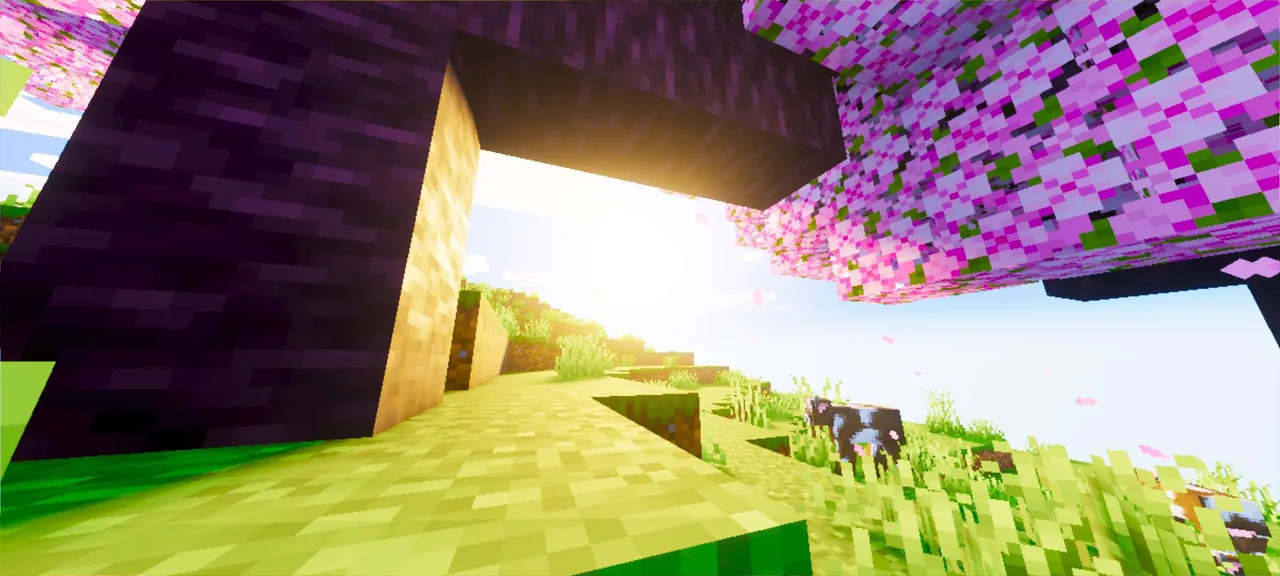
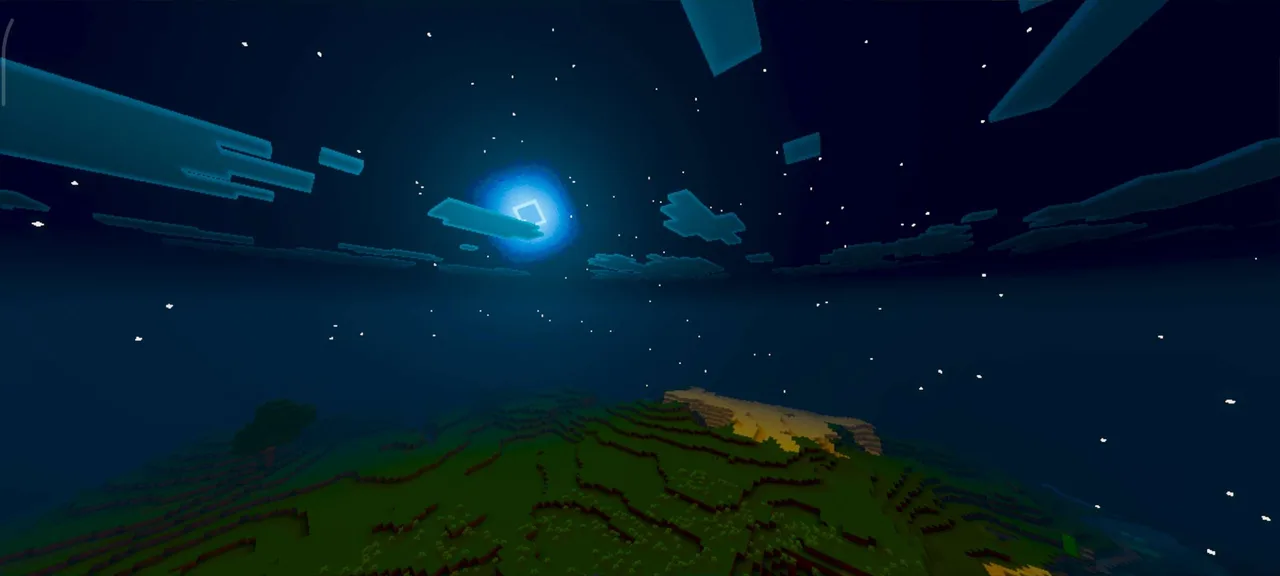
One of the primary changes players will notice is the revamped color palette. Colors in Nexora Visuals are bolder and fuller, providing a richer experience that makes the game world feel more vibrant. For instance, the grass appears more lush, while the sky showcases deeper blues and dynamic lighting during different times of the day. This transformation is especially evident during sunrises and sunsets, where colors blend seamlessly, adding a layer of realism to your in-game adventures.
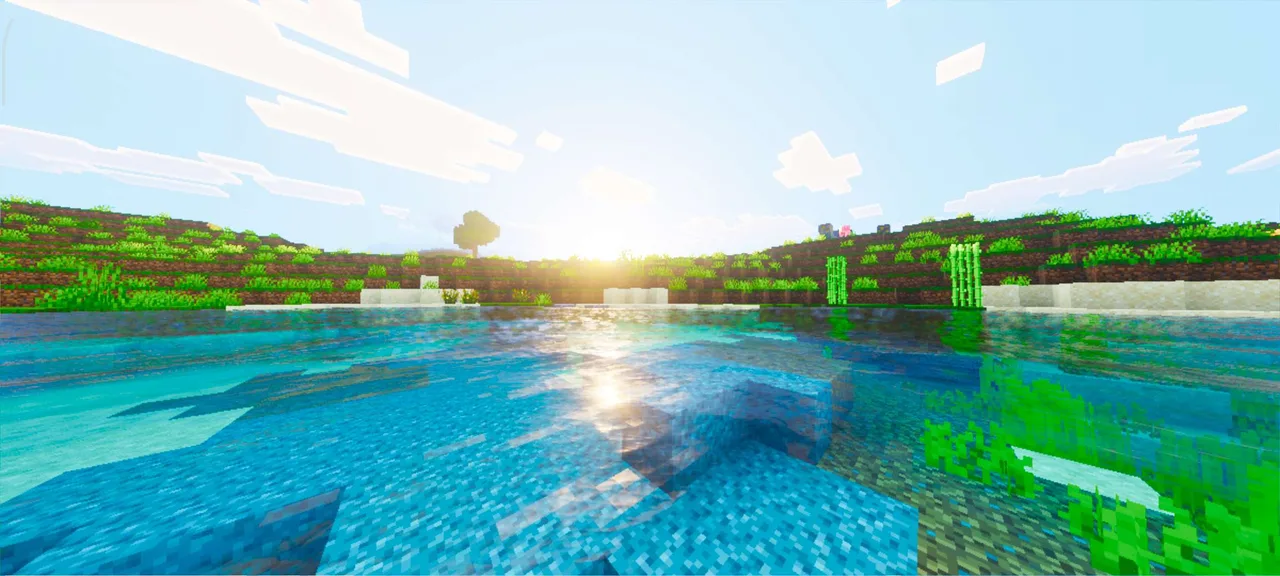
The integration of PBR lighting not only enhances the visual fidelity but also affects how players interact with their surroundings. PBR lighting simulates the way light behaves in real life, meaning that surfaces will reflect light in realistic ways, creating more engaging interactions with blocks and items. For example, water surfaces will shimmer under the sun, while stone and ores will exhibit different levels of glossiness depending on their texture. This attention to detail encourages players to explore their environments more thoroughly, as they’ll notice subtleties that were previously masked in the base game.
Dynamic water caustics are another standout feature of the Nexora Visuals pack. These caustics enhance the way light refracts through water, creating beautiful ripple effects that make bodies of water feel alive. When exploring rivers or oceans, players will appreciate the subtle reflections and movement of water that add depth and realism to aquatic environments. This dynamic aspect can greatly enhance gameplay during survival mode, where water-based travel and resource gathering play crucial roles.
Additionally, the shadows in Nexora Visuals are significantly smoother and more realistic. Enhanced shadow rendering allows for softer edges and gradients, improving overall immersion and depth perception. Players will notice that as the sun moves across the sky, shadows shift in a more natural manner. This change impacts gameplay by making it easier to navigate landscapes and understand the spatial relationships between structures and terrain.
For those who enjoy building, Nexora Visuals presents an array of new opportunities. The enhanced textures create a more inviting atmosphere, making it easier to showcase elaborate builds and landscapes. Players can expect their constructions to pop with the improved visual fidelity, whether they are creating sprawling castles, intricate farms, or simple homes. Furthermore, the vibrant color scheme encourages creativity, as players may feel inspired to experiment with color combinations and architectural styles that complement the enhanced environment.
In terms of compatibility, Nexora Visuals is designed specifically for Minecraft Bedrock Edition, ensuring a seamless installation process and optimal performance on mobile devices, consoles, and Windows. Players should note that while the pack significantly upgrades visuals, it is lightweight enough to maintain smooth gameplay, even in larger worlds or complex builds. However, players with older devices may notice slight performance dips; thus, it is advised to test the texture pack and adjust settings accordingly if necessary.
Overall, Nexora Visuals is an excellent choice for players looking to enhance their Minecraft experience. It is particularly well-suited for those who prioritize aesthetics and immersion in their gameplay. Whether you are an explorer, builder, or a casual player, the transformation that Nexora Visuals brings to the game is sure to enrich your adventures and interactions within the Minecraft universe. However, players who prefer the traditional look of vanilla Minecraft may find the changes too pronounced, so consider your visual preferences before installing this texture pack.
ad
About the Content
CHANGELOG:
- Initial release featuring enhanced color grading.
- Introduced improved PBR lighting for natural reflections.
- Added dynamic water caustics for realistic visual effects.
- Enhanced shadow rendering for smoother transitions.
- Optimized performance for both mobile and console devices.
Installation
Installing Nexora Visuals in Minecraft Bedrock Edition is a straightforward process that enhances your gameplay experience. Follow these steps to get started:
1. **Download the Texture Pack:** First, acquire the Nexora Visuals texture pack file. Ensure it's in the .mcpack format, which is compatible with Minecraft Bedrock.
2. **Open Minecraft:** Launch Minecraft Bedrock Edition on your device.
3. **Access Settings:** From the main menu, navigate to **Settings**. This option is usually located at the bottom of the screen.
4. **Select Storage:** In the Settings menu, scroll down and select **Storage**. Here you will see the option to manage your texture packs.
5. **Import the Texture Pack:** Click on **Import** and locate the Nexora Visuals .mcpack file you downloaded. Select it, and Minecraft will automatically add the texture pack to your available resources.
6. **Activate the Texture Pack:** Return to the main settings menu and select **Global Resources**. You will find the Nexora Visuals pack listed under your available packs. Tap on it and then select **Activate** to apply the texture pack.
7. **Start Your Game:** Exit the settings menu and start or load your world. You should now experience the enhanced visuals brought by Nexora Visuals.
8. **Adjust Settings if Necessary:** Depending on your device, you may want to tweak graphical settings within the game to ensure optimal performance with the new textures.
By following these steps, you can easily install and enjoy the revamped visuals that Nexora Visuals provides, transforming your gameplay into a vibrant and immersive experience.
Supported Minecraft Versions
26.30
If the download button doesn't work, click here for alternatives
If you are the original creator and would like this content removed, please submit a request through our DMCA page.