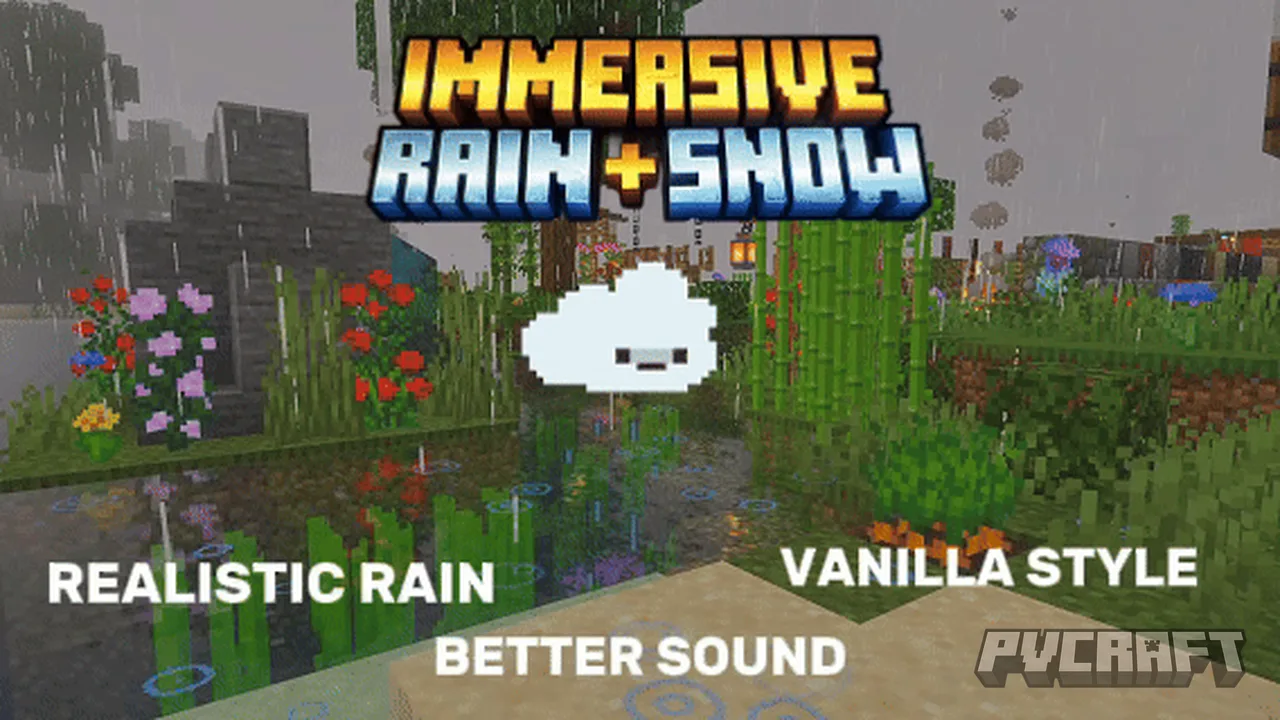
MCPE Immersive Rain + Snow (Texture)
Skip to DownloadImmerse yourself in a more realistic weather experience with the Immersive Rain + Snow texture pack for Minecraft Bedrock Edition. This texture pack enhances the appearance of rain and snow, making your gameplay feel more engaging and lifelike.
ad
Description
The Immersive Rain + Snow texture pack is designed for players who seek a more atmospheric experience in Minecraft Bedrock Edition. When activated, this pack significantly improves the appearance of precipitation, transforming how rain and snow interact with the world around you. Instead of the basic effects found in the standard game, players will notice more intricate and visually stunning rain and snow particles that create a more immersive environment.
### How It Works in Bedrock Edition
In Minecraft Bedrock, weather effects are often simplified, but this texture pack enhances their visual presentation. Raindrops now appear as distinct, more textured sprites that fall with a sense of depth and movement. Snowflakes are revamped to look more soft and fluffy, contributing to the overall aesthetic improvements. Each biome will exhibit unique weather characteristics; for example, snow will look different in a cold biome than in a warmer biome, adding layers of detail that make exploration exciting.
### Why It Exists
The primary goal of the Immersive Rain + Snow texture pack is to elevate the player's sensory experience while exploring different biomes and landscapes in Minecraft. This modification is particularly beneficial for users who appreciate realism in their gameplay. By enhancing the visuals of rain and snow, players can enjoy a more engaging environment, feel more connected to the game world, and find beauty in the diverse weather conditions they encounter.
### Who It Is For
This texture pack is ideal for players of all ages who enjoy immersive gameplay. Whether you are an explorer trekking through a snow-laden forest or a builder creating a cozy cabin in the rainy mountains, the pack enhances your overall experience. It is particularly great for those who love to capture in-game screenshots or create cinematic experiences, as the improved weather effects provide a stunning backdrop to any scene.
### Limitations and Considerations
While the Immersive Rain + Snow texture pack enhances visuals, players should note that it may slightly impact the game's performance on lower-end devices. Ensure that your device meets the necessary specifications to experience the visuals seamlessly. Users should also be mindful of conflicts with other texture packs to ensure the best compatibility. Nevertheless, with its engaging visuals and added atmosphere, this texture pack is a worthwhile addition for creative builds and survival adventures alike.
ad
About the Content
The Immersive Rain + Snow texture pack transforms the default weather visuals in Minecraft Bedrock Edition, offering players a more aesthetically pleasing and realistic experience during rain and snow events. This texture pack modifies the textures of raindrops and snowflakes, and it also introduces subtle variations in weather effects based on biome and weather conditions.
### CHANGELOG:
- Initial release with enhanced raindrop textures.
- Updated snowflake visuals for improved clarity and realism.
- Added biome-specific weather variations to enhance immersion.
- Fixed minor graphical inconsistencies in previous versions.
Installation
To install the Immersive Rain + Snow texture pack on your Minecraft Bedrock Edition, follow these steps:
1. Download the texture pack file from the location where it's available.
2. Open Minecraft Bedrock Edition.
3. Go to 'Settings' from the main menu.
4. Select 'Storage' and locate the downloaded texture pack file.
5. Once the pack is located, click to import it.
6. After the installation is complete, go to 'Settings' again, then 'Global Resources.'
7. Find the Immersive Rain + Snow texture pack in the list and click on it to activate.
8. Finally, start or continue your game, and enjoy the enhanced weather effects throughout your Minecraft world.
Supported Minecraft Versions
1.21
If the download button doesn't work, click here for alternatives
If you are the original creator and would like this content removed, please submit a request through our DMCA page.