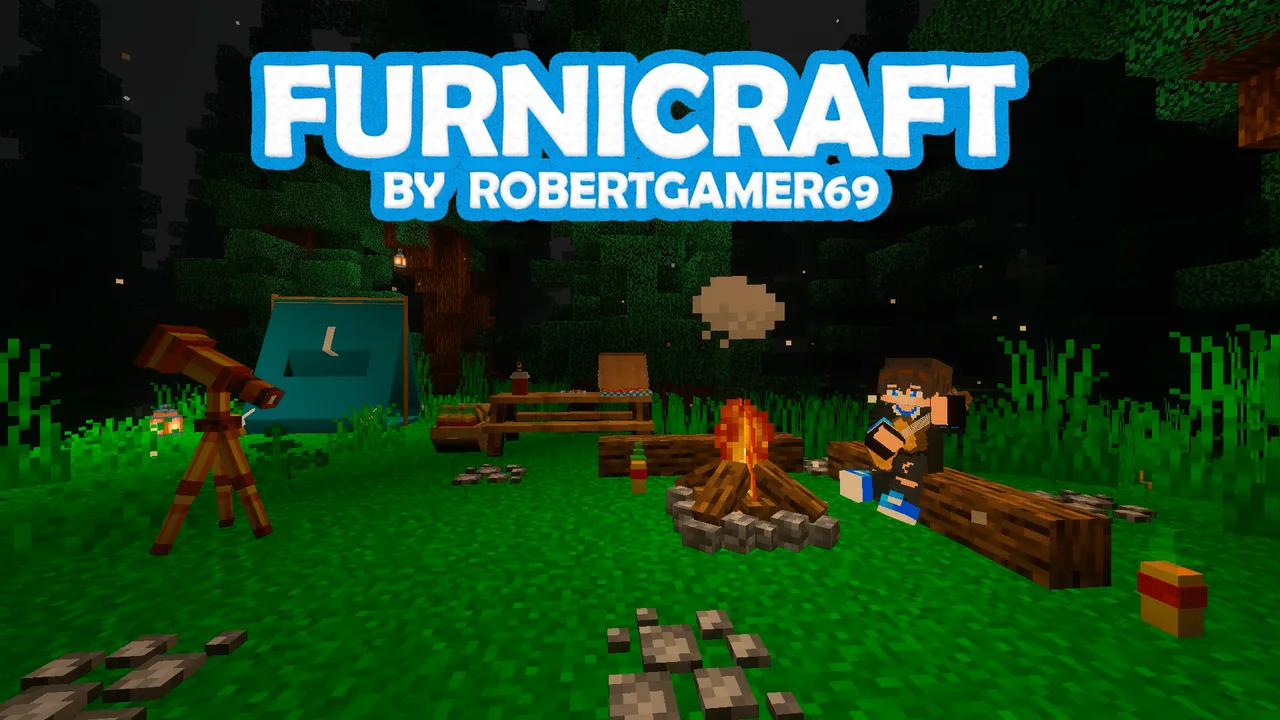
MCPE FURNICRAFT ~ Furniture
Skip to DownloadFurniCraft is the ultimate furniture addon for Minecraft, providing a rich variety of decorative items to enhance your builds and create lively interiors.
Description
FurniCraft is designed with creativity in mind, offering players the chance to personalize their Minecraft worlds like never before. With over 200 new items, players can choose from a variety of tables, chairs, couches, and more, tailored to complement any building style. This furniture addon allows you to craft everything from classic wooden tables to chic leather sofas, ensuring that your space is not only functional but also visually appealing.
### Key Features of FurniCraft:
- **Diverse Range:** FurniCraft includes different categories of furniture such as living room items, kitchen appliances, bedroom essentials, outdoor furniture, and even decorative pieces.
- **Realism:** Many items in this addon have realistic designs that mimic real-life furniture, enhancing the immersive experience in the game.
- **Custom Crafting:** Players can craft most furniture items using materials available in the game, allowing for a seamless integration into your existing builds.
- **Interactive Elements:** Some furniture pieces feature interactive elements, enabling players to sit, use, or even store items, adding a functional aspect to decoration.
- **Compatibility:** FurniCraft is compatible with various Minecraft versions, making it easy for players to install and start using.
### How to Use FurniCraft:
Using FurniCraft in your Minecraft world is straightforward. Once the addon is installed, players can access new crafting recipes and start designing their dream spaces. Here’s a brief overview of how you can effectively incorporate this addon into your gameplay:
- **Explore Crafting Recipes:** Familiarize yourself with the various crafting recipes available in the addon. These recipes detail how to combine different materials to create the furniture items.
- **Plan Your Layout:** Before placing any furniture, consider the layout of your space. Drawing a rough sketch or planning it out can help make your interior design flow better.
- **Mix and Match Styles:** Don't hesitate to mix different styles and colors. The range of options in FurniCraft allows you to experiment with various combinations to find what suits your taste best.
- **Accessorize:** To elevate your furnishings further, coordinate with other decorative blocks and items available in Minecraft. This will create a cohesive and vibrant environment.
- **Functional Arrangement:** Consider how you want to use each space. For instance, arranging chairs and a table in a living area creates a welcoming setting for gathering, while a stylish bed and nightstands make for a comfortable sleeping area.
### Modifying Your Game with FurniCraft
FurniCraft enables players to not only add aesthetic value but also functional comforts to their builds. From creating a workstation in your home to establishing a bakery with the right appliances, the possibilities are endless. Consider these additional tips:
- Use **furniture blocks** creatively to define different areas in larger rooms, such as using bookshelves for dividing spaces.
- Utilize the **interactive features** of furniture to engage your character beyond just decoration.
- Collaborate with friends on builds to share ideas about how to best utilize the FurniCraft setup in multiplayer worlds.
FurniCraft fuels creativity, enabling players to express themselves in their Minecraft constructions. It's a must-have for those looking to create a more lively and visually stunning world.
About the Content
Step into a world of design with FurniCraft, the premier furniture addon for Minecraft. This addon transforms the way you decorate your spaces, introducing a vast array of unique furniture pieces suitable for any style. Elevate your builds with realistic and aesthetically pleasing furnishings that can make your in-game experience more enjoyable and immersive. Whether you’re looking to furnish a cozy home, a bustling café, or even a modern office space, FurniCraft has you covered with its extensive selection of furniture options.
Installation
Installing FurniCraft is easy and can be achieved in just a few steps. Here’s how to properly install this furniture addon for your Minecraft gameplay:
### Step 1: Download the Addon
Start by searching for the latest version of the FurniCraft addon compatible with your version of Minecraft. Ensure that you download files from reputable sources to avoid issues with malware or corruption.
### Step 2: Locate Your Minecraft Folder
Once downloaded, you need to access your Minecraft directory:
- On Windows, this is usually located at `C:\Users\YourUsername\AppData\Roaming\.minecraft`.
- For Mac users, navigate to `~/Library/Application Support/minecraft`.
- On Linux, it can be found at `~/.minecraft`.
### Step 3: Install the Addon Files
- **Extract the Files:** If the addon downloaded as a .zip file, extract it so you can access the individual files inside.
- **Place Files in the Right Folder:** Copy the extracted files into the appropriate folder in the Minecraft directory. Typically, you would place them in `resourcepacks` and `behaviorpacks` depending on the addon structure. Consult the supplied documentation to ensure Windows-specific paths show the correct files.
### Step 4: Activate the Addon in Minecraft
- Launch Minecraft and navigate to the settings menu.
- Go to the “Storage” or “Behavior Packs” section, depending on your version.
- Select the FurniCraft addon from the available list and activate it. This may require you to create a new world or edit an existing one to apply the changes.
### Step 5: Start Building
After activation, you should see new furniture options available to craft and use in your game! Explore the new crafting recipes and start transforming your interiors with the fantastic furniture pieces from FurniCraft.
### Tips for Troubleshooting
If you encounter any issues during installation:
- Double-check that you have the latest version of Minecraft and that the addon is compatible with it.
- Ensure all files are correctly placed in the appropriate directories.
- Review any documentation included with the addon for specific installation instructions or troubleshooting tips.
By following these steps, you'll have FurniCraft up and running in your Minecraft world in no time. Enjoy the creativity and customization that comes with adding stylish furniture to your builds!
Supported Minecraft Versions
1.21
If the download button doesn't work, click here for alternatives
If you are the original creator and would like this content removed, please submit a request through our DMCA page.