MCPE Enhanced Durability Display
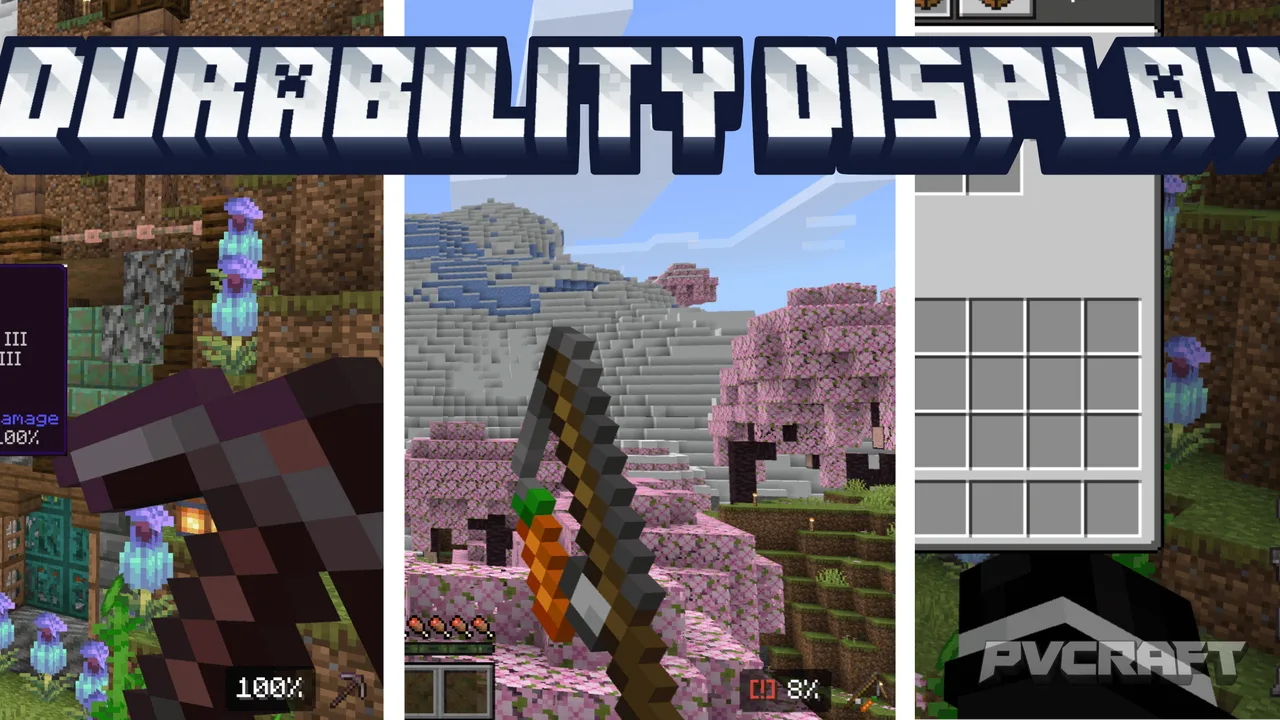
Skip to DownloadThe Enhanced Durability Display texture pack for Minecraft Bedrock provides players with a clear view of item durability in various contexts, including HUD, inventory, and tooltips. It features color-coded durability indicators and low durability warnings
ad
Description
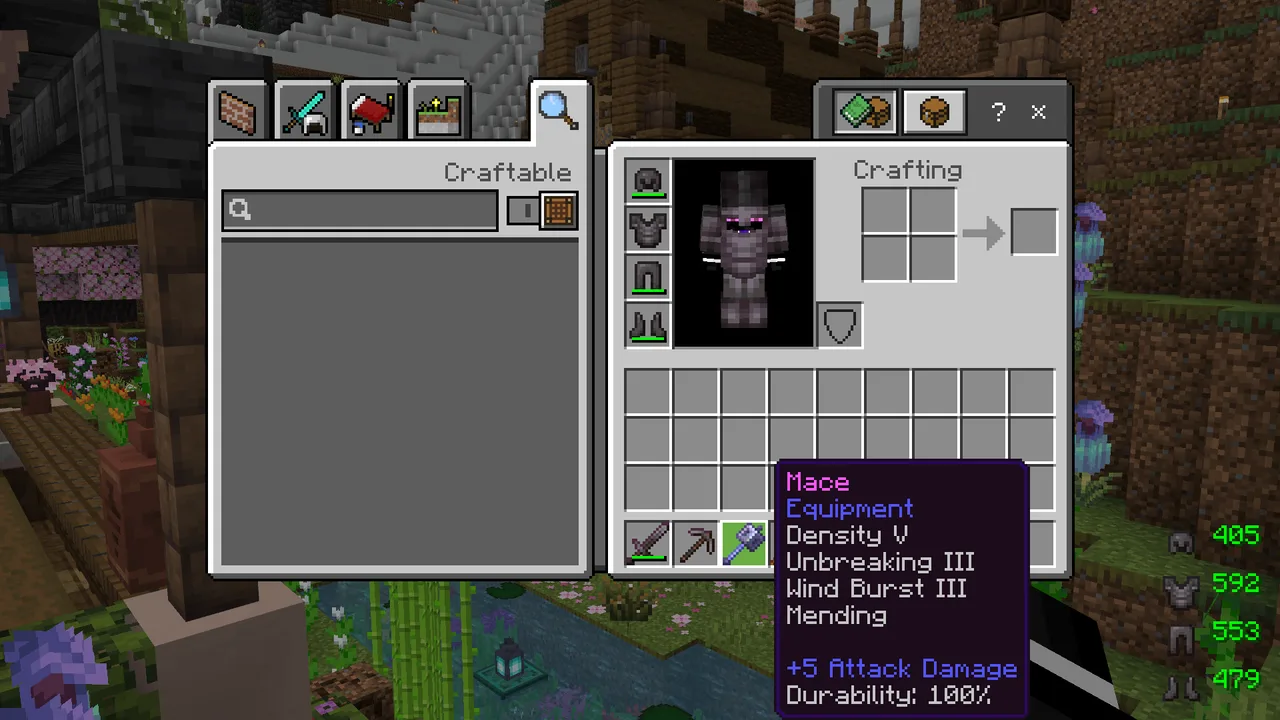
The Enhanced Durability Display texture pack transforms the way Minecraft Bedrock players perceive item durability. With this pack, players interact with a sophisticated system that displays durability information in multiple areas of the game, including the HUD, inventory, and tooltips. By providing a straightforward visualization of durability, players can make informed decisions regarding their equipment and resources without needing to stop and check item durability manually.
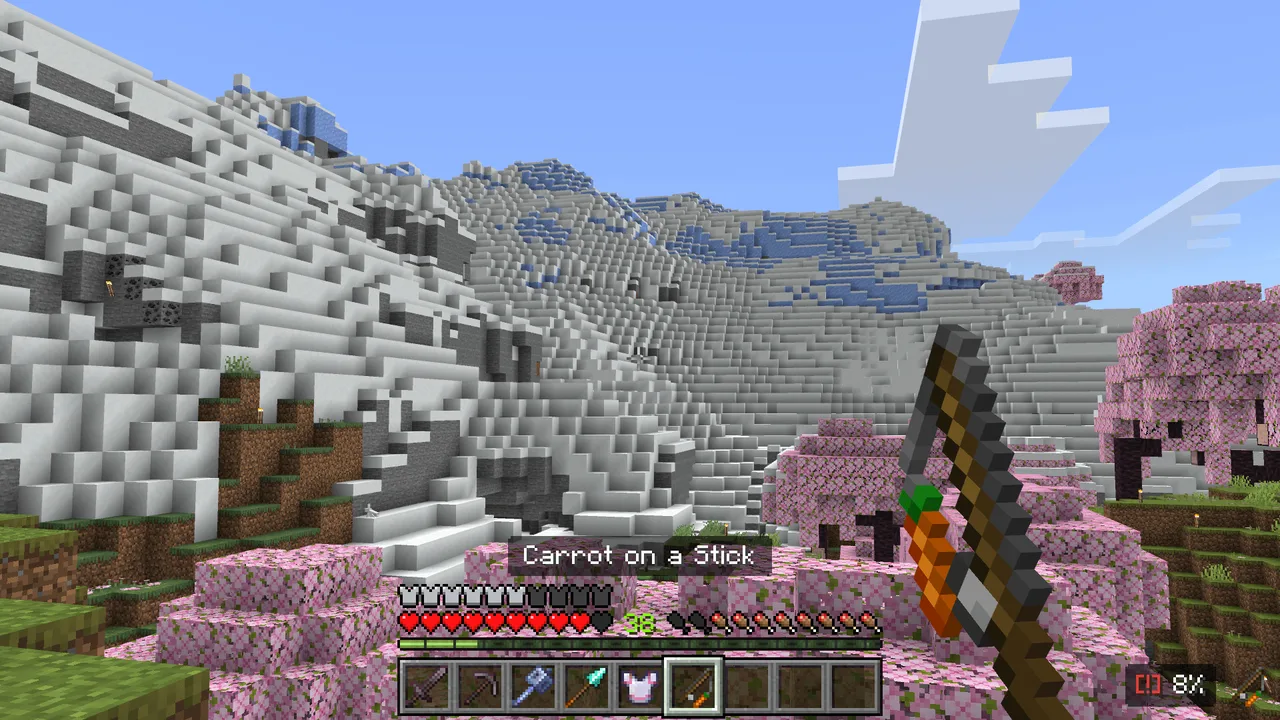
One of the standout features of this texture pack is its HUD display, which vividly shows the durability of the currently selected item in the hotbar. In the bottom-right corner of the screen, players can see a clear representation of item durability alongside an icon. This immediate feedback helps players to quickly assess whether an item is still viable for use, aiding in smoother gameplay and reducing the number of unexpected equipment failures during critical moments in the game.
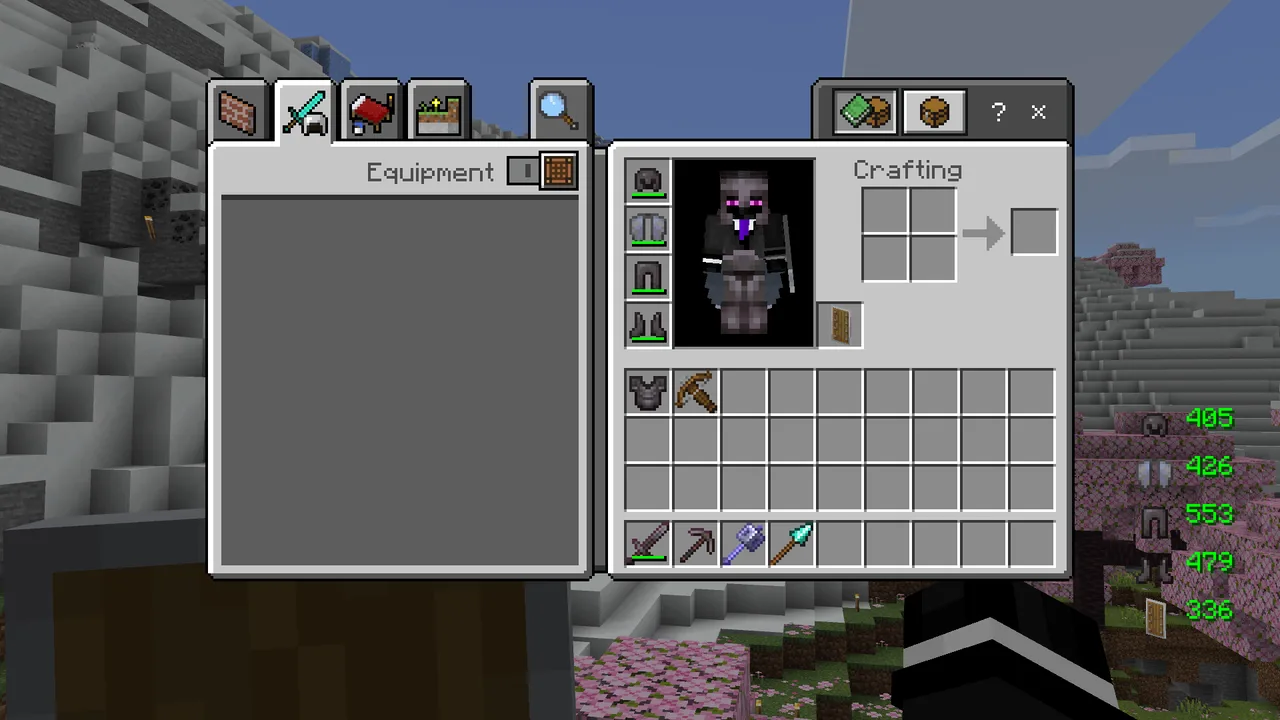
In addition to the hotbar display, the texture pack also provides detailed information regarding the durability of all four armor slots and even shields. When players open their inventory, they are greeted with a comprehensive view of their gear, allowing them to see at a glance the remaining durability of their armor. This is crucial for players who engage in intense battles or challenging explorations, ensuring they are always aware of their protective gear's status.
The texture pack also enriches the gameplay experience with hover text enhancements. When players hover over any item in their inventory, they can see the durability stats displayed prominently, either as colored numbers or percentages, depending on their preference. This feature is particularly useful for players managing a large variety of tools, weapons, and armor, as it eliminates the guesswork in determining which items are nearing the end of their life span.
One of the innovative aspects of the Enhanced Durability Display is the low durability warning mechanism. When the durability of an item falls below 20%, a blinking alert icon appears next to the item in the HUD. This feature acts as a helpful reminder for players, prompting them to either replace the item or repair it before it breaks, thus preventing any unfortunate surprises in the heat of battle.
The color-coded durability system is another highlight of this texture pack. The durability numbers transition from red to green, providing a visual gradient that indicates the item’s status. When items are in good condition, they display vibrant green numbers, but as they become worn, the colors shift towards yellow and eventually red, signifying the need for immediate attention. This intuitive design enhances the overall aesthetic of the user interface while also offering practical information.
Compatibility with Minecraft Bedrock is seamless; players on mobile, console, or Windows devices can all benefit from this resource pack without needing any additional behavior packs. As a pure resource pack, it integrates effortlessly into gameplay, ensuring that all players experience enhanced durability awareness.
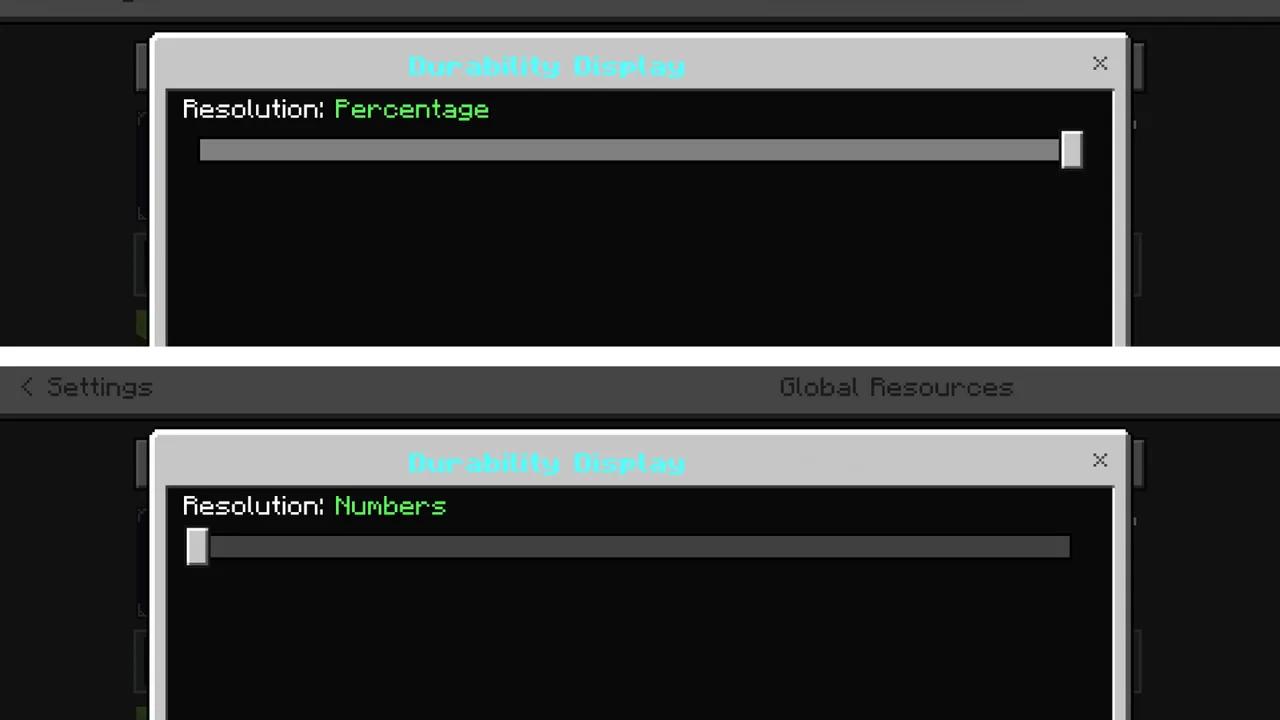
To make the most of the Enhanced Durability Display, players should familiarize themselves with the subpack options, allowing them to choose how they wish to view durability data – either through numerical values or percentage indicators. This flexibility caters to different player preferences, ensuring that everyone can find the display method that suits them best. As players dive deeper into their Minecraft adventures, this texture pack becomes an invaluable tool for maintaining effective resource management and enjoying an uninterrupted gaming experience.
ad
About the Content
CHANGELOG:
- Initial release featuring basic durability display
- Added color-coded durability indicators for clarity
- Implemented low durability warning alerts for critical items
- Enhanced support for armor durability visibility
- Improved UI for a more intuitive player experience
Installation
Installing the Enhanced Durability Display texture pack in Minecraft Bedrock is a straightforward process. Follow these steps to enhance your gameplay:
1. Download the texture pack file. Make sure it's compatible with Minecraft Bedrock Edition.
2. Open the Minecraft Bedrock game on your device.
3. From the main menu, navigate to 'Settings'.
4. Select 'Storage' and ensure you’ve allowed the game to access your device storage.
5. Return to the main menu and click on 'Play'.
6. Choose your desired world or create a new one.
7. Before entering the world, click on the 'Resource Packs' option.
8. Navigate to 'My Packs' and find the Enhanced Durability Display texture pack.
9. Click on the pack to add it to your active packs list.
10. Return to the game and start playing. You’ll immediately see the new durability displays in effect!
Make sure to check the settings menu to customize how you view durability data to make the most of this wonderful texture pack!
Supported Minecraft Versions
26.20
If the download button doesn't work, click here for alternatives
If you are the original creator and would like this content removed, please submit a request through our DMCA page.